BYOD Security Risks (and How to Manage Them)
BYOD (bring your own device) lets employees use personal phones and laptops for work, which boosts flexibility but creates real security risks: company data on devices you do not control, lost or stolen phones, unmanaged endpoints missing patches and protection, data leakage to personal apps, and blurred lines between work and personal use.
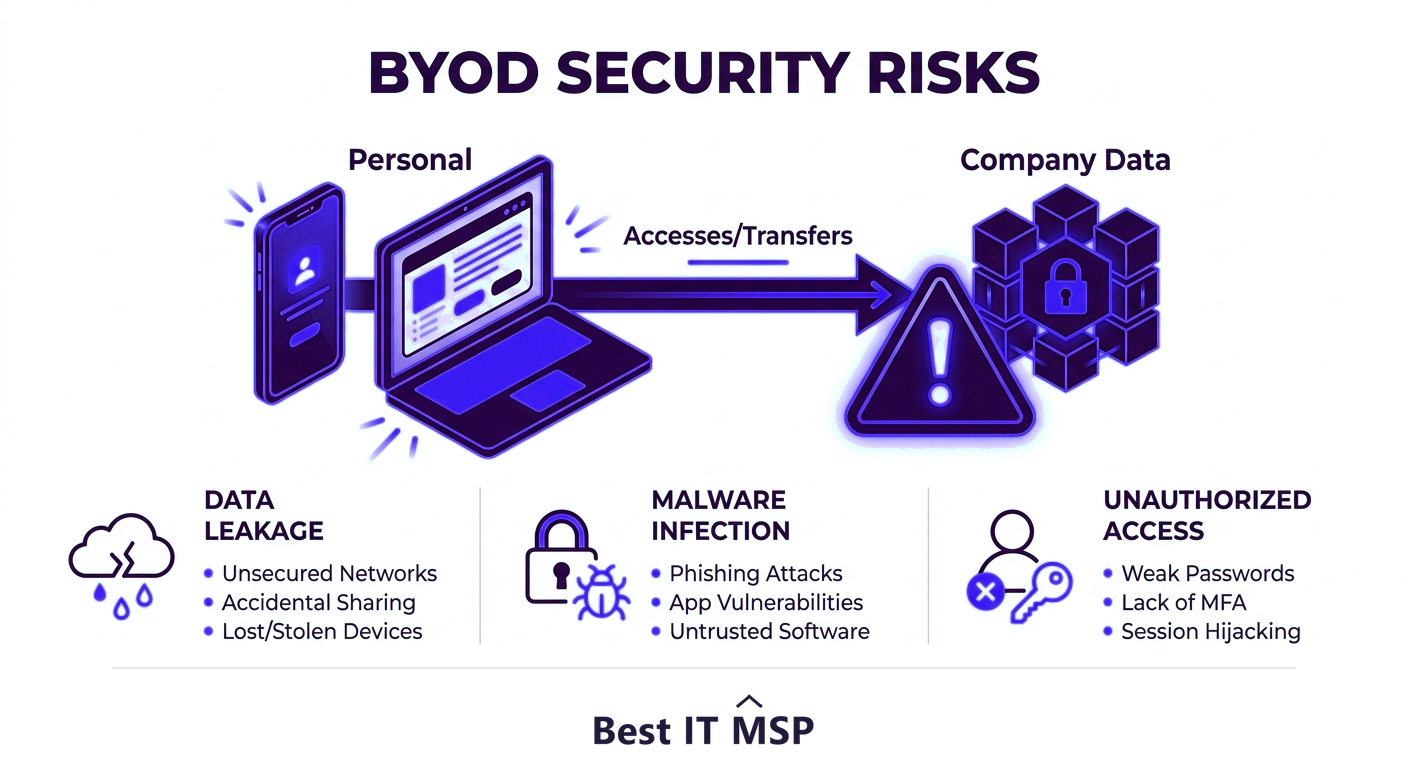
- BYOD lets staff use personal devices for work, adding flexibility but putting company data on devices you do not control.
- The biggest risks are data leakage, lost or stolen devices, and unmanaged endpoints missing patches and protection.
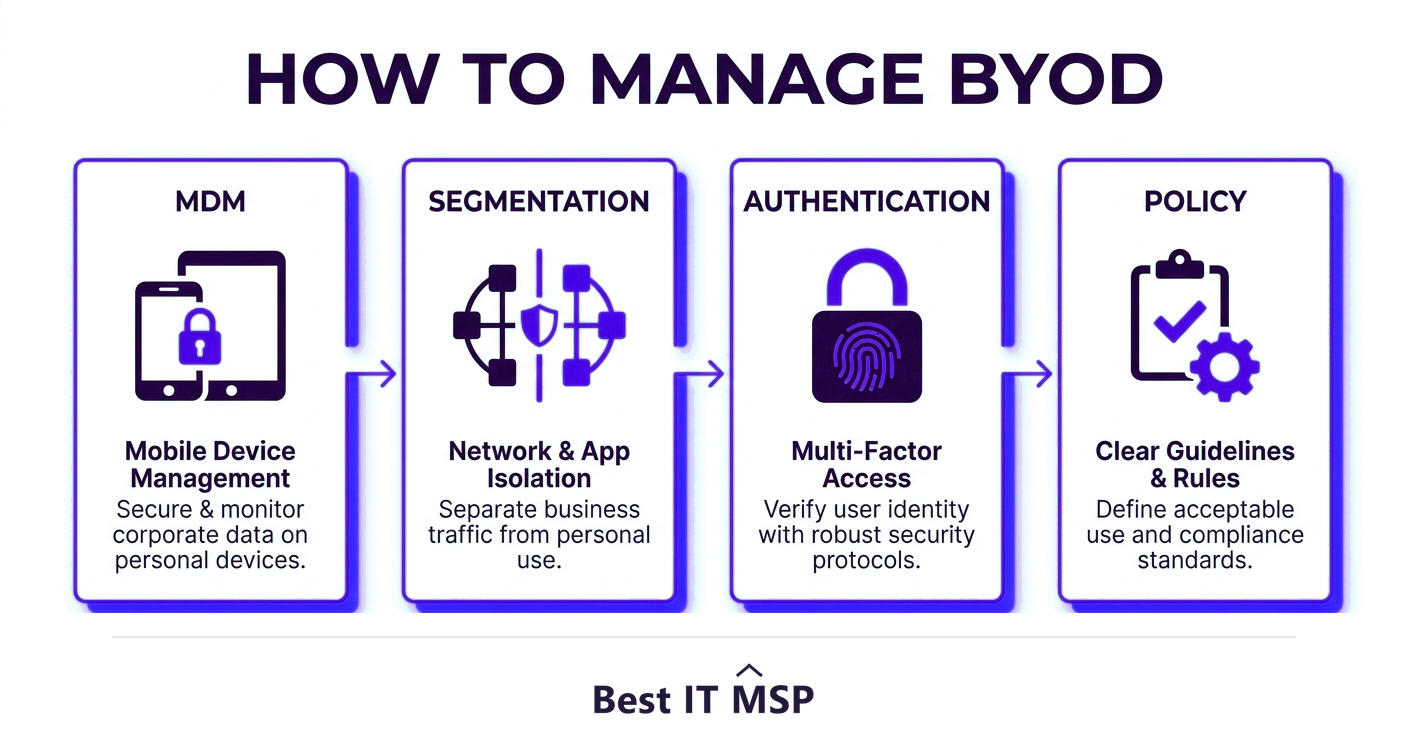
- Mobile device management (MDM) lets you secure and, if needed, wipe company data on personal devices.
- Network segmentation and strong authentication limit what a compromised personal device can reach.
- A clear, enforced BYOD policy is the foundation that makes the technical controls work.
What is BYOD, and why is it risky?
BYOD, short for bring your own device, is the now-common practice of letting employees use their personal phones, tablets, and laptops for work. It is popular for good reasons: people prefer their own devices, it saves the business hardware cost, and it supports flexible and remote work. But it comes with a fundamental security tension, the moment company email, files, and access live on a device the business does not own or fully control, you have extended your security perimeter onto hardware you cannot see. That device might be shared with family, missing critical updates, loaded with risky apps, or left in a taxi. BYOD security risks are not a reason to ban personal devices; they are a reason to manage them deliberately. This guide covers the main risks and the practical controls that let you keep BYOD's benefits without the exposure.
It pairs with our cybersecurity services overview and the email security page, and builds on our guide to where SMB cybersecurity should start.
The main BYOD security risks
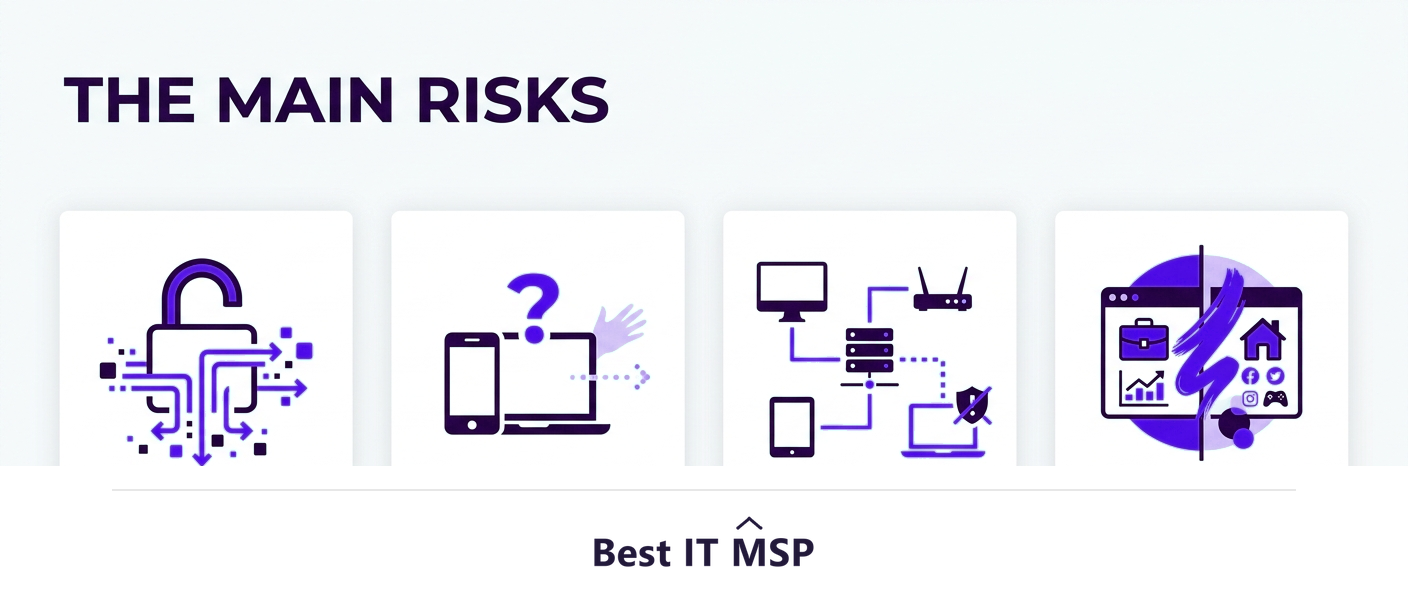
Personal devices introduce a recognizable set of risks:
- <strong>Data leakage.</strong> Company data can flow into personal apps, cloud accounts, and backups you do not control, leaking out of the business without anyone noticing.
- <strong>Lost or stolen devices.</strong> A misplaced phone with access to company email and files is a breach waiting to happen if it is not protected.
- <strong>Unmanaged endpoints.</strong> Personal devices often miss the patches, endpoint protection, and configuration that company-owned devices get, leaving known holes open.
- <strong>Malware and risky apps.</strong> A personal device may carry malware or apps that put company data at risk the moment it connects, and ransomware or extortion now features in about 32% of breaches.
- <strong>Weak authentication.</strong> Personal devices may lack screen locks or multi-factor authentication, and the human element is involved in 68% of breaches.
- <strong>Blurred work and personal use.</strong> When the same device is used for everything, separating and protecting company data becomes much harder.
Why BYOD is hard to secure
The core difficulty is visibility and control. With company-owned devices, IT can standardize, monitor, patch, and lock them down. With personal devices, the business has far less authority, you cannot simply dictate what someone installs on their own phone, and far less visibility into the device's state. This is a form of the broader shadow IT problem, where technology the business does not manage still touches its data. It matters because unmanaged devices are exactly where attackers find the unpatched, unprotected gaps they need, and breaches take an average of 258 days to identify and contain, giving an intruder who gets in through a personal device a long runway. The sprawl compounds it: 40% of breaches involve data spread across multiple environments, which is exactly the scattering of company data that unmanaged personal devices create. The goal of BYOD security is to regain enough control and visibility to protect company data, without taking over the employee's entire personal device.
How to manage BYOD risk
The good news is that BYOD can be made genuinely safe with the right layered controls:
- <strong>Mobile device management (MDM).</strong> Use MDM or mobile application management to enforce security on enrolled devices, require encryption and screen locks, push policies, separate work data into a managed container, and remotely wipe company data if a device is lost or an employee leaves, without touching personal data.
- <strong>Strong authentication.</strong> Require multi-factor authentication for all company access, so a lost device alone does not hand over your systems.
- <strong>Network segmentation.</strong> Keep personal devices on a separate network segment so a compromised phone cannot reach sensitive internal systems.
- <strong>Endpoint protection.</strong> Extend modern endpoint security to personal devices that access company data, so they are not unmanaged blind spots.
- <strong>Conditional access.</strong> Allow access only from devices that meet your security requirements, blocking those that do not.
- <strong>Encryption everywhere.</strong> Ensure company data is encrypted in transit and at rest, so exposure does not mean readable data.
BYOD policy essentials
Technical controls only work alongside a clear, written BYOD policy that sets expectations both ways. A good policy defines which devices and uses are allowed, the security requirements employees must meet (such as screen locks, updates, and enrolling in MDM), what the company can and cannot do to their device (an important trust point, especially around remote wipe), how data is separated, and what happens when someone leaves or loses a device. It should also require security awareness, because people are the front line, and the human element drives most breaches. Crucially, the policy must be communicated and enforced, not filed and forgotten, and it should balance security with respect for employees' personal privacy so people actually cooperate rather than work around it.
The cost of unmanaged BYOD
Ignoring BYOD does not make the risk go away; it just leaves it unmanaged. Employees will use personal devices for work whether or not there is a policy, so the only real choice is whether that usage is secured. The stakes are the same as any breach, the average reaches $4.88 million, and downtime alone costs most organizations more than $100,000 an hour, and a single unprotected personal device can be the entry point. Managing BYOD well is far cheaper than cleaning up after it fails, and automation helps, with organizations using security AI and automation extensively saving an average of $2.22 million per breach. This is also why securing a fleet of mixed devices well often calls for outside expertise, given a global shortfall of about 4.8 million cybersecurity professionals, and organizations facing a security skills shortage saw breach costs about $1.76 million higher.
Getting BYOD right
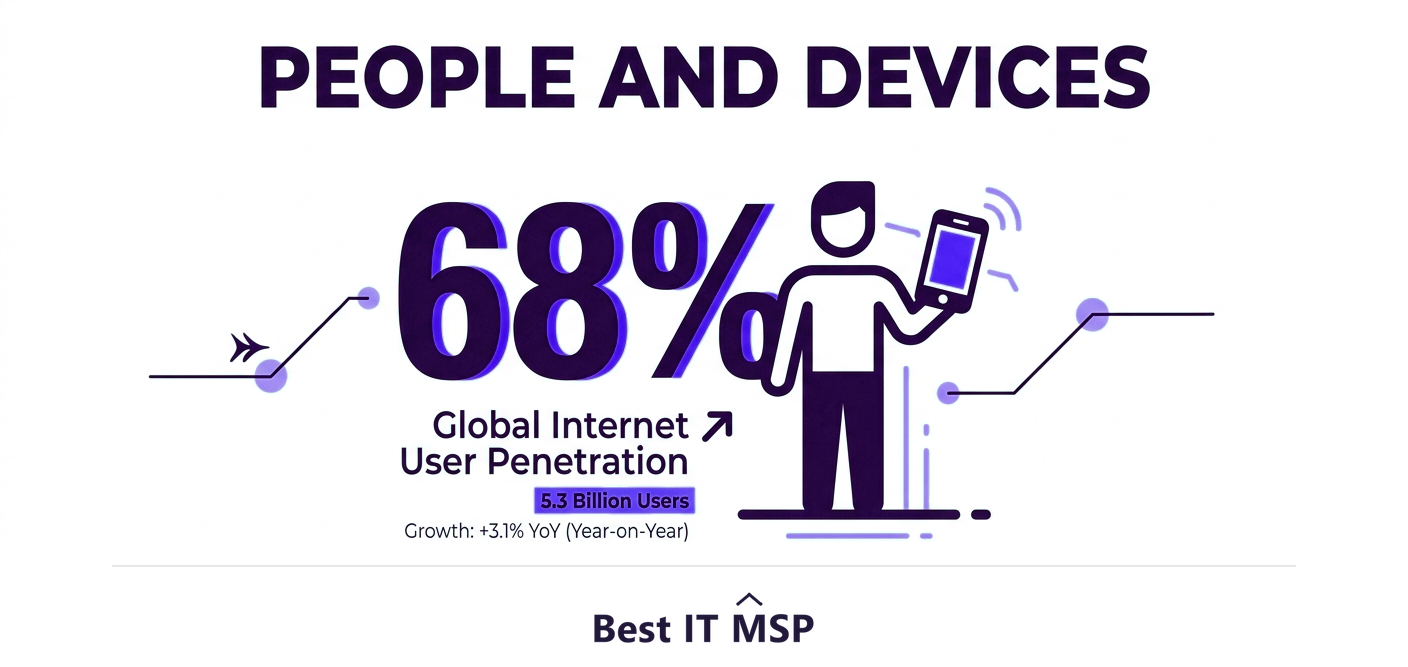
BYOD is here to stay, and done well it genuinely benefits both employees and the business. The key is to treat personal devices that touch company data as part of your security perimeter, not as someone else's problem. Combine mobile device management, strong authentication, network segmentation, endpoint protection, and conditional access with a clear, enforced, privacy-respecting BYOD policy, and you keep the flexibility employees want while protecting the data the business is responsible for. Unmanaged BYOD is a quiet, growing liability; managed BYOD is a safe, modern way to work.
If you want help securing BYOD and the rest of your endpoints, comparing vetted providers on merit is the place to start. Browse merit-ranked managed IT and security firms by city in the Best IT MSP directory, where ranking is earned on rating and verified data, not on who pays the most. You can also explore the full managed IT services hub.
FAQ
What are the main BYOD security risks?
The main risks are data leakage into personal apps and accounts you do not control, lost or stolen devices that hold company access, unmanaged endpoints missing patches and protection, malware or risky apps on personal devices, weak authentication like missing screen locks or multi-factor authentication, and the blurring of work and personal use that makes protecting company data harder.
How do you secure BYOD devices?
Use layered controls: mobile device management (MDM) to enforce encryption and screen locks and remotely wipe company data, strong multi-factor authentication for all access, network segmentation so personal devices cannot reach sensitive systems, endpoint protection on devices that access company data, conditional access that admits only compliant devices, and encryption of data in transit and at rest, all backed by a clear BYOD policy.
What is mobile device management (MDM)?
Mobile device management (MDM) is software that lets a business enforce security on devices that access its data. It can require encryption and screen locks, push security policies, separate work data into a managed container, and remotely wipe company data if a device is lost or an employee leaves, ideally without touching the employee's personal data. It is the core technical control for safe BYOD.
Why is BYOD hard to secure?
Because the business has far less control and visibility over personal devices than company-owned ones. You cannot fully dictate what someone installs on their own phone, and you cannot easily see the device's patch and security state. This is a form of shadow IT, and unmanaged personal devices are exactly where attackers find the unpatched, unprotected gaps they need to get in.
Do I need a BYOD policy?
Yes. Employees will use personal devices for work whether or not a policy exists, so the only real choice is whether that use is secured. A clear, written BYOD policy defines allowed devices and uses, required security measures, what the company can and cannot do to a device, how data is separated, and what happens when someone leaves or loses a device, and it must be communicated and enforced to work.
Should small businesses allow BYOD?
Many do, because it saves hardware cost and supports flexible work, and that is fine as long as it is managed. The danger is allowing BYOD without controls. With mobile device management, strong authentication, segmentation, endpoint protection, and a clear policy, even a small business can let staff use personal devices safely, keeping the benefits while protecting company data.
Best IT MSP is the independent directory of vetted managed IT and security providers across North America. Compare merit-ranked firms in your city that secure BYOD and endpoints. No pay-to-play.