Password manager rollouts fail for one reason, and it is not the software
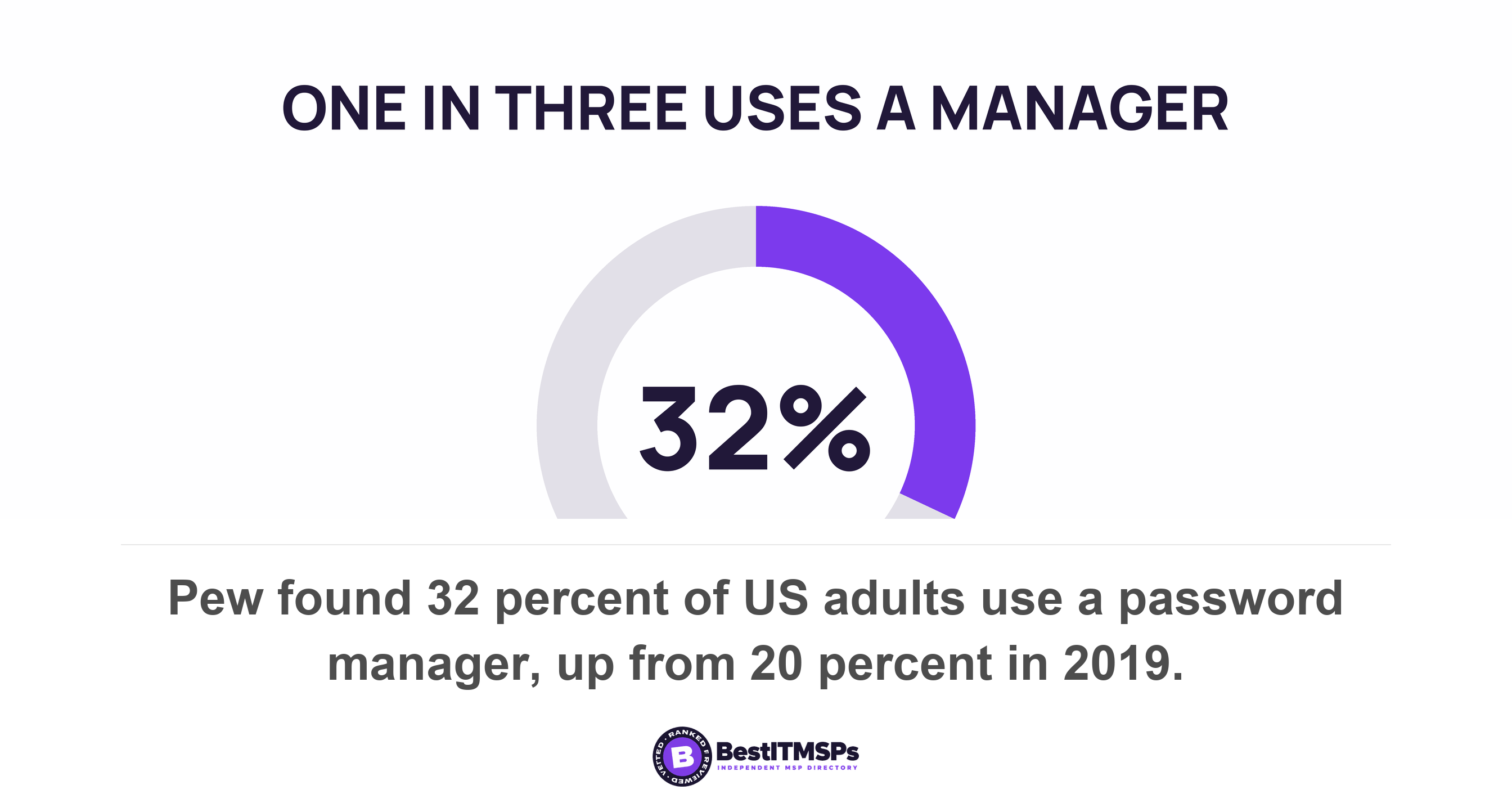
A password manager rollout fails on migration, recovery and ownership, not on the product. Pew found 32 percent of Americans use a manager while 41 percent still write passwords down. The old copy surviving is the failure, and the browser setting that looks like it removes old passwords leaves them working.
- The product is rarely the problem. The UK's national cyber security authority puts the test in one line: if users do not find the password manager easy to use and useful, they will not use it.
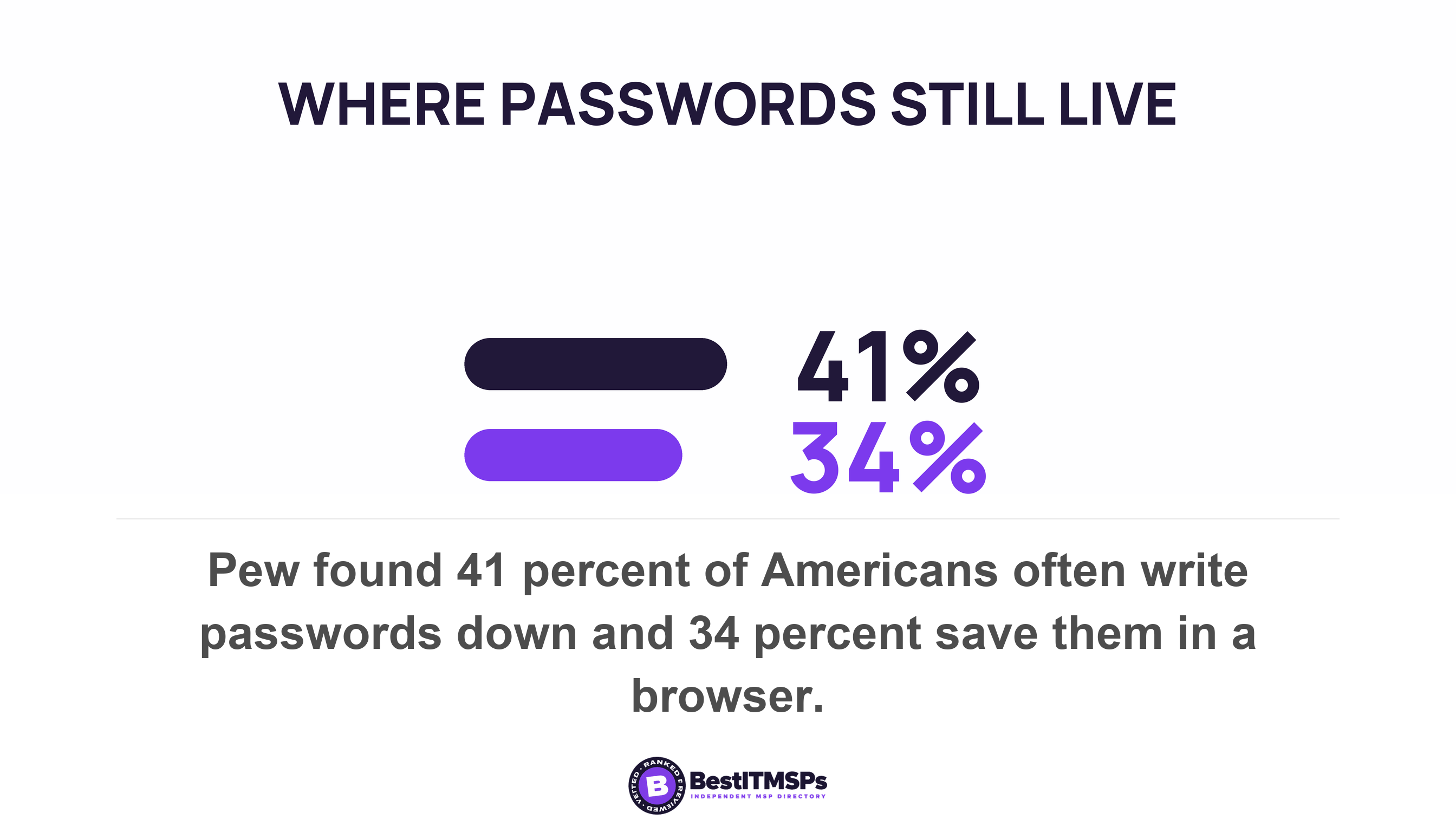
- Pew found 32 percent of Americans use a password manager, while 41 percent write passwords down and 34 percent save them in a browser. The old habit does not leave when the new tool arrives.
- Disabling browser password saving by policy blocks new saves and leaves every previously saved password working. Removing the old copy is a separate job nobody budgets for.
- Decide recovery before rollout. Bitwarden's administrator recovery is an Enterprise feature, it only covers members enrolled in it first, and no vendor can reset a master password for you.
- Every vault health report scores the passwords already in the vault, so a member who stored nothing returns a clean report. Ask for coverage, not scores.
Why do password manager rollouts fail?
Password manager rollouts fail on three decisions made too late, not on the software. The three are what happens to the passwords already stored somewhere else, who can recover a vault when the person holding it is unavailable, and whether the business or the member owns that vault. Get those wrong and the product works perfectly while half your staff carry on exactly as before.
The habit data explains why. Pew Research Center surveyed 5,101 US adults in May 2023 and found 32 percent say they use a password manager, up from 20 percent in 2019. The same survey found 41 percent always, almost always or often write their passwords down, and 34 percent save them in their browser at the same frequency. Those people are not waiting for a better tool. They have a method that works for them, and a rollout asks them to abandon it for one that generates a unique password per account and keeps it in an encrypted vault.
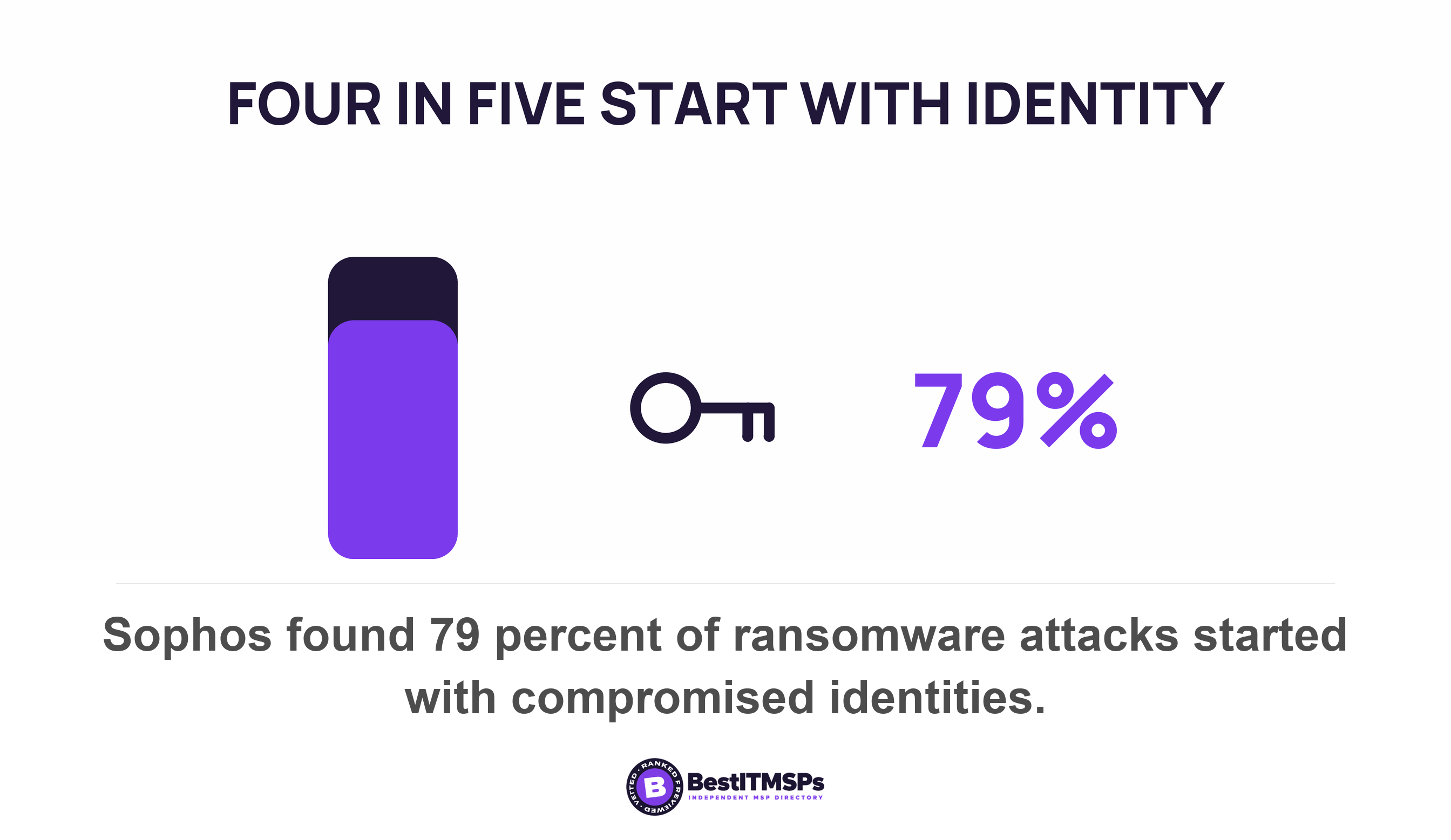
Scope that figure honestly. It covers US adults in general, not your staff after a rollout, and no government statistics body counts adoption inside small businesses. Treat the prevalence in your own business as unmeasured until you measure it. The stakes are better documented. Sophos found identity is the dominant initial access vector, with four in five, or 79 percent, of ransomware attacks starting with compromised identities, from a survey of 2,158 IT and cybersecurity decision-makers.
This post is about a rollout that does not take. It does not cover the single account several people share, which is a different failure with its own fix, and it does not cover password length and composition rules. A password vault is also not a substitute for multi-factor authentication, which protects the account even after the password leaks.
What published guidance actually says about password managers
Published guidance recommends password managers, and the strongest statement is a requirement rather than advice. NIST's digital identity guidelines instruct the service you sign in to, stating that verifiers SHALL allow the use of password managers and autofill functionality, and that they SHOULD permit claimants to use the 'paste' function when entering a password to facilitate password manager use where autofill is unavailable. SHALL is mandatory language in that document. A site that blocks paste is out of step with the standard rather than protecting you.
The UK's National Cyber Security Centre answers the buyer question outright. Asked whether to use one, it says password managers are a good thing, while naming the obvious objection, that password managers are attractive targets in themselves because one successful attack reaches everything stored. That post was published in January 2017, which dates the wording and not the position.
The published guidance names adoption, and asks four questions about it
The NCSC's buyers guide for system owners states the test in one sentence: if users do not find the password manager easy to use and useful, they won't use it. A usable product gets used and a stronger one nobody opens does not. The guide also tells system owners that there is no set way to use password managers in your organisation, and offers a choice between recommending a product where use is optional and making use mandatory. It is reviewed to November 2018 and marked version 1.0.
The same authority publishes a rollout exercise, and it is the more useful document of the two. Its scenario puts a business exactly where most readers are, with staff frustrated by multiple systems, rising password resets, and someone reporting that a similar organisation rolled out a manager and it has been well received. It then asks four questions, and none of them is about which product to buy. How would you get buy-in from senior leaders. How would you disseminate information on password managers to employees. What training or guidance would your employees need. And the one that decides whether the rollout holds a year later, how would you build a password manager into your daily business activities. Answer those four in writing before you shortlist a product, because a provider who proposes a tool without them is proposing a deployment rather than a rollout.
One line in that exercise is the adoption blocker nobody budgets for. The NCSC tells you to check the password manager is accessible for everyone that will use it, including those who require assistive technology. A vault that a screen reader cannot drive is not a partial rollout for the people who need one, it is a total exclusion, and they will keep their passwords wherever they can reach them. Ask for that check before purchase, because it is close to unfixable afterwards.
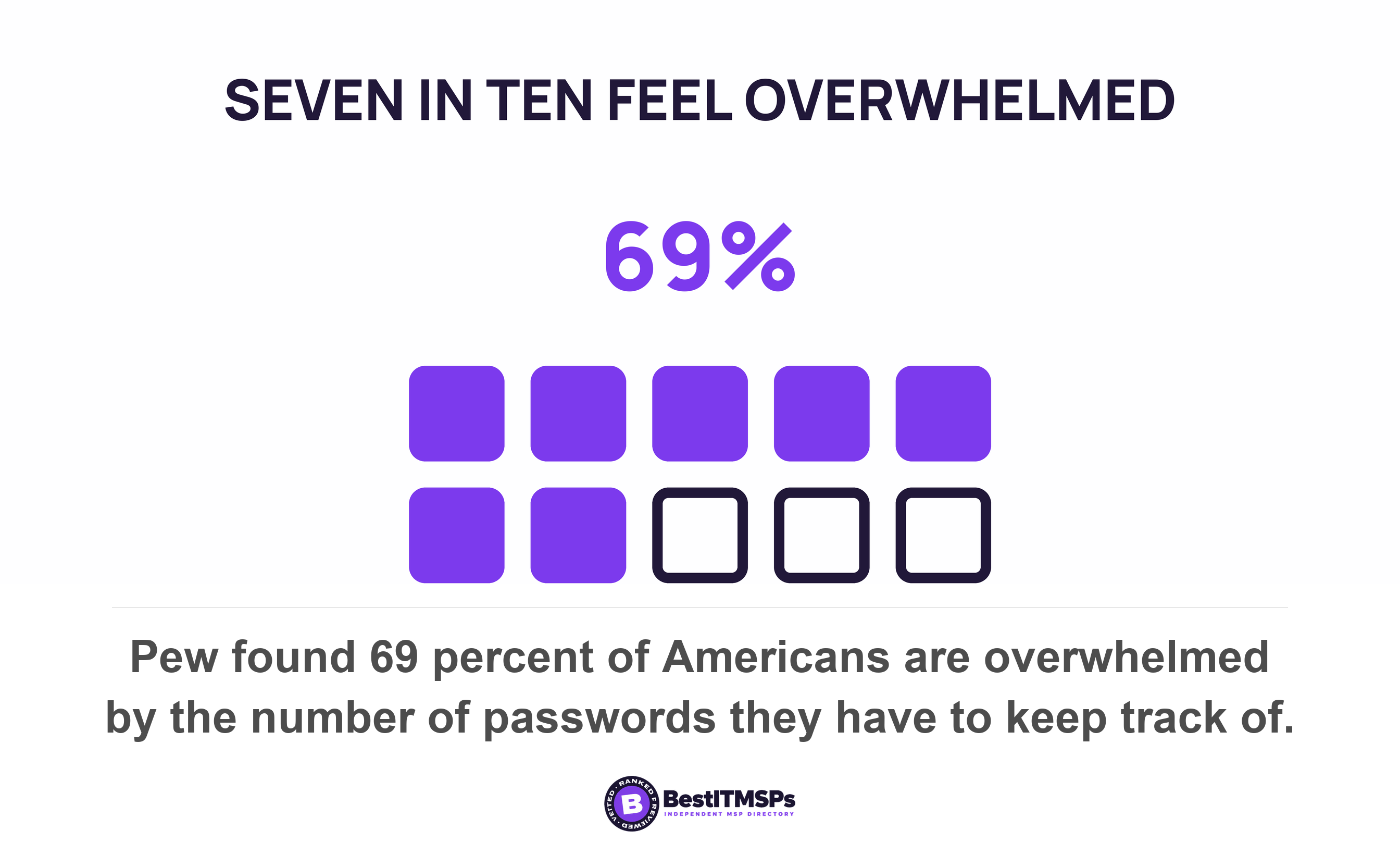
Overload is the argument that lands with staff. Pew found about seven in ten Americans, 69 percent, are overwhelmed by the number of passwords they have to keep track of. The NCSC frames the product the same way, describing password managers as an alternative, more secure, way of coping with password overload. Lead the staff training with that, because password reuse is a symptom of overload rather than carelessness.
The habit also splits by age, which decides how you train. Pew found 63 percent of Americans aged 65 and older regularly write their passwords down, against 49 percent of adults under 30 who save them in a browser. Two groups, two different old copies to find and remove, and one generic training session that lands with neither.
Now the part that undermines the usual sales pitch. The NCSC says browser password managers can be a very good choice, provided the browser stays up to date and the device has a PIN, password or biometric on it. The national authority does not call a browser unacceptable. So you cannot justify the rollout on the claim that browsers are unsafe, because the guidance you would cite says close to the opposite. The honest case is narrower and stronger. A managed vault gives you a unique password per account at scale, a route for a shared credential, a recovery path the business controls, and reports you can audit.
The migration nobody budgets for
Migration decides whether a rollout takes, and it has two halves that get budgeted as one. Half one is getting the passwords in. Half two is removing every copy left behind. The second half is the one that gets skipped, and a password still working in a browser profile, a spreadsheet or a notebook is a live credential your new vault cannot see.
The admin control that looks like it solves this does not. Chrome's PasswordManagerEnabled policy is the standard way to stop a browser saving passwords, and Chromium's own policy definition states that setting the policy to Disabled means users can't save new passwords, but previously saved passwords will still work. The same definition says the policy does not limit access or change the contents of passwords saved in the password manager, including any possibly synchronized to the Google account profile. Switch it on and the old copies keep signing people in. That is the exact state that makes a rollout look finished when it is not.
Removing the old copy is a separate job
Vendor instructions make the decisive step sound optional. Bitwarden's Chrome import guide tells you to delete the exported data file from your computer once the import is done, then adds that you may also want to delete data from that tool, meaning the browser or manager you came from. Read that twice. The step that decides whether the rollout took is phrased as something you may also want to do. Bitwarden is named here because its documentation was read directly for this post.
The export file is the sharpest short-lived risk in the whole project. The NCSC's buyers guide notes that export lets you move between products, and warns that once exported the passwords are unprotected. An unencrypted file holding every company password then sits in a downloads folder until somebody deletes it, and in most rollouts nobody is named to.
Four migration steps belong in the plan, each with an owner and a date.
- Import the browser and spreadsheet passwords into the vault, then compare the item count against the source.
- Delete the export file from the machine that made it, from the recycle bin, and from any backup that captured it.
- Clear the saved passwords out of every browser profile, including any that synced to a personal browser account.
- Disable new browser saving by policy, knowing that this blocks new saves and leaves the old ones working.
Migrate the people as well as the passwords. A vault full of imported items that nobody opens is the same failure in a tidier shape.
Four decisions to make before the rollout, not during
Four decisions belong in the plan before you roll out anything. Who administers the vault, what the offboarding process does to it, who can recover a vault, and whether the business or the person owns it. A rollout that starts before these are answered stalls at the first awkward case, which usually arrives in month two.
- Name the administrator, and accept the limit on the role. The NCSC states that administrators should not be able to see or use individual passwords, while allowing them to trigger a password reset. An administrator who can read every password is a product choice, not a requirement.
- Write the vault into the offboarding process. The same guide recommends a joiners/leavers process so that when an administrator leaves, the passwords they could see are changed. Rotate those, and let our IT offboarding checklist carry the rest of the trail.
- Separate the work vault from the home vault. The NCSC says work passwords should not be accessible from the home vault and vice versa, and that it should be very difficult to save a password to the wrong vault by accident. Ask to see which vault a new password lands in by default.
- Settle ownership in writing. Where a member's vault is personal and company items are only shared into it, their departure takes the container with them.
One case needs naming and then handing off. A vault is the published answer for a shared credential several people must use, because it authenticates each person at a door you control and then hands over the secret. That is a topic of its own, and our post on shared logins covers what a vault does and does not prove about who acted.
What happens if somebody loses the master password?
They lose the vault, unless recovery was set up before it happened. This is where rollouts quietly stall, because the first lost master password turns an IT project into an argument about blame.
Published guidance is blunt about the consequence and clear that it is deliberate. The NCSC states that if you forget the master password for your password manager, you will not be able to get back in. Its buyers guide explains the design, that if the decryption key is lost, it should not be possible to reset it and recover vault data, and warns that the recovery method may be exploited to gain access to the credentials. A recovery route is a security decision, not a convenience.
Two vendors document what that means in practice, and both pages were read directly. Bitwarden states it has no way to access, retrieve, or reset your master password, and that where no route applies there is no way for Bitwarden to recover the account or its data. Its administrator route exists and carries conditions a buyer needs in writing. Account recovery gives administrators the ability to reset member credentials and restore their access, it is available for Enterprise organizations, and the process begins once account recovery is set up and members are enrolled. Enrolment is the condition that decides whether any of it works, and it is where a rollout quietly loses people: the vendor's own instruction is to enroll in account recovery if they joined before the policy was turned on or if you didn't turn on automatic enrollment. So the question to put to whoever runs your vault is not whether administrator recovery exists, it is whether automatic enrolment is on. With it off, every member who joined before the policy, and every member who skipped the prompt, holds a vault nobody can recover. Two further limits sit on the same page. Recovery does not restore deleted accounts, and it only affects credentials configured within Bitwarden, so it does not reach a login your identity provider controls.
1Password states the same decision as a headcount. Its recovery guidance tells administrators to make sure at least two family or team members can recover accounts, and notes that the recovered person will need to sign in again on all their devices afterwards.
Turn that into five lines in the plan. Confirm the plan tier includes administrator recovery, turn automatic enrolment on, name the two people who hold the recovery role, check that everyone who joined earlier is enrolled, and test one recovery on a volunteer before you need it. Our post on passkeys for small business raises the same question in a different form, when somebody loses the only device.
How to make password manager adoption measurable
To make adoption measurable, count coverage before you read any score. Coverage is the number of members with items in the vault, set against the number of people on the payroll. Every other report describes the passwords that already made it in.
Your provider can report on more than they usually volunteer. Bitwarden's reporting includes exposed passwords, which identify passwords that have been uncovered in known data breaches, reused passwords, which identify non-unique passwords in your vault, and weak passwords, which identify weak passwords that can easily be guessed by hackers, plus unsecured websites, inactive two-factor authentication and a member access report. Most of those vault health reports are only available for premium users, including members of paid organizations, so what you are shown is a licensing question as well as a configuration one.
Read those three definitions again and the blind spot appears. Each one scores the items in the vault. A member who never adopted the tool and stored nothing returns no exposed passwords, no reused passwords and no weak passwords, which on a dashboard looks identical to a member who did everything right.
An empty vault returns a perfect score on every report you are shown.
The NCSC asks for the same habit in one line, recommending that system owners periodically review how people are using the product once it's been implemented. Put dates on that rather than leaving it to a quarterly review nobody books. Two checks at thirty days and two at ninety days turn a rollout into something you can audit.
- At thirty days, ask for members invited, members who completed setup, and members with at least one item saved.
- At thirty days, ask for the count of browser profiles still holding saved passwords, and the date each export file was deleted.
- At ninety days, ask for the reused and weak password counts, and the change since day thirty.
- At ninety days, ask how many members are enrolled in account recovery, and who holds the two recovery roles.
Six questions to put to your IT provider this week
Ask six questions and accept only counts, names and dates.
- Count the people on our payroll and the people with items in the vault, and give us both numbers.
- Confirm which plan tier we hold, and whether administrator account recovery is included in it.
- Name the two people who can recover a vault, and the date you last tested a recovery.
- List the browser profiles that still hold saved passwords, and who is clearing them.
- Show where the export files from the migration went, and confirm each one is deleted.
- Tell us whether use here is optional or mandatory, and which it was on day one.
A provider who manages a rollout answers with counts. A provider who does not answers that the product is deployed, which answers a different question. None of this buys perfect security, and no honest provider promises it. It buys a measurable rollout you can audit, which is the only version worth paying for.
FAQ
Why do password manager rollouts fail?
They fail on migration, recovery and ownership rather than on the product. The UK's National Cyber Security Centre puts the test in one line, that if users do not find the password manager easy to use and useful, they won't use it. Pew found 41 percent of Americans often write their passwords down, and the old habit survives the new tool.
Does turning off browser password saving remove the saved passwords?
No. Chromium's own policy definition states that setting the policy to Disabled means users can't save new passwords, but previously saved passwords will still work, and that the policy does not limit access or change the contents of passwords saved in the password manager. Clearing each browser profile is a separate job that needs its own owner and date.
What happens if an employee forgets the master password?
They lose the vault, unless administrator recovery was set up and they were enrolled in it first. The NCSC states that if you forget the master password for your password manager, you will not be able to get back in, and Bitwarden says it has no way to access, retrieve, or reset your master password. Bitwarden's administrator route is available for Enterprise organizations.
Is it safe to keep passwords in a browser instead?
The NCSC says browser password managers can be a very good choice, provided the browser stays up to date and the device has a PIN, password or biometric on it. The case for a managed vault is a shared credential route, a recovery path the business controls, and reports you can audit, not that the browser is unsafe.
How do we measure whether a password manager rollout worked?
Count members with items in the vault against headcount, because every health report scores only what is stored. Bitwarden's reused passwords report identifies non-unique passwords in your vault, so an empty vault scores clean. The NCSC recommends you periodically review how people are using the product once it's been implemented.
Best IT MSP is the independent directory of vetted managed IT and cybersecurity providers across North America. Organic ranking is earned on rating and verified data, and paid placement is always labelled. Take the six questions above to three merit-ranked firms in your city and compare the answers side by side.