MFA vs 2FA: What Is the Difference?
MFA (multi-factor authentication) and 2FA (two-factor authentication) both add extra proof of identity beyond a password. The difference is simple: 2FA uses exactly two factors, while MFA uses two or more. That makes 2FA a specific type of MFA. Both dramatically improve security; MFA just allows additional factors for higher-risk systems.
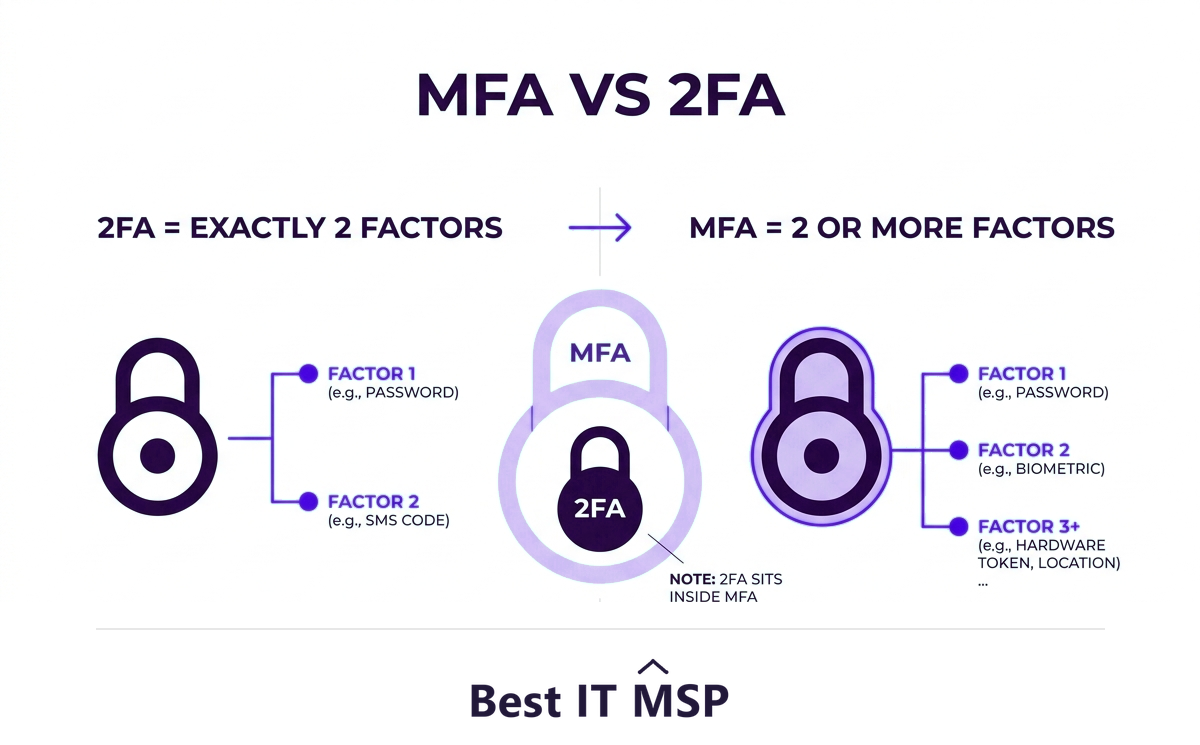
- 2FA uses exactly two authentication factors; MFA uses two or more, so 2FA is a subset of MFA.
- Authentication factors fall into three types: something you know, something you have, and something you are.
- Both add a second proof of identity beyond a password, blocking the vast majority of account attacks.
- MFA simply allows more than two factors for higher-risk systems that need extra assurance.
- The real priority is not the label but turning MFA or 2FA on everywhere, especially email and remote access.
How did we compare MFA and 2FA?
These two terms describe overlapping things rather than competing ones, so the comparison is framed around what the difference actually buys you, if anything.
- The dimensions. How many factors each uses, how the two terms relate, and what actually decides how much protection you get. The count matters less than the choice of factor.
- The evidence. Credential theft and account-compromise figures do the work here, from Verizon's breach data and Microsoft's own account-protection reporting, with breach costs from IBM.
- No vendor ranking. This compares approaches, not products. It names no vendors and recommends no supplier.
- Independence. Best IT MSP does not sell IT services or security services, and does not appear in its own rankings.
Read the last row first. It is the one that decides how much protection you get.
MFA vs 2FA: the short answer
MFA and 2FA are two of the most common terms in account security, and they are often used interchangeably, which causes confusion. Here is the clean distinction. Two-factor authentication (2FA) requires exactly two pieces of proof to log in. Multi-factor authentication (MFA) requires two or more. That single word, more, is the whole difference: 2FA is simply a specific type of MFA that stops at two factors. All 2FA is MFA, but not all MFA is 2FA, because MFA can use three or more factors when extra assurance is needed.
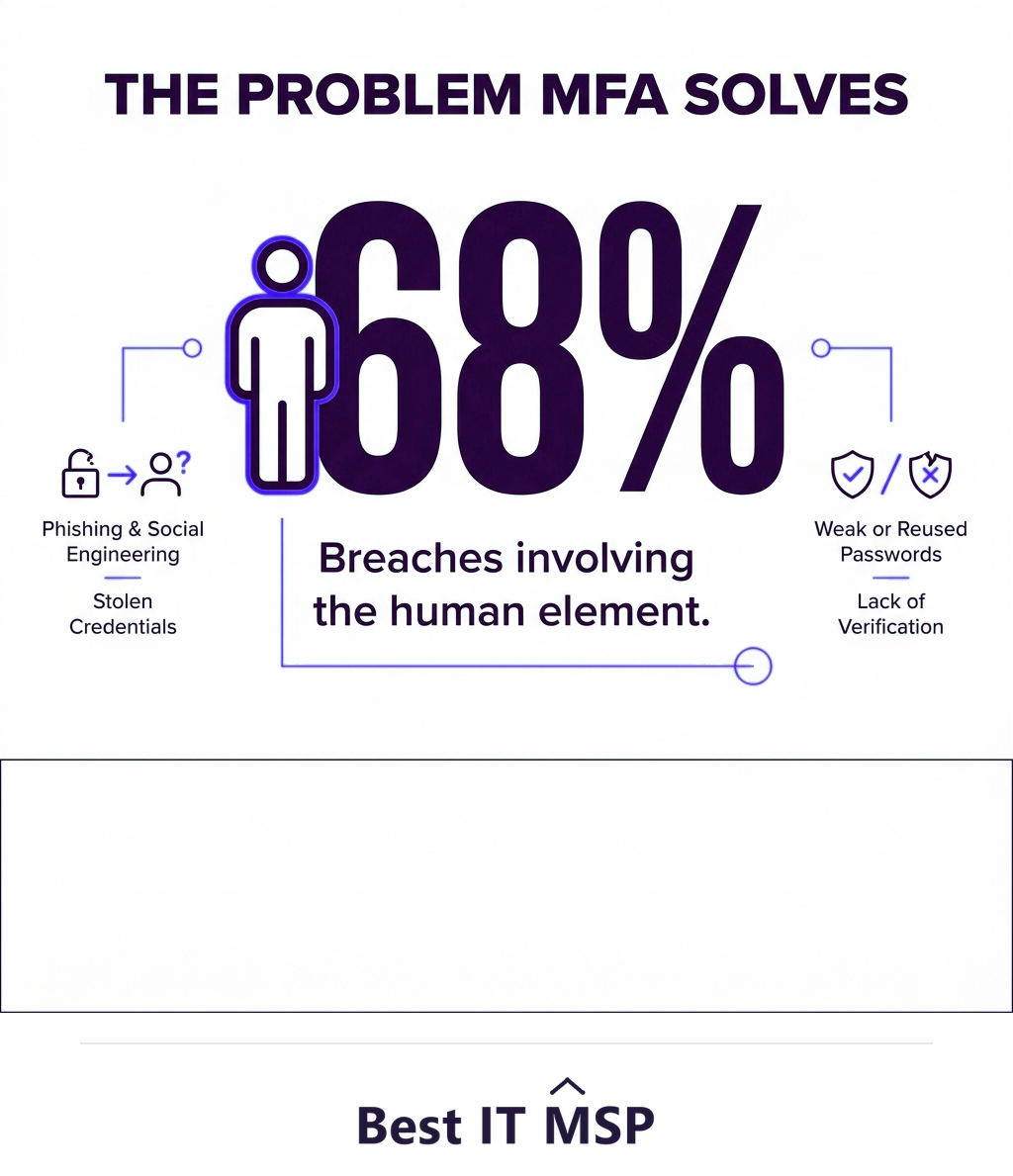
Both exist to solve the same problem: passwords alone are not enough. Stolen and reused passwords are behind a huge share of breaches, with the human element involved in 68 percent of them, and the average breach now costing $4.88 million and taking about 258 days to identify and contain. Adding a second factor blocks the overwhelming majority of these attacks. This guide explains the factor types, the real difference, and what your business should actually do. It pairs with our cybersecurity services overview.
What is an authentication factor?
To understand both terms, you need the idea of a factor: a category of evidence that proves you are who you claim to be. There are three classic types, and a strong login combines factors from different categories rather than two of the same kind:
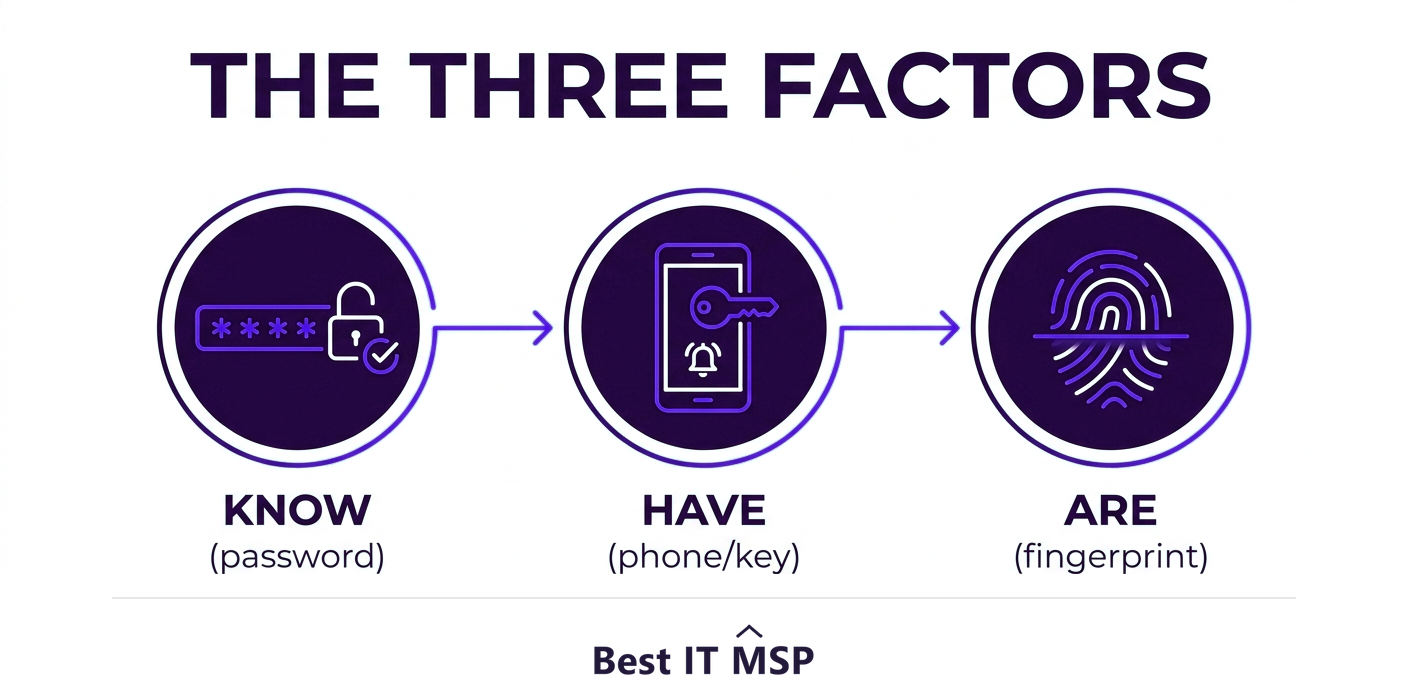
- <strong>Something you know.</strong> A password, PIN, or security question. The weakest factor on its own, because it can be guessed, phished, or stolen.
- <strong>Something you have.</strong> A phone receiving a code, an authenticator app, or a physical security key. Hard for a remote attacker to obtain.
- <strong>Something you are.</strong> A biometric such as a fingerprint or face scan. Tied to the physical person.
The power of multi-factor authentication comes from combining categories. A password (know) plus a code from your phone (have) means a thief needs both your secret and your physical device, which is far harder than stealing a password alone.
What is 2FA?
Two-factor authentication adds exactly one extra factor on top of your password. The classic example is logging in with your password and then entering a one-time code from an authenticator app or text message. You have probably used 2FA on your bank, email, or social accounts. It is the most common form of stronger authentication for everyday use, because it is a big security upgrade that is still simple for people to use. When a service offers to text you a code or prompts an app after your password, that is 2FA in action.
What is MFA?
Multi-factor authentication is the broader category: any system that requires two or more factors. In practice, most MFA is 2FA, because two factors is the right balance of security and convenience for the majority of logins. But MFA allows you to go further. A high-risk system, such as administrative access to financial data or critical infrastructure, might require a password, a code from a hardware key, and a fingerprint, three factors, for extra assurance. MFA is the umbrella term; 2FA is the most common implementation under it. Calling everything MFA is technically correct, which is part of why the terms blur together.
Does the difference between MFA and 2FA matter?
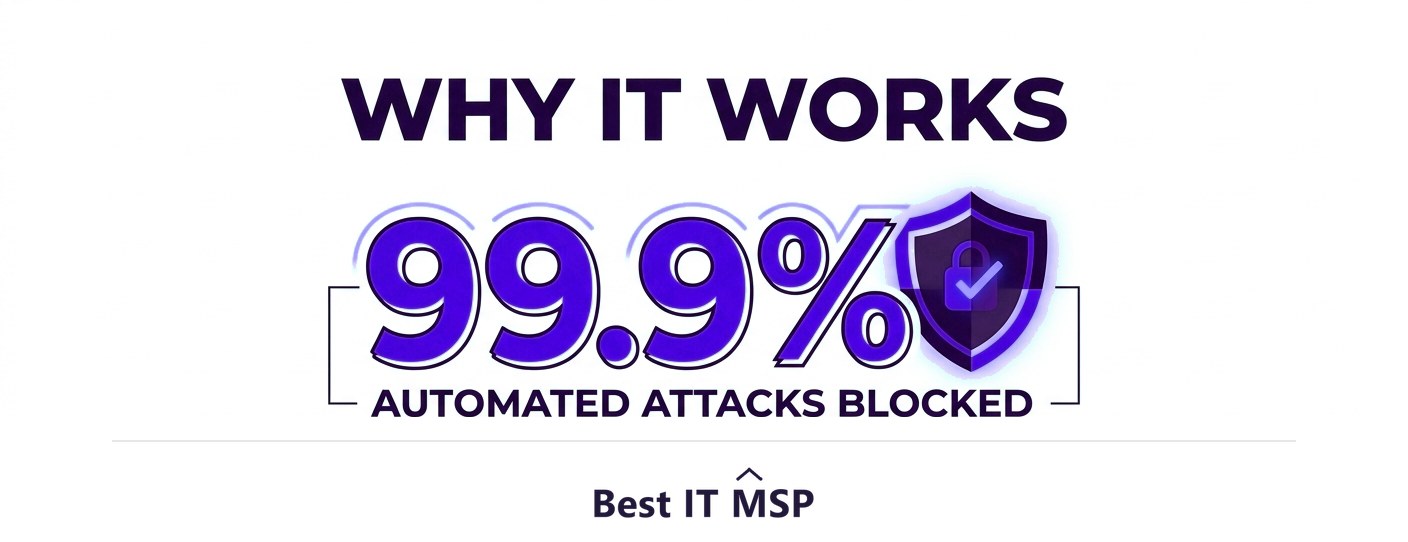
For most businesses, the practical answer is that the distinction matters far less than simply using one of them. Whether you call it 2FA or MFA, requiring a second factor is the single most effective account-security step you can take. Microsoft has reported that MFA blocks 99.9 percent of automated account-compromise attacks, and the same protection applies whether the second factor is your only extra factor (2FA) or one of several (MFA). The label is a technicality; the protection is the point.
| Dimension | 2FA | MFA |
|---|---|---|
| Number of factors | Exactly two | Two or more |
| How the terms relate | A specific case of MFA | The general category |
| Typical combination | A password plus one other factor | A password plus one or more other factors |
| Room to strengthen | Fixed at two | Further factors can be added for higher-risk accounts |
| What decides protection | Which second factor is used | Which factors are used, not simply how many |
Where the difference does matter is in matching assurance to risk. For everyday accounts, 2FA is plenty. For your most sensitive systems, the flexibility of MFA to add a third, phishing-resistant factor such as a hardware security key is worth using. A good approach is 2FA everywhere as the baseline, with stronger MFA reserved for high-value targets.
Are all second factors equally safe?
One important nuance: the type of second factor affects how strong your protection really is. Text-message (SMS) codes are far better than nothing, but they can be intercepted or phished, so they are the weakest common option. Authenticator apps that generate codes are stronger. Push notifications are convenient but can fall victim to fatigue attacks, where users approve a prompt without thinking. The strongest option is a hardware security key or a passkey, which are resistant to phishing because they will not hand a code to a fake site. When you can choose, prefer app-based or hardware factors over SMS, especially for email and administrative accounts.
The reason any of this matters is what a stolen password is worth. Over the past decade the use of stolen credentials has appeared in almost one-third of all breaches. A second factor is what makes a working password insufficient on its own, which is why the count of factors matters far less than whether you have more than one at all.
What should your business do?
The takeaway is refreshingly clear: stop worrying about the label and turn on MFA or 2FA everywhere, starting with your highest-risk accounts, email, banking, remote access, and administrative logins, then extending to everything. Prefer app-based or hardware factors over text messages where you can, and pair MFA with strong, unique passwords and staff training for full effect. Every time your staff authenticate with a second factor, you close the door that most attacks walk through, and the cost of leaving it open is steep, with an hour of downtime alone costing most organizations more than $100,000. The need grows as more accounts move to the cloud, in a market where public cloud spending is forecast to top $723 billion in 2025. Rolling this out across a business takes planning, and skilled help is scarce amid a global shortfall of about 4.8 million cybersecurity professionals, which is one reason many companies have a managed provider deploy and manage authentication. Given that reported cybercrime losses topped $12.5 billion in a single year, it is among the highest-return security investments available.
If you want help rolling out MFA across your business properly, start from a vetted, merit-ranked list of providers by city in the Best IT MSP directory, where ranking is earned on rating and verified data.
FAQ
What is the difference between MFA and 2FA?
Two-factor authentication (2FA) requires exactly two factors to log in, while multi-factor authentication (MFA) requires two or more. That makes 2FA a specific type of MFA. All 2FA is MFA, but MFA can also use three or more factors for higher-risk systems. The practical security benefit is similar; MFA simply allows additional factors when needed.
Is 2FA a type of MFA?
Yes. 2FA is a subset of MFA. Multi-factor authentication means any login requiring two or more factors, and two-factor authentication is the case that uses exactly two. So all 2FA is MFA, but not all MFA is 2FA, because MFA can use three or more factors when extra assurance is required.
What are the three authentication factors?
The three factor types are something you know (a password, PIN, or security question), something you have (a phone, authenticator app, or hardware key), and something you are (a biometric such as a fingerprint or face scan). Strong authentication combines factors from different categories, so an attacker would need both your secret and your device.
Does MFA really stop attacks?
Yes, dramatically. Microsoft has reported that MFA blocks 99.9 percent of automated account-compromise attacks, because a stolen password alone is no longer enough to log in. With the human element involved in about 68% of breaches, requiring a second factor is the single most effective account-security step most businesses can take.
Are all second factors equally secure?
No. Text-message (SMS) codes are far better than nothing but can be intercepted or phished, making them the weakest common option. Authenticator apps are stronger, and hardware security keys or passkeys are strongest because they resist phishing and will not hand a code to a fake site. Prefer app-based or hardware factors, especially for email and admin accounts.
Should my business use MFA or 2FA?
Use one of them everywhere, because the protection matters far more than the label. A good approach is 2FA as the baseline across all accounts, with stronger MFA, including a phishing-resistant hardware factor, on your highest-risk systems such as email, banking, remote access, and administrative logins. Prefer app-based or hardware factors over text messages.
Best IT MSP is the independent directory of vetted managed IT and security providers across North America. Compare merit-ranked firms in your city that deploy and manage multi-factor authentication. No pay-to-play.