The Cloud Shared Responsibility Model: Who Owns What on Azure and AWS
The cloud provider secures the cloud. You secure what you put in it. Microsoft and AWS both leave your data, your identities, and your settings with you in every service model, IaaS, PaaS and SaaS. Microsoft 365 keeps actively deleted customer content for at most 30 days, so backup stays your job.
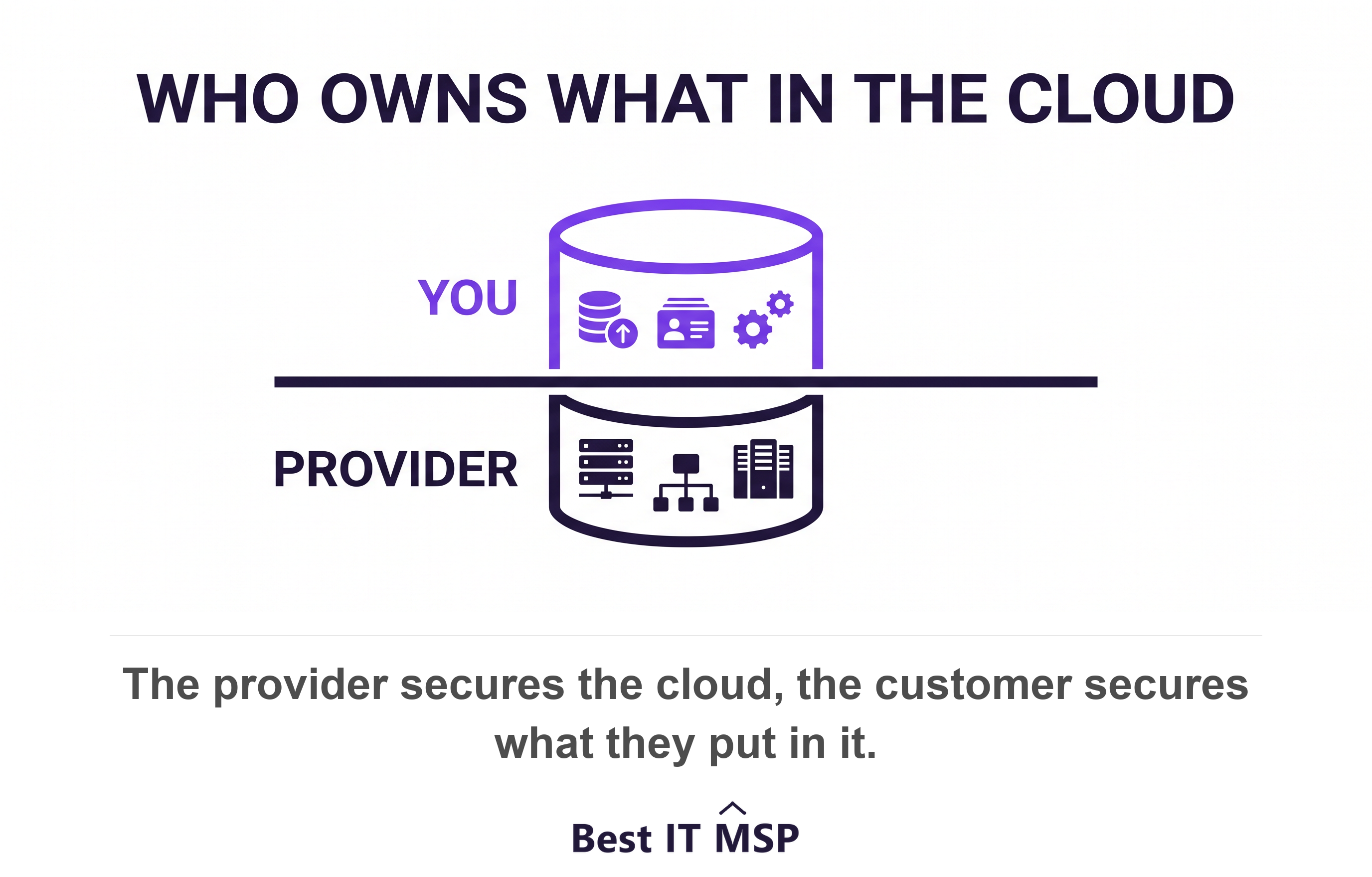
- Your provider secures the hardware, the datacenter and the platform. You secure your data, your accounts and your settings in every cloud model.
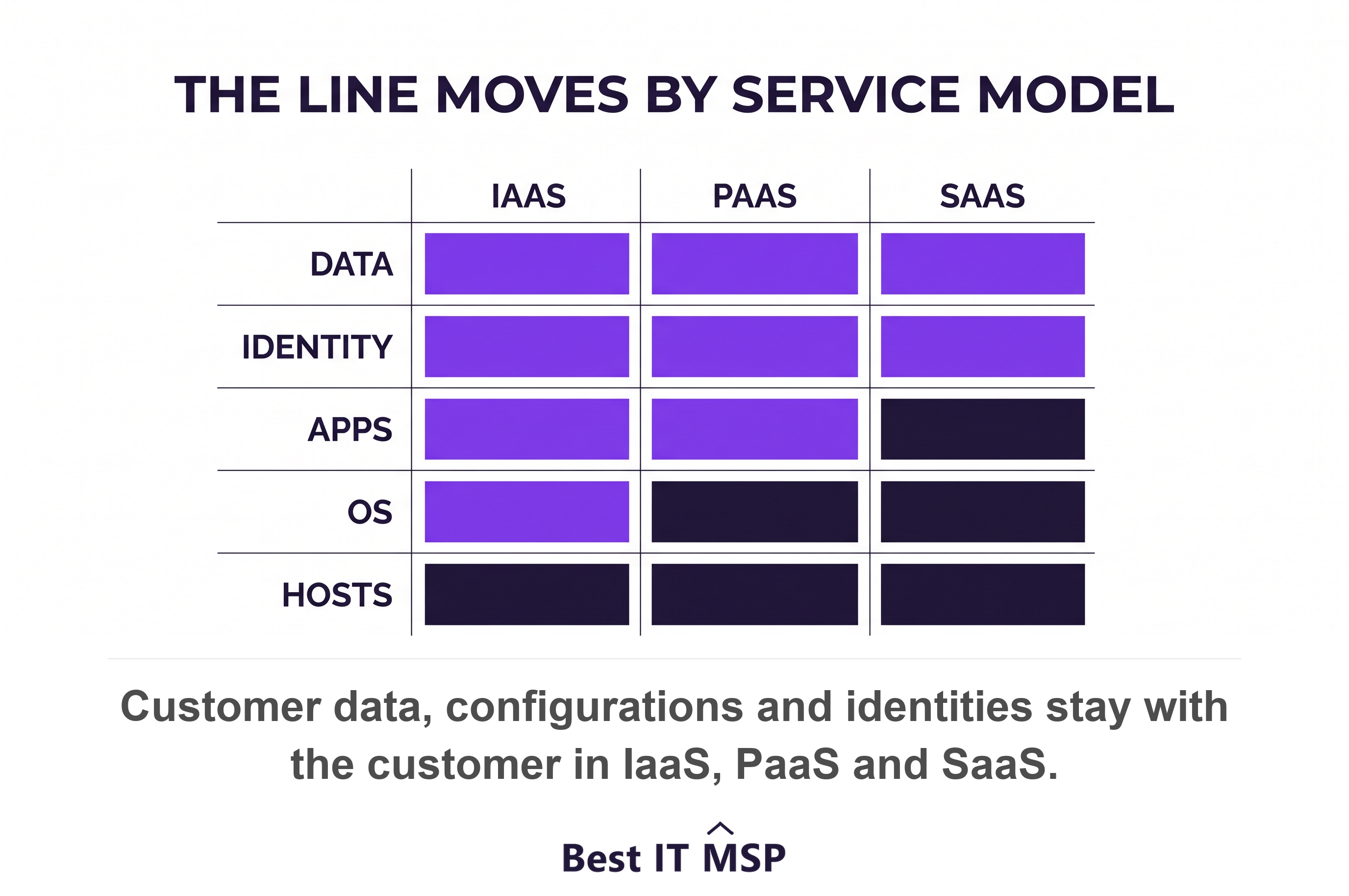
- The boundary moves as you move up the stack: you patch the operating system in IaaS, the provider patches it in PaaS and SaaS.
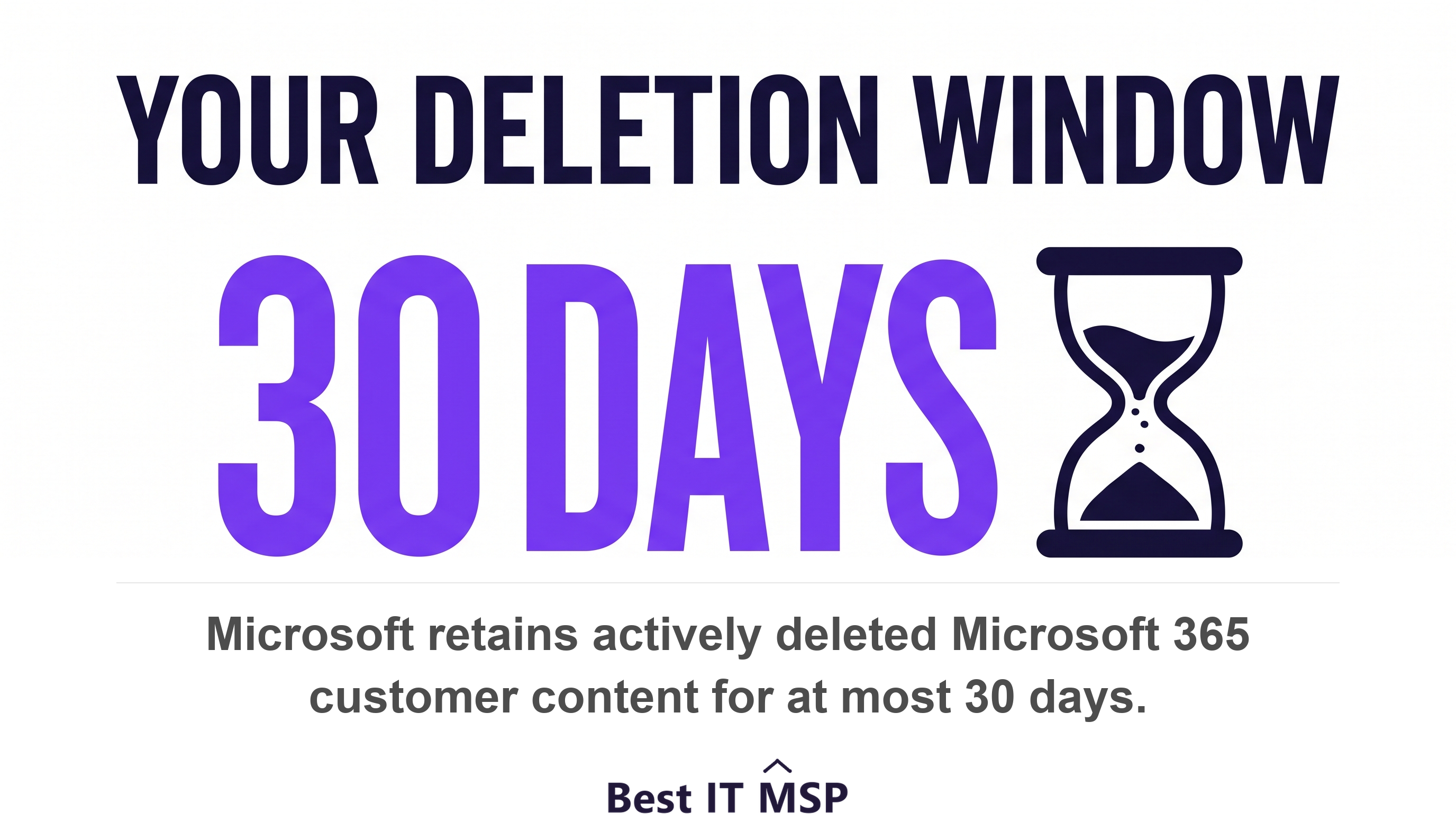
- Microsoft 365 retains actively deleted customer content for at most 30 days. Google Workspace gives an admin 20 days to restore a deleted user.
- Weak credentials and misconfiguration caused 76.5 percent of cloud compromises in the first half of 2025. Both sit on your side of the line.
- An uptime SLA pays a service credit against your own bill and nothing more. Service credits are not business continuity.
Who owns what in the cloud shared responsibility model?
In the cloud shared responsibility model, your provider secures the cloud and you secure what you put in it. AWS states the split as security of the cloud versus security in the cloud. Microsoft says it more directly still: for all cloud deployment types, you own your data and identities. Nothing about a cloud migration transfers those two things to Azure, AWS or Google. The line between the two sides moves depending on whether you buy IaaS, PaaS or SaaS. This guide walks that line. It names the exact retention windows Microsoft and Google publish. It shows why misconfiguration beats provider breach as the failure mode. It closes with five questions to put to your MSP.
Three things never move to the provider. Microsoft's own responsibility matrix keeps customer data, configurations and settings, and identities and users with the customer in on-premises, IaaS, PaaS and SaaS alike. Below that line sit the physical hosts, the physical network and the datacenter, and those are the provider's job in every cloud model.
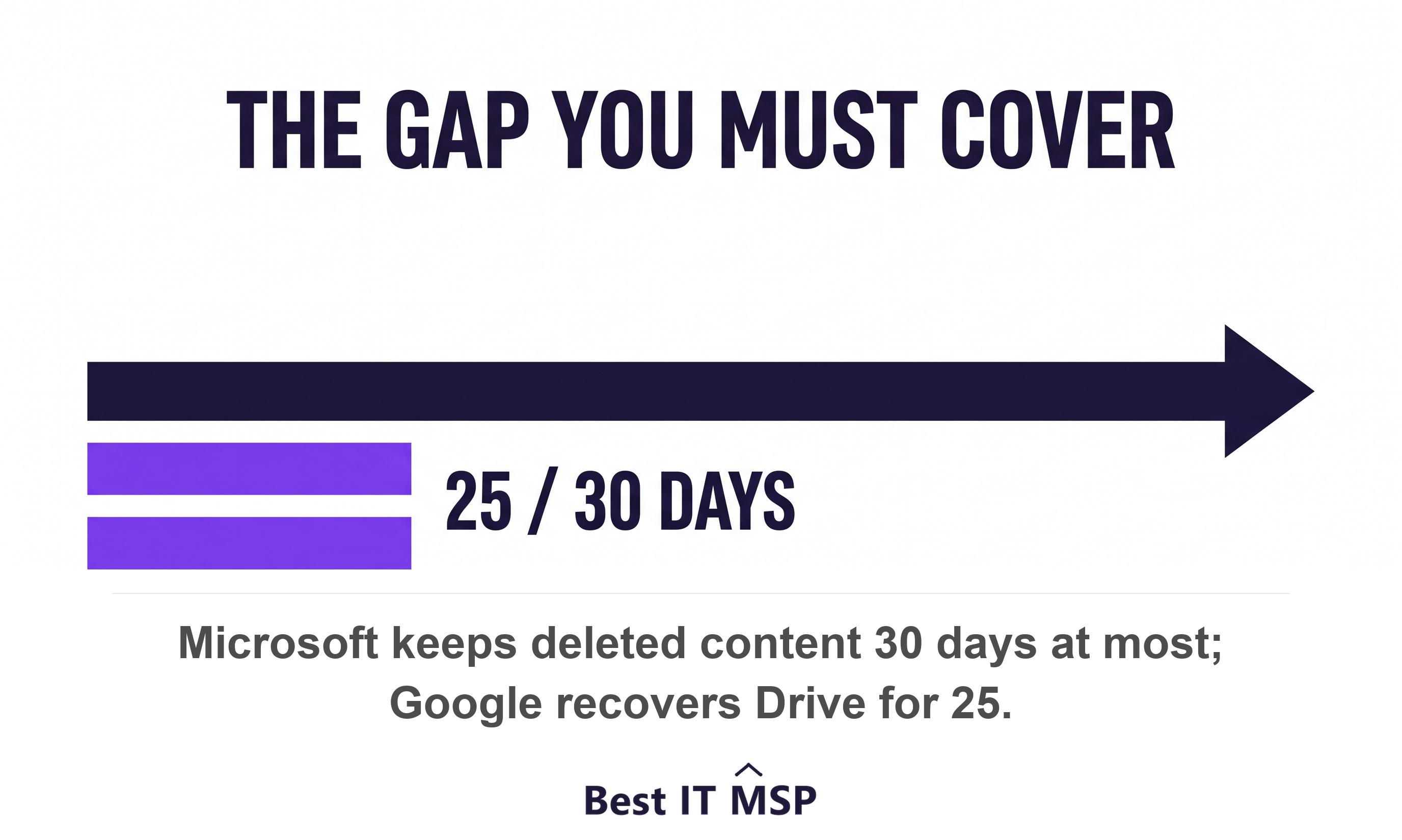
Most buyers get one thing wrong, and it is the expensive one. They assume the cloud provider backs up their data. It does not. Microsoft's published data handling policy retains actively deleted Microsoft 365 customer content for at most 30 days. Google gives an administrator 20 days to restore a deleted user, after which the data is gone. Those are deletion grace periods. A grace period is not a backup, and the difference shows up on the worst day of your year.
How the boundary moves across IaaS, PaaS and SaaS
The boundary moves down the stack as you move up the service models. NIST defines all three by what the consumer does not manage. In IaaS you control the operating system, storage and deployed applications but not the underlying infrastructure. In PaaS you control the deployed application and its hosting configuration, not the servers or operating systems. In SaaS you control little beyond limited user-specific application settings. Microsoft's matrix shows the same staircase: the operating system belongs to the customer in IaaS and to Microsoft in PaaS and SaaS.
Worked example: IaaS, an Azure virtual machine or an EC2 instance
You rent the machine and you own everything inside it. AWS states that IaaS customers perform all of the necessary security configuration and management tasks, including guest operating system updates and security group rules. Say you run a line-of-business app on an Azure VM. Microsoft keeps the host, the hypervisor and the datacenter running. You patch Windows Server, configure the firewall, encrypt the disk, monitor the logs and back the machine up. If ransomware lands because a patch sat unapplied for 90 days, that is your side of the line.
Worked example: PaaS, Azure SQL Database or App Service
The provider patches the platform and you secure the code, the data and the access. Microsoft's matrix moves the operating system to Microsoft in PaaS while applications and network controls become shared. Say you migrate a customer database to Azure SQL. Microsoft patches the database engine and keeps it available. You still decide who can connect, classify the records, set the data retention rules and choose the encryption keys. A public endpoint left open on a PaaS database is a customer misconfiguration, not a platform fault.
Worked example: SaaS, Microsoft 365 or Google Workspace
The provider runs everything except your data, your accounts and your settings. In SaaS, Microsoft still assigns customer data, configurations and settings, and identities and users to the customer, with client devices shared. Say your team runs on Microsoft 365. Microsoft keeps Exchange Online and SharePoint online and patched. You decide who holds global admin, whether multi-factor authentication is enforced, which files are shared outside the company, and whether anything is backed up beyond Microsoft's own deletion window. SaaS is where buyers assume the most and own the most.
Does Microsoft 365 or Google Workspace back up your data?
No. Microsoft 365 and Google Workspace give you deletion grace periods, not backups, and both are measured in days. Read the vendors' own documentation rather than a backup seller's summary of it, because the seller has an obvious interest in the answer. Here is what Microsoft and Google publish.
- <strong>Microsoft 365, active deletion.</strong> When a user or admin deletes data, Microsoft retains that customer content for at most 30 days.
- <strong>Microsoft 365, subscription ends.</strong> Microsoft holds your data in a limited-function account for 90 days so you can extract it, and deletes all customer data no more than 180 days after termination.
- <strong>SharePoint and OneDrive.</strong> Deleted items sit in the site recycle bin for 93 days, and deleted site collections are retained for 93 days before permanent deletion.
- <strong>OneDrive rollback.</strong> Files Restore can undo everything that happened to a user's files in the last 30 days, and no further back.
- <strong>Google Workspace users.</strong> An admin can restore a deleted account for 20 days, after which the data is gone and cannot be restored.
- <strong>Google Drive.</strong> An admin can recover items for 25 days after a user empties the trash, and cannot restore individual files, only everything in a date range.
Now hold those numbers against what your business actually needs. Microsoft classes the files your staff create in Word, Excel, PowerPoint, Outlook and OneNote as customer content, retained only for the published window. A 93-day recycle bin does not satisfy a compliance framework that asks for seven years of records, and our cybersecurity compliance guide walks that gap in detail. It does not satisfy a client contract, a tax rule, or a lawsuit that surfaces two years after the fact either. Regulated buyers in professional services feel this first, because the evidence they need is usually older than any vendor grace period.
A deletion grace period protects you from last Tuesday. Compliance asks about 2023.
Who is responsible for identity and access in the cloud?
You are responsible for identity and access in every service model, without exception. Microsoft lists four duties you always retain no matter what you buy: data, endpoints, accounts and access management, including role-based access control, multifactor authentication and conditional access. Your provider will give you the controls. It will not decide who your administrators are, or whether you turn multi-factor authentication on.
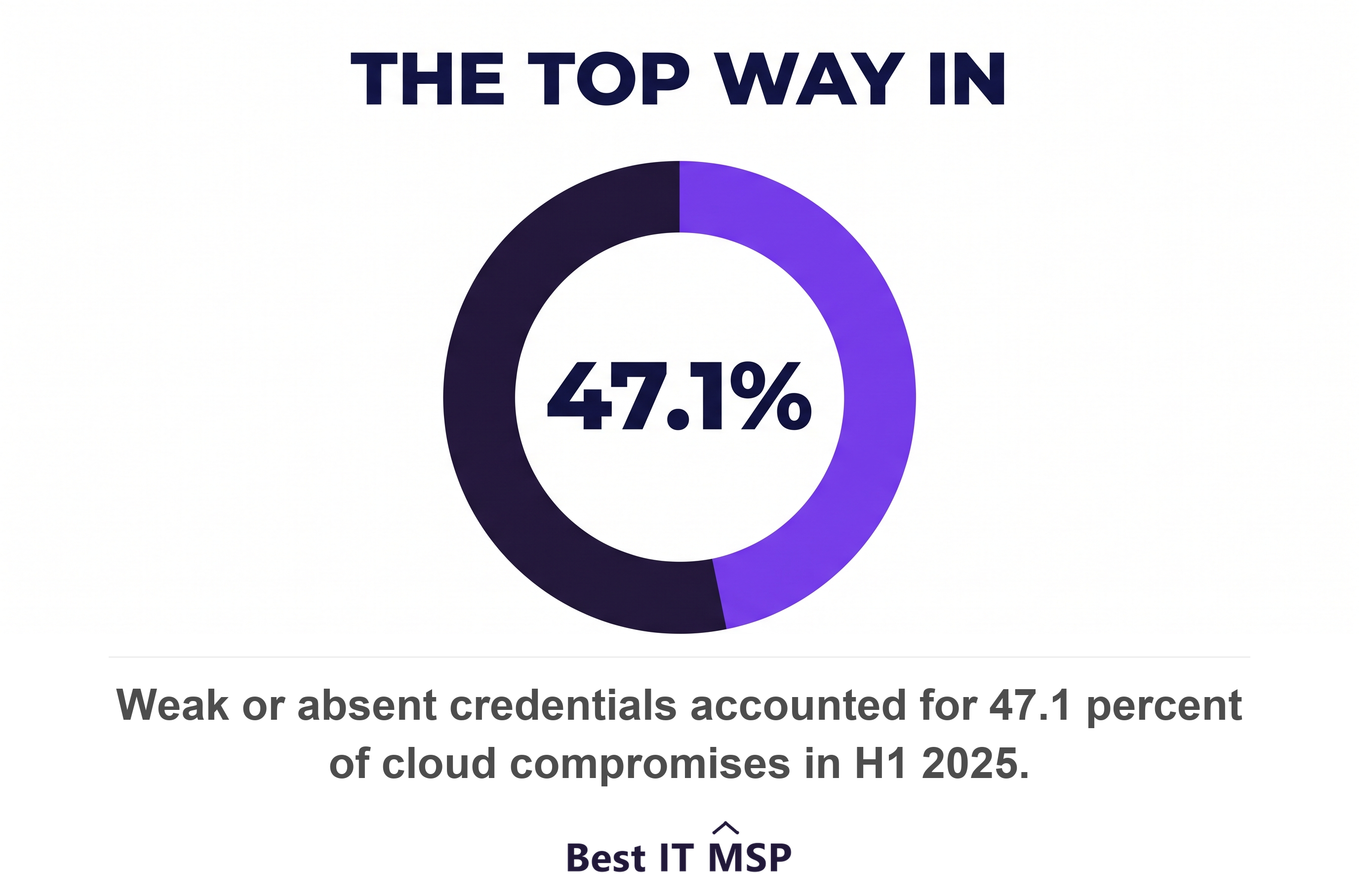
That is why misconfiguration and stolen credentials, not provider breach, are the dominant failure mode. Google Cloud tracked its own incidents in the first half of 2025. It found weak or absent credentials caused 47.1 percent of cloud compromises. Misconfiguration accounted for another 29.4 percent, and API or user interface compromise for 11.8 percent. Add the first two together and 76.5 percent of cloud intrusions began on the customer side of the line. Verizon found the same pattern in the wider breach set, with credential abuse the leading initial attack vector at 22 percent.
The fix is cheap relative to the risk. Microsoft reports that identity attacks rose 32 percent in the first half of 2025. More than 97 percent of them were simple password attacks. Microsoft also reports that phishing-resistant multi-factor authentication stops over 99 percent of those attempts. No control removes all risk. Few controls buy that much reduction for that little money. Weigh it against the cost of failure. IBM and Ponemon put the global average data breach at 4.44 million dollars in 2025, and the US average at a record 10.22 million. Deciding whether your team or a provider runs that identity and access management work is the core of the managed IT versus in-house IT question.
What does a cloud uptime SLA actually pay out?
A cloud uptime service level agreement pays you a credit against your own bill, and nothing else. AWS sets the EC2 ladder in writing. Monthly uptime below 99.99 percent but at or above 99.0 percent pays a 10 percent service credit. Uptime below 99.0 percent pays 30 percent, and below 95.0 percent pays 100 percent. Google Workspace guarantees at least 99.9 percent monthly uptime. It pays 3 days of service below that mark, 7 days below 99.0 percent and 15 days below 95.0 percent.
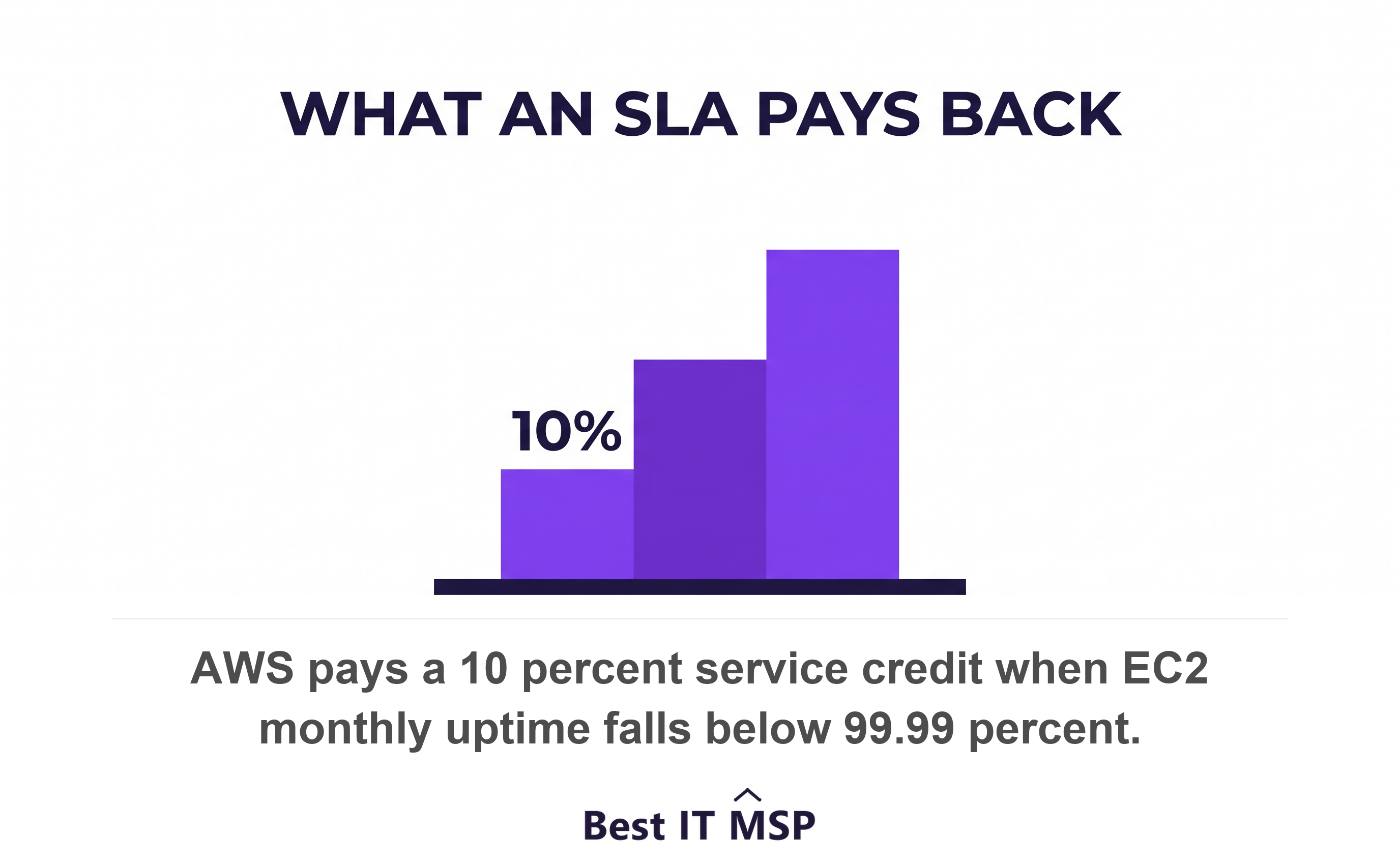
Two clauses matter more than the percentages. Both vendors call the credit your only remedy. AWS states the SLA sets your sole and exclusive remedy for unavailability. Google says the same for Workspace, and you must file a support case within thirty days to claim it. AWS wants the claim by the end of the second billing cycle. Miss the window and you get nothing at all.
Do the arithmetic before you rely on it. A 99.9 percent monthly target still permits roughly 43 minutes of downtime in a 30-day month. If your cloud bill is 2,000 dollars a month, a 10 percent credit is 200 dollars. A single lost morning for 30 staff costs a multiple of that, and the credit does not touch the missed deadline, the idle payroll or the customer who called and got nothing. Service credits refund the service. They do not fund business continuity. Your disaster recovery plan stays yours. So does your recovery time objective, meaning how fast you must be running again, and your recovery point objective, meaning how much data you can afford to lose. So does the tested restore that proves both numbers are real.
Ransomware and accidental deletion in SaaS: what your provider restores
Your provider restores what its recycle bin and version history still hold, and nothing that has aged out or been purged. In Microsoft 365 that means 93 days in the SharePoint site recycle bin and 30 days of rollback through OneDrive Files Restore. In Google Workspace it means 25 days of admin recovery after a user empties the trash, restored as a whole date range rather than as individual files. Inside those windows, a user who deletes the wrong folder is usually fine.
Outside them, and in one specific case inside them, you are on your own. Microsoft's SharePoint documentation is blunt about that case. Content deleted through the API rather than the browser is immediately purged and is not recoverable from the site or site collection recycle bins. Ransomware does not click through a browser. Neither does a rogue third-party app with write scope, or a badly written migration script. They call the API. The safety net most buyers picture is not in the path, and the recycle bin they counted on stays empty.
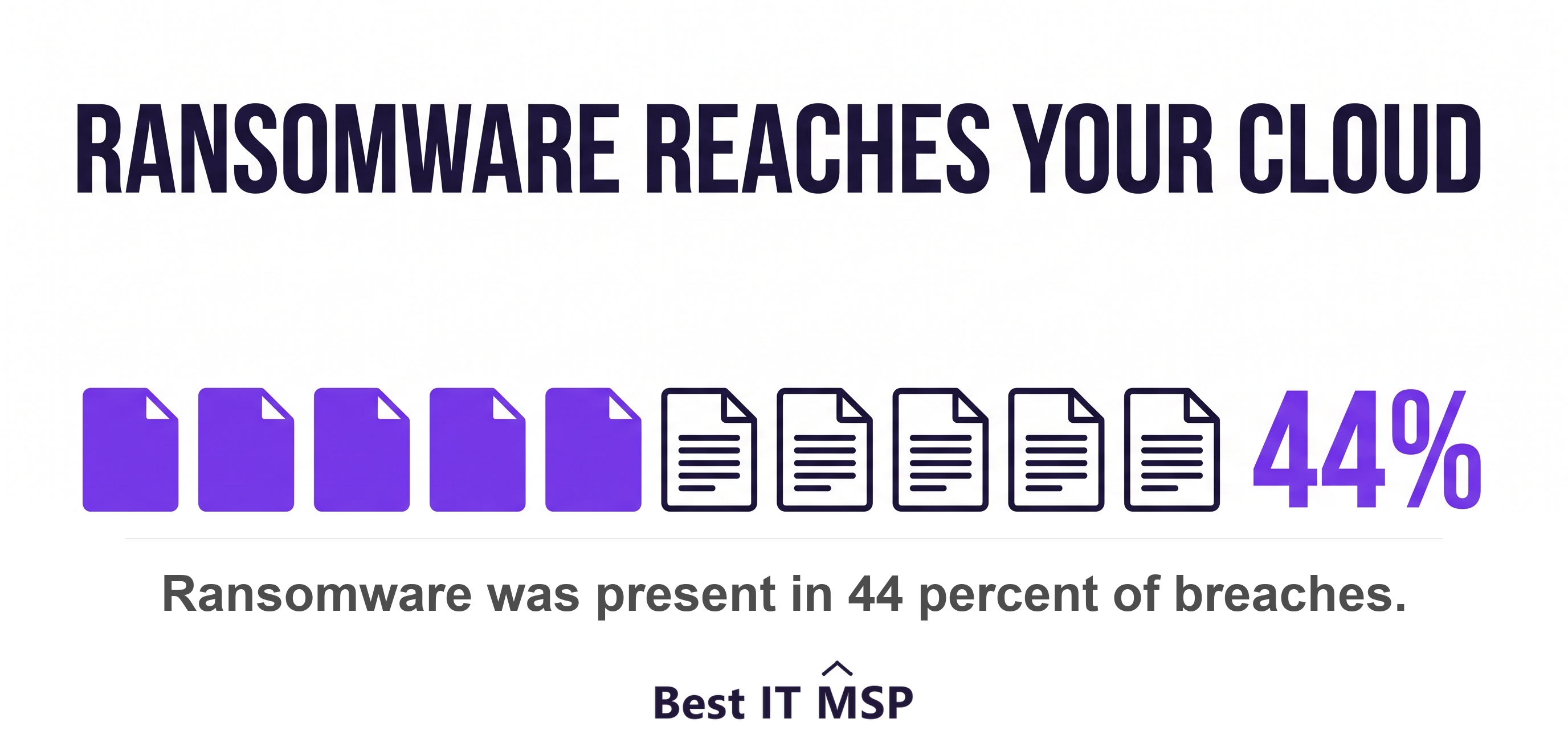
The residual backstop is thinner than it sounds. Microsoft keeps SharePoint backups for 14 days beyond actual deletion. After that period Microsoft states it no longer retains the data and it is not recoverable. Set that against the threat volume. Verizon found ransomware present in 44 percent of breaches. Microsoft reports that at least 52 percent of attacks with a known motive were driven by extortion or ransomware. An independent, immutable backup of your SaaS data closes this gap. It is your job to buy it, and no cloud provider will do it for you.
Ask your MSP these five questions
Ask these five questions before you sign, then write the answers into the contract. Each one has a right answer that is specific, dated and testable, and a wrong answer that is a reassurance.
- <strong>Map every workload to IaaS, PaaS or SaaS, and name who owns each layer.</strong> A provider that cannot draw the line cannot defend it.
- <strong>Show the backup that sits outside Microsoft's 30-day and Google's 25-day windows.</strong> Ask where the copy lives, how long it is kept, and whether it is immutable.
- <strong>State our recovery time objective and recovery point objective, and prove the last restore test.</strong> Ask for the date, the scope and the result.
- <strong>List every global administrator, and confirm phishing-resistant multi-factor authentication is enforced on all of them.</strong> Then ask who reviews that list, and how often.
- <strong>Explain what happens when the provider misses its SLA, beyond the service credit.</strong> Ask what your MSP does in hour one, and what it costs you.
Answers to those five separate a proactive provider from a reactive one. Our guide on how to choose a managed service provider covers the rest of the evaluation, and co-managed IT is worth reading if you have an internal person you want to keep. If the numbers matter more than the model, start with how much managed IT services cost.
What this means for your business
Treat the cloud shared responsibility model as a checklist, not a concept. Write down each cloud service you use, mark it IaaS, PaaS or SaaS, then mark who owns the data, the identities, the settings, the patching and the backup. Anything you cannot assign is a gap. The pattern repeats across the market. The platform is secure and well run. The incidents happen in the settings. That is exactly what the 47.1 percent credential and 29.4 percent misconfiguration split describes.
Fast-moving technology firms tend to run the widest mix of IaaS, PaaS and SaaS at once, so they carry the most boundary to manage. Whoever you are, the durable answer is the same. Own your identity and access management, encrypt and classify your data, monitor your own configurations, and back up your SaaS beyond the vendor grace period. Then hire, or hold, a partner who can prove it. Compare vetted, merit-ranked managed IT and cloud providers by city in the Best IT MSP directory, where organic ranking is earned on rating and verified data, and paid placement is always labelled.
FAQ
Who is responsible for security in the cloud shared responsibility model?
Both parties, but on different layers. Your provider secures the physical hosts, network and datacenter. You secure your data, identities and settings. Microsoft states that for all cloud deployment types, you own your data and identities, and AWS calls the split security of the cloud versus security in the cloud.
Does Microsoft 365 back up my data?
No. Microsoft 365 provides deletion grace periods, not backups. Microsoft retains actively deleted customer content for at most 30 days, holds SharePoint items in the site recycle bin for 93 days, and lets OneDrive Files Restore roll back the last 30 days. Anything older needs an independent backup that you buy.
How long does Google Workspace keep deleted data?
Days, not years. An administrator can restore a deleted user account for 20 days, after which the data is gone, and can recover deleted Drive items for 25 days after a user empties the trash. Google restores everything in a chosen date range rather than individual files, which is blunt during an incident.
What is the difference between IaaS, PaaS and SaaS responsibility?
The line moves down the stack. In IaaS you patch and secure the operating system and everything above it. In PaaS the provider takes the operating system and you keep the application, data and access. In SaaS the provider runs the application, and your data, settings and identities still stay with you.
Does a cloud uptime SLA cover my lost revenue?
No. An SLA pays a service credit against your own bill. AWS pays 10 percent below 99.99 percent uptime, 30 percent below 99.0 percent and 100 percent below 95.0 percent, and calls that credit your sole and exclusive remedy. Lost revenue, idle payroll and missed deadlines are not covered.
What is the most common cause of a cloud breach?
Customer-side identity and configuration problems, not provider failure. Google Cloud found weak or absent credentials behind 47.1 percent of cloud compromises and misconfiguration behind 29.4 percent in the first half of 2025. Microsoft reports phishing-resistant multi-factor authentication stops over 99 percent of identity attacks.
Best IT MSP is the independent directory of vetted managed IT and cloud providers across the US and Canada. Compare merit-ranked firms in your city that can map your cloud responsibilities, back up what your provider does not, and prove a restore. Organic ranking is earned, paid placement is labelled.