Managed IT vs In-House IT: Which Is Right for Your Business?
Managed IT means outsourcing your technology support to a managed service provider for a predictable monthly fee, while in-house IT means employing your own staff. In-house gives you dedicated, on-site people who know the business deeply but is costly to staff for 24/7 coverage and hard to keep current across every specialty.
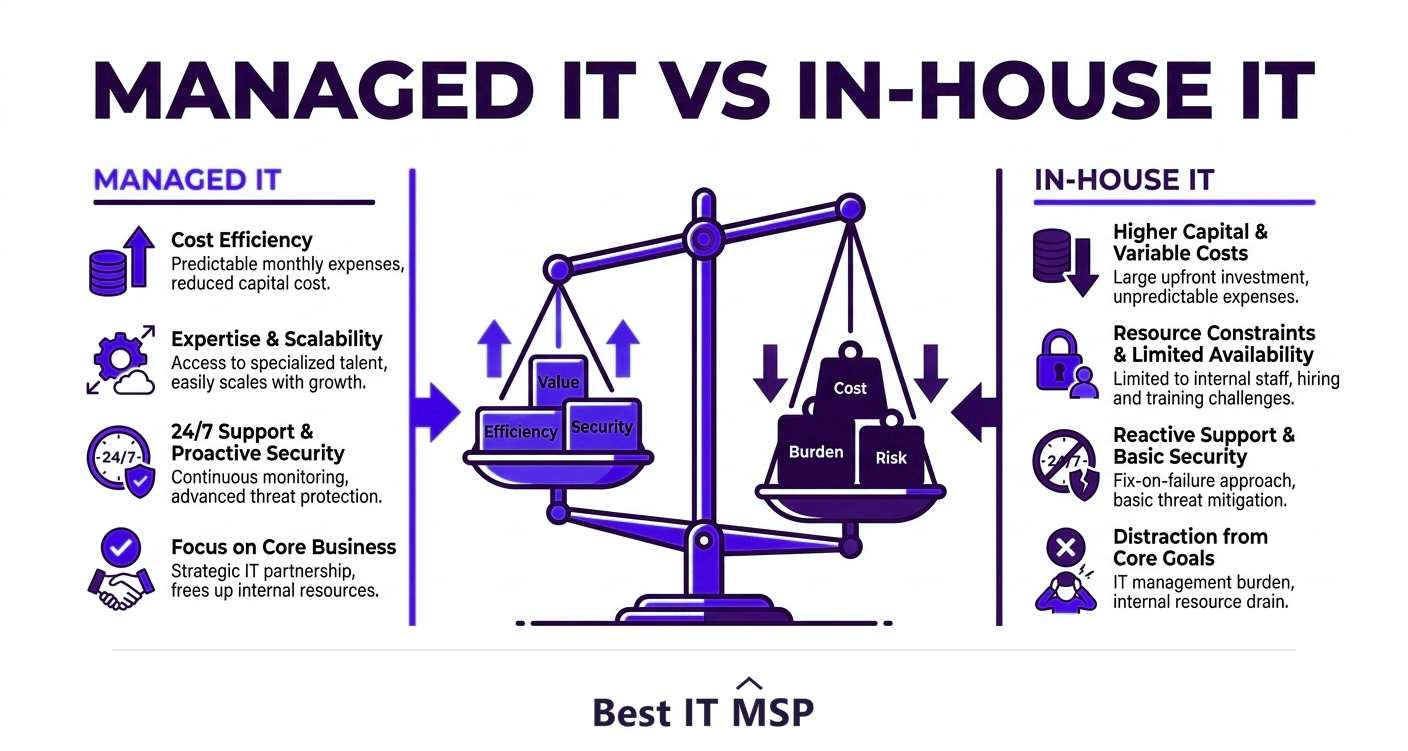
- In-house IT gives you dedicated, embedded staff but is expensive to staff for full coverage and broad expertise.
- Managed IT provides a full team, 24/7 monitoring, and specialist skills for a predictable monthly fee.
- For most small and midsize businesses, managed IT delivers more capability per dollar than a small in-house team.
- Co-managed IT blends both: your internal staff handle what they do best while an MSP fills the gaps.
- The right choice depends on your size, complexity, budget, and how strategic technology is to your business.
How did we compare managed IT and in-house IT?
The honest comparison is not a provider against an employee. It is a fixed monthly fee against a salaried headcount, and the two buy noticeably different things.
- The dimensions. What each costs, what hours it covers, how broad the skills are, and how quickly it can grow or shrink with you.
- The evidence. Downtime cost comes from ITIC, the security hiring gap from ISC2, breach and staffing-shortage costs from IBM, and market size from Fortune Business Insights.
- No vendor ranking. This compares approaches, not products. It names no vendors and recommends no supplier.
- Independence. Best IT MSP does not sell IT services or security services, and does not appear in its own rankings.
Read the table as a description of two different shapes of cost rather than as a scoreboard.
What is the difference between managed IT and in-house IT?
Every growing business eventually faces the same question: who keeps our technology running? There are two core answers. In-house IT means hiring your own employees to support and manage your systems. Managed IT means outsourcing that work to a managed service provider (MSP), an outside company that handles your IT for a predictable monthly fee. The meaning of managed IT services, in plain terms, is a whole IT department delivered as a service, including help desk, monitoring, security, and strategy, without you employing the staff directly. Neither model is universally better; the right fit depends on your size, budget, complexity, and how central technology is to what you do.
This guide compares managed IT vs in-house IT across the factors that actually decide it: cost, coverage, expertise, and scalability, plus the co-managed model that blends the two. It pairs with our managed IT services hub and our co-managed IT overview.
What is in-house IT?
In-house IT is a team of your own employees, anywhere from a single technician to a full department, dedicated to your business. The advantages are real: they are physically present, they understand your operations and culture intimately, they are immediately available to walk over and fix something, and their priorities are entirely yours. For organizations where technology is highly specialized or strategic, that embedded knowledge is valuable. The drawbacks are cost and coverage. Hiring is expensive once you add salary, benefits, training, and tools, and a small team cannot realistically cover nights, weekends, holidays, and vacations, nor can two or three generalists be deep experts in networking, security, cloud, and compliance all at once. When one person is out, coverage gaps appear immediately.
What is managed IT?
Managed IT replaces, or supplements, that internal team with a managed service provider. Instead of paying salaries, you pay a predictable monthly fee and get access to an entire team with broad, specialized skills, round-the-clock monitoring, a staffed help desk, and proactive maintenance designed to prevent problems rather than just react to them. A good MSP also brings enterprise-grade tools and security that would be costly to buy alone, and it scales with you as you grow. The trade-off is that an external provider is less embedded in your day-to-day than an on-site employee, which makes choosing a responsive, well-matched provider important. For most small and midsize businesses, though, managed IT delivers far more capability per dollar than a small in-house team could.
Which costs more, managed IT or an in-house team?
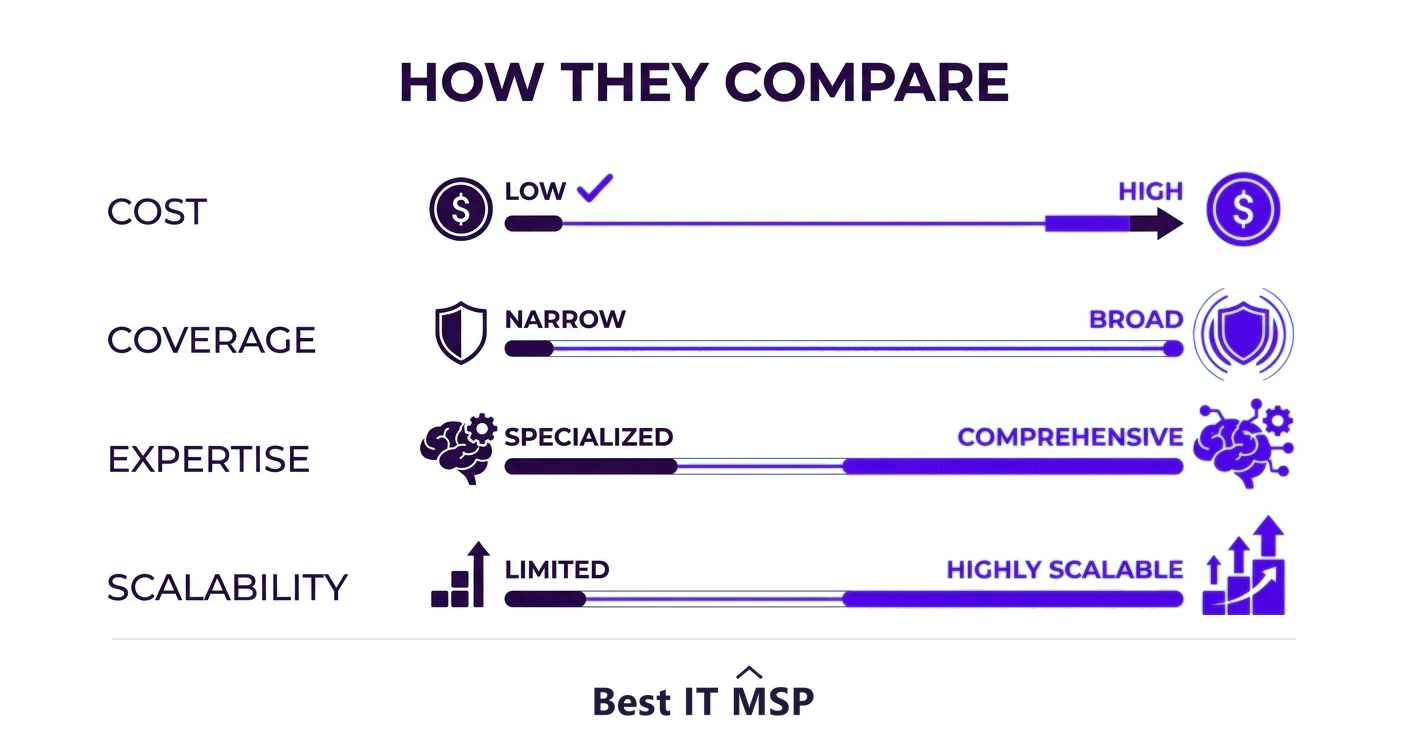
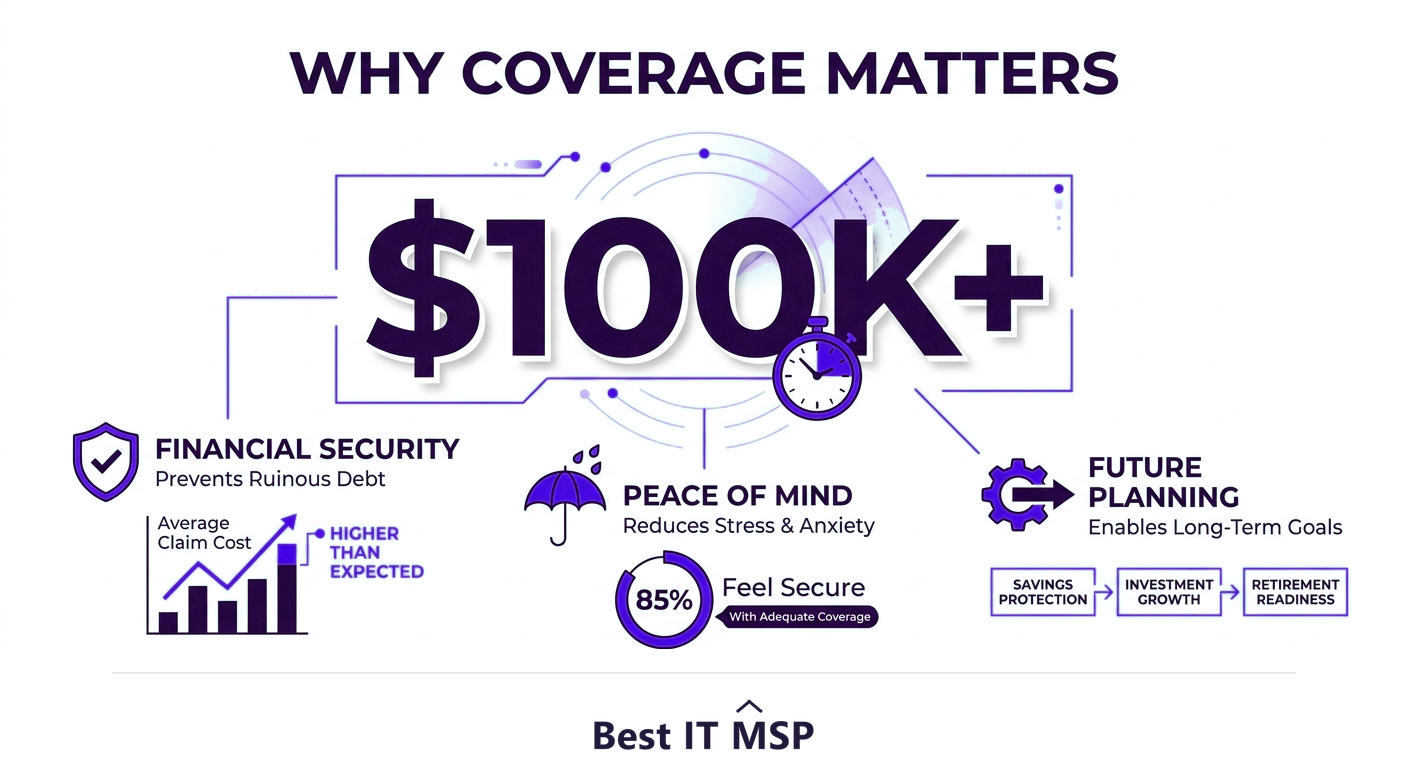
Cost is where the comparison gets concrete. A single experienced IT professional costs a significant salary plus benefits, and you typically need several to cover the range of skills and the hours a business runs. A managed IT contract often costs less than one or two full-time hires while delivering a whole team behind it. Just as important, managed IT turns IT spending into a predictable monthly operating expense rather than the lumpy, unpredictable cost of salaries plus emergency repairs. The hidden cost in both models is downtime: an hour of outage costs most organizations more than $100,000, which is exactly what proactive, round-the-clock managed monitoring is designed to prevent, and what a 9-to-5 in-house team may miss overnight.
How do coverage, expertise and scalability compare?
Beyond cost, three factors usually decide the choice. Coverage: an MSP monitors and responds 24/7, while an in-house team is limited by its headcount and hours. Expertise: modern IT spans networking, cloud, security, and compliance, and few small teams can be expert in all of them, especially given a global shortfall of about 4.8 million cybersecurity professionals that makes security talent particularly hard to hire and keep. Scalability: a managed model is inherently scalable, an MSP can add capacity as you grow or during a project, where hiring takes months. These pressures are a major reason the managed services market is growing from about $330 billion in 2024 toward $879 billion over the next decade. They also matter for security specifically, because the average breach costs $4.88 million, takes an average of 258 days to identify and contain, and the human element is involved in 68% of breaches, so round-the-clock expert coverage has real value. Automation amplifies it: organizations that use security AI and automation extensively save an average of $2.22 million per breach, the kind of tooling an MSP runs across its whole client base.
| Dimension | In-house IT | Managed IT |
|---|---|---|
| Cost shape | Salaries, benefits, training and tools | A predictable monthly fee |
| Coverage hours | The hours your staff work | Contracted, commonly including nights and weekends |
| Breadth of skills | Whatever your hires happen to know | A team spanning several specialisms |
| Knowledge of your business | Deep, and on site | Acquired, and shared across clients |
| Scaling up or down | Hiring and redundancy | A change to the contract |
| Single point of failure | One person leaving | Concentration on one provider |
The staffing question has a price attached to it. IBM reports that 53% of organisations face a high-level security skills shortage, up 26% on the previous year, and that those with severe staffing shortages saw breach costs USD 1.76 million higher on average than organisations with little or no shortage. An empty seat is not a saving deferred; it shows up in what an incident costs when one arrives.
What if you want both?
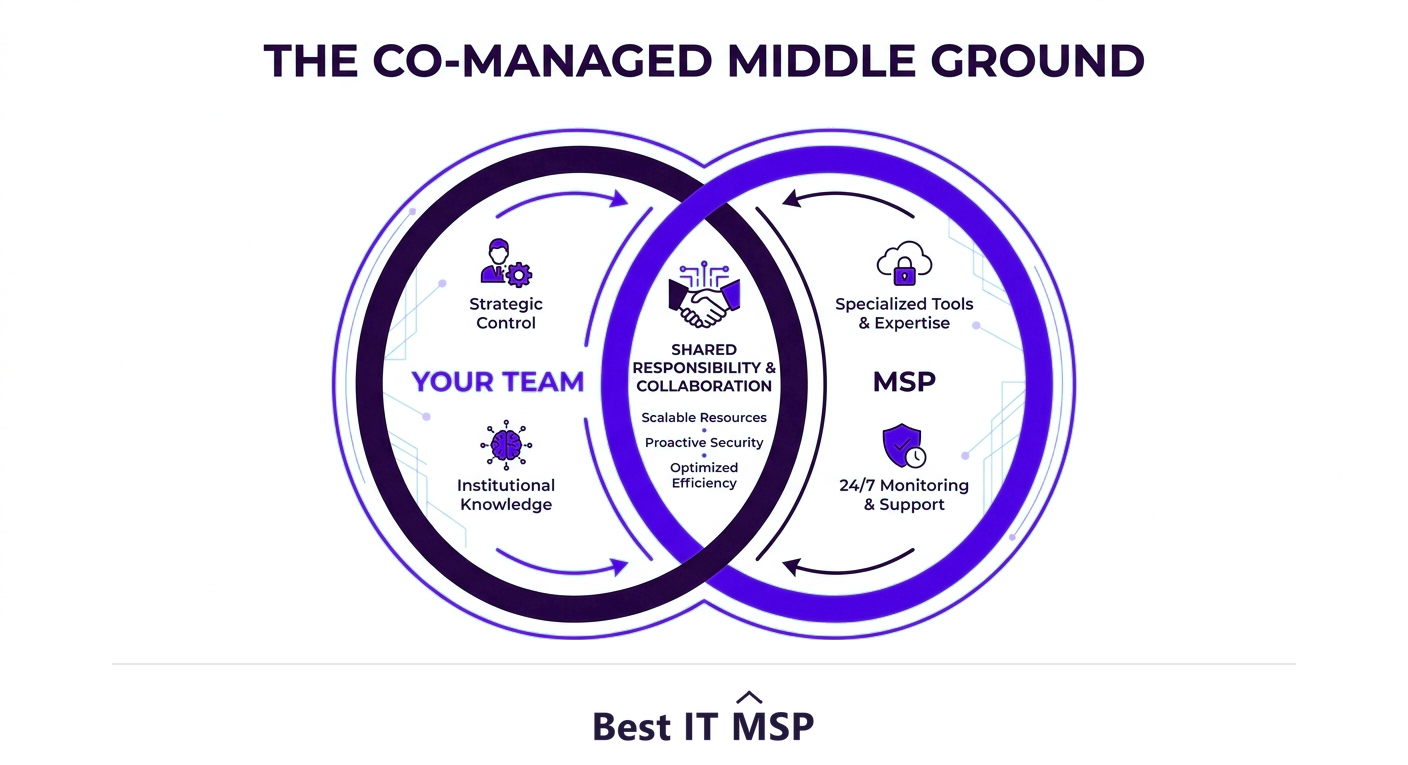
The choice is not always either-or. Co-managed IT blends both models: you keep your internal staff for the work they do best, the deep business knowledge and hands-on presence, while a managed service provider fills the gaps, providing after-hours coverage, specialized security expertise, advanced tools, and extra capacity during busy periods. This is increasingly popular with midsize businesses that have some internal IT but cannot staff every specialty or cover every hour. It lets a stretched in-house team stop firefighting and focus on strategic work, while the MSP handles monitoring, security, and overflow. For many organizations, co-managed IT captures the best of both worlds.
Which is right for your business?
Use a few simple signals. Pure in-house IT makes most sense for larger organizations where technology is deeply specialized or strategic and the scale justifies a full, well-rounded department. Managed IT is usually the stronger choice for small and midsize businesses that need broad expertise and full coverage without the headcount and cost of building it internally. Co-managed IT fits when you already have capable internal staff but need to extend their reach, hours, or specialties. Honest questions help: Can we afford the coverage and expertise we actually need in-house? Are we constantly reacting to problems instead of preventing them? Is our internal team stretched too thin? If the answers point to gaps, managed or co-managed IT is worth serious consideration.
Whichever model you lean toward, the quality of the provider matters more than the label. Comparing vetted MSPs on merit is the place to start. Browse merit-ranked managed IT firms by city in the Best IT MSP directory, where ranking is earned on rating and verified data, not on who pays the most. You can also explore our guide to small business IT support.
- What hours genuinely need covering? If nothing happens outside office hours you are paying for cover you will not use. If a line runs overnight, one employee cannot provide it.
- How many specialisms does your estate need? One generalist cannot be strong at networking, cloud, security and helpdesk at once. Count the disciplines before counting the people.
- What does the alternative hire actually cost? Compare the contract against salary plus benefits, tooling, training and cover for leave, not against salary alone.
- How fast might your headcount change? Rapid growth and a possible contraction both favour an arrangement you can vary without hiring or making redundancies.
FAQ
What is the difference between managed IT and in-house IT?
In-house IT means employing your own staff to support and manage your technology, giving you dedicated, embedded people. Managed IT means outsourcing that work to a managed service provider for a predictable monthly fee, giving you a whole team with broad expertise and 24/7 monitoring. In-house offers presence and deep business knowledge; managed offers more capability and coverage per dollar.
Is managed IT cheaper than in-house IT?
For most small and midsize businesses, yes. A managed IT contract often costs less than one or two full-time hires while delivering an entire team, specialist skills, and round-the-clock monitoring behind it. It also makes IT spending a predictable monthly operating expense instead of the lumpy cost of salaries plus emergency repairs. Larger, highly specialized organizations may justify a full in-house department.
What is co-managed IT?
Co-managed IT is a hybrid model where your internal IT staff handle the work they do best, such as hands-on support and deep business knowledge, while a managed service provider fills the gaps with after-hours coverage, specialized security expertise, advanced tools, and extra capacity. It is popular with midsize businesses that have some internal IT but cannot staff every specialty or cover every hour.
What does managed IT services actually mean?
Managed IT services means having an outside provider, a managed service provider or MSP, run your technology as an ongoing service for a predictable fee. It typically includes a help desk, 24/7 monitoring, proactive maintenance, cybersecurity, and IT strategy. In plain terms, it is a complete IT department delivered as a service, without you directly employing the staff.
When should a business switch from in-house to managed IT?
Consider it when your internal team is constantly reacting to problems instead of preventing them, when you cannot afford the full range of expertise and coverage you need, when security or compliance demands exceed your staff's skills, or when growth is outpacing your ability to hire. Many businesses move to managed or co-managed IT at exactly these inflection points.
Can I keep my IT staff and still use a managed provider?
Yes, that is exactly what co-managed IT is for. Your employees keep doing the work they do best while the managed service provider extends their reach with 24/7 monitoring, specialized expertise, enterprise tools, and extra capacity. It lets a stretched internal team focus on strategic projects instead of firefighting, without giving up the value of having people who know your business.
Best IT MSP is the independent directory of vetted managed IT providers across North America. Compare merit-ranked firms in your city that offer managed and co-managed IT. No pay-to-play.