The IT Procurement Process: Best Practices and Steps
The IT procurement process is the structured way a business identifies, sources, buys, and manages the technology it needs. Done well, it follows clear steps: define needs, set a budget, research and shortlist vendors, evaluate and negotiate, approve, purchase, deploy, and manage the asset over its lifecycle.
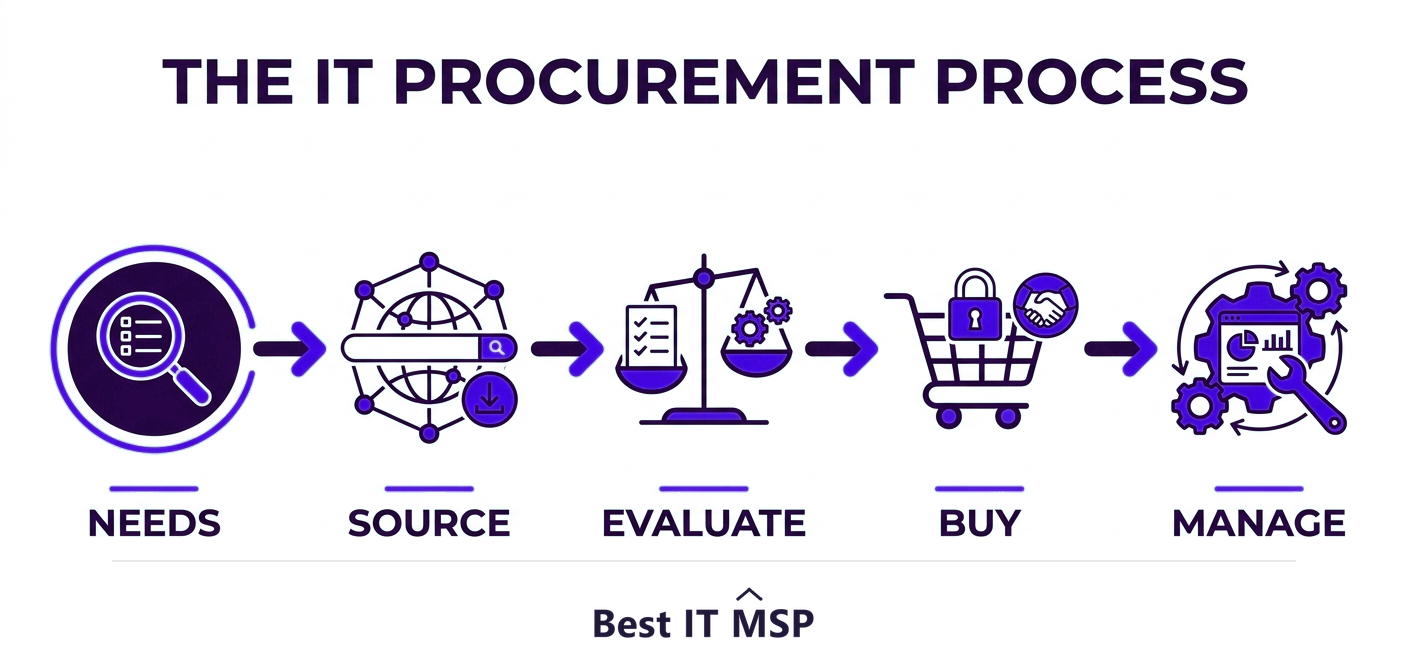
- IT procurement is a repeatable process, not a one-off purchase: define needs, source, buy, then manage the asset's lifecycle.
- Start with a needs analysis tied to business goals, so you buy what you actually need, not what a vendor is selling.
- Vet vendor security and total cost of ownership, not just the sticker price, before you commit.
- Standardize, negotiate, and centralize purchasing to cut cost, reduce risk, and avoid shadow IT.
- Treat procurement as ongoing lifecycle management, from purchase through renewal and retirement.
What is the IT procurement process?
IT procurement is the structured process a business uses to identify, source, buy, and manage the technology it needs, from laptops and servers to software licenses and cloud services. It is far more than placing an order. Good procurement aligns every purchase with business goals, controls cost and risk, and manages each asset through its whole life, from the moment a need is identified to the day it is retired. Treating it as a repeatable process, rather than a series of rushed one-off buys, is what separates organizations that get value from their technology spend from those that waste it.
The stakes are higher than they look. Technology is now central to almost everything a business does, and a poor purchase can mean wasted budget, security gaps, or systems that do not work together. This guide walks through the steps of the IT procurement process and the best practices that make it work. It pairs with our IT procurement services overview.
The steps of the IT procurement process
A mature IT procurement process follows a clear sequence. Each step reduces the risk of buying the wrong thing or paying too much:
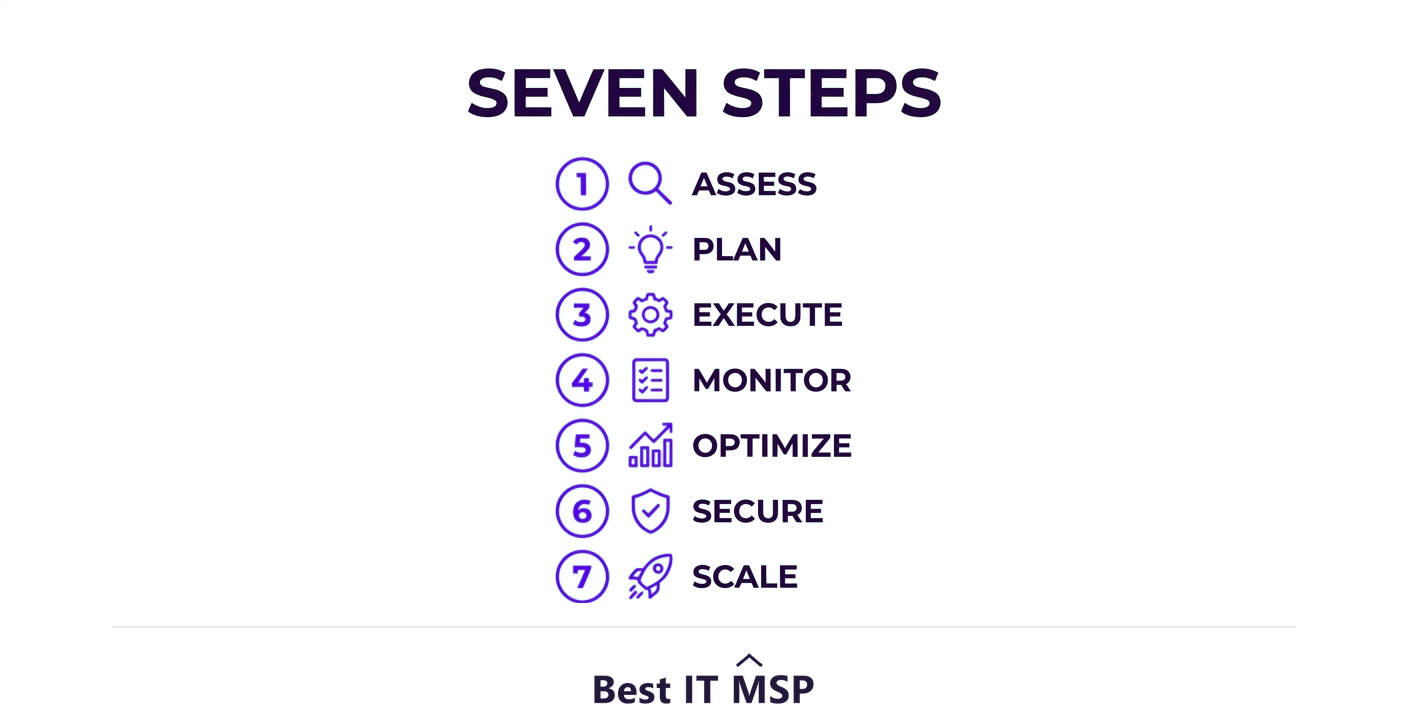
- <strong>1. Identify and analyze needs.</strong> Define the business problem you are solving and the requirements a solution must meet, before looking at any product.
- <strong>2. Set a budget and build the business case.</strong> Establish what you can spend and the return you expect, so the purchase can be justified and approved.
- <strong>3. Research and shortlist vendors.</strong> Find suppliers that meet your requirements, and narrow to a shortlist worth evaluating in depth.
- <strong>4. Evaluate and request proposals.</strong> Compare shortlisted vendors on capability, security, support, and total cost, often through an RFP or formal quotes.
- <strong>5. Negotiate terms.</strong> Negotiate price, service levels, licensing, and contract terms, including how you exit if the relationship sours.
- <strong>6. Approve and purchase.</strong> Route the decision through the right approvals, then place the order under agreed terms.
- <strong>7. Deploy and manage the lifecycle.</strong> Implement the solution, track the asset, and manage it through renewals, support, and eventual retirement.
Best practice 1: Start with needs, not products
The most common procurement mistake is starting with a product instead of a problem. A vendor demo is exciting, but if you have not first defined what your business actually needs, you end up buying features you will never use or missing requirements you only discover later. Begin every purchase with a needs analysis tied to business goals: what outcome are you trying to achieve, what must the solution do, and how will you measure success? This single discipline prevents most wasted spend.
Best practice 2: Evaluate total cost of ownership and vendor security
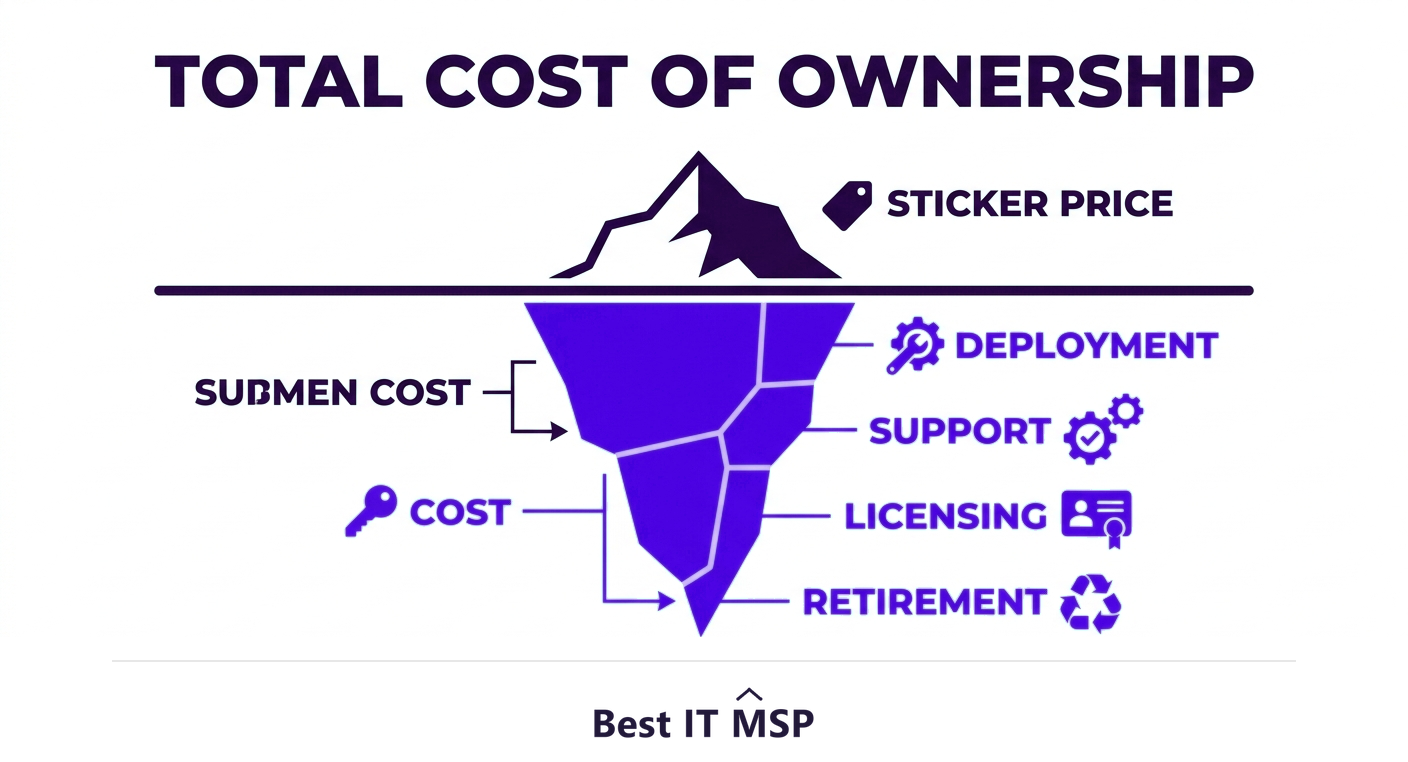
The sticker price is only part of the cost. Total cost of ownership includes deployment, training, support, licensing, integration, and eventual replacement, and the cheapest option upfront is often the most expensive over time. Evaluate the full picture before you commit.
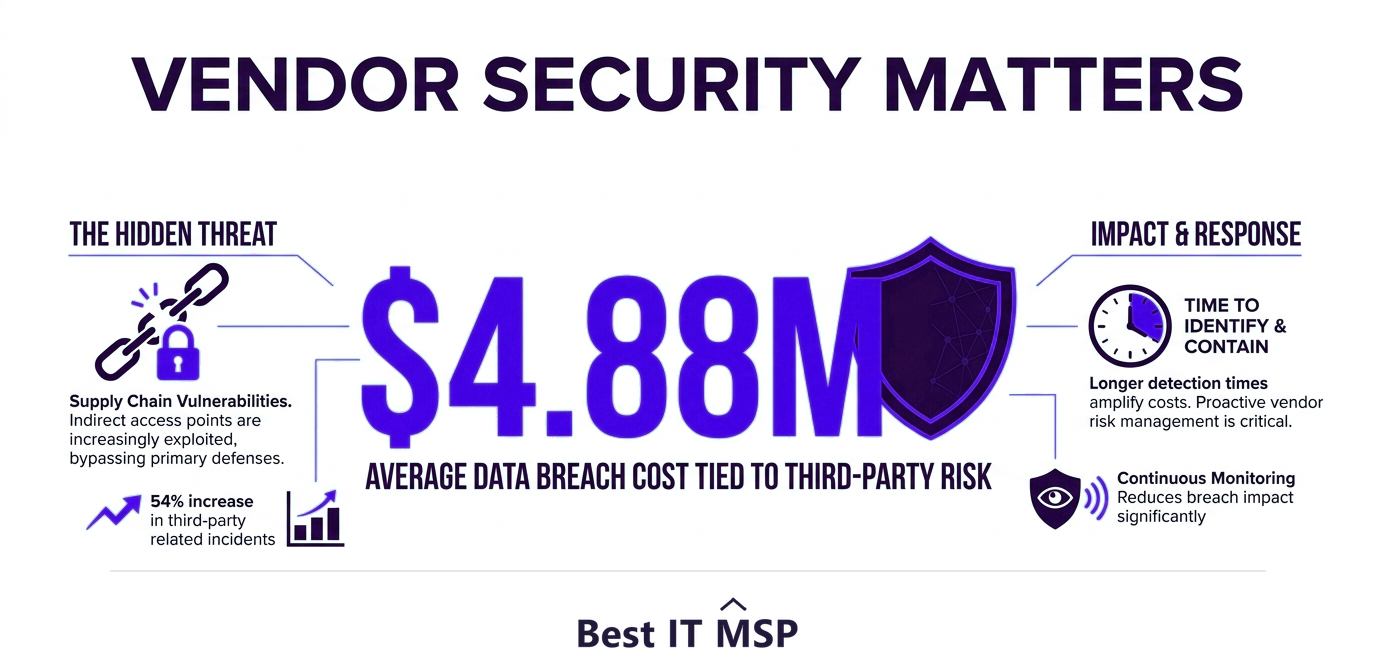
Security is now an essential part of that evaluation. Every vendor you onboard becomes part of your attack surface, and a third-party weakness can become your breach. With the average data breach costing $4.88 million and reported cybercrime losses topping $12.5 billion a year, vetting a vendor's security practices and data handling is no longer optional. Ask how they protect your data, what certifications they hold, and how they would respond to an incident.
Best practice 3: Standardize, centralize, and negotiate
Scattered, ad hoc buying drives up cost and risk. Three habits fix it. Standardize on a small set of approved hardware and software so support is simpler and volume discounts are possible. Centralize purchasing so technology is bought through a defined process rather than on individual credit cards, which also curbs shadow IT, the unapproved tools that create security blind spots. And negotiate deliberately, because list price is rarely the real price, especially on software licensing and multi-year cloud commitments. Even small per-unit savings compound across an organization. Cloud is where this matters most today: with worldwide public cloud spending forecast to top $723 billion in 2025, recurring subscriptions and consumption-based pricing now make up a growing share of the IT budget, and they are easy to over-provision and overpay for without a disciplined process to review and right-size them.
Best practice 4: Manage the whole lifecycle
Procurement does not end when the invoice is paid. Every asset has a lifecycle, and managing it protects your investment and your security. Track what you own, keep software patched and supported, plan renewals before they lapse, and retire and securely wipe equipment at end of life so old devices do not become a data-leak risk. An hour of downtime costs most organizations more than $100,000, and much of it traces back to unmanaged, out-of-date, or unsupported technology that proper lifecycle management would have caught. Security gaps hide in the same neglected assets: the average breach takes about 258 days to identify and contain, and forgotten, unpatched devices are exactly where attackers linger.
Who should run IT procurement?
In a small business, procurement often falls to whoever is available, which is how mismatched, insecure, or overpriced technology creeps in. Larger organizations build a dedicated process or team. Many small and midsize businesses bridge the gap by using a managed IT provider or virtual CIO to run procurement for them, bringing vendor relationships, volume pricing, and security expertise that would be hard to build in-house, especially given a global shortfall of about 4.8 million cybersecurity and IT professionals. The scale of this outsourcing is significant: the global managed services market was worth about $330 billion in 2024 and is projected to reach roughly $879 billion over the next decade, driven partly by businesses handing procurement and vendor management to specialists. A partner turns procurement from a scramble into a strategic advantage.
If you want help building a procurement process or sourcing technology, start from a vetted, merit-ranked list of providers by city in the Best IT MSP directory, where ranking is earned on rating and verified data.
FAQ
What is the IT procurement process?
IT procurement is the structured process a business uses to identify, source, buy, and manage the technology it needs, from devices and software to cloud services. It aligns purchases with business goals, controls cost and risk, and manages each asset through its lifecycle, from identifying a need through to retirement, rather than treating buying as a one-off.
What are the steps of the IT procurement process?
The typical steps are: identify and analyze needs, set a budget and build the business case, research and shortlist vendors, evaluate and request proposals, negotiate terms, approve and purchase, then deploy and manage the asset through its lifecycle. Following the sequence reduces the risk of buying the wrong solution or overpaying.
What are IT procurement best practices?
Start with needs rather than products, evaluate total cost of ownership instead of just the sticker price, vet each vendor's security, standardize and centralize purchasing to cut cost and curb shadow IT, negotiate deliberately, and manage the full asset lifecycle through renewals and secure retirement. These habits align spend with goals and reduce risk.
Why is vendor security part of IT procurement?
Every vendor you onboard becomes part of your attack surface, and a third-party weakness can become your breach. With the average data breach costing $4.88 million, evaluating a vendor's security practices, certifications, data handling, and incident response is essential before you buy, not an afterthought once a problem appears.
What is total cost of ownership in IT procurement?
Total cost of ownership is the full lifetime cost of a technology purchase, including deployment, training, support, licensing, integration, and eventual replacement, not just the purchase price. Evaluating it prevents the common mistake of choosing the cheapest upfront option that becomes the most expensive over its life.
Should a small business outsource IT procurement?
Many small and midsize businesses benefit from having a managed IT provider or virtual CIO run procurement. A partner brings vendor relationships, volume pricing, and security expertise that are hard to build in-house, turning ad hoc, risky buying into a structured process that aligns technology spend with business goals.
Best IT MSP is the independent directory of vetted managed IT providers across North America. Compare merit-ranked firms in your city that run procurement, vendor management, and lifecycle planning. No pay-to-play.