Top Cloud Migration Challenges (and How to Avoid Them)
The biggest cloud migration challenges are unexpected costs, downtime and disruption, security and compliance gaps, data loss during transfer, application compatibility, vendor lock-in, and a shortage of cloud skills. Nearly all stem from poor planning. They are avoidable with a thorough assessment, a phased migration, security designed in from the start, and post-migration cost optimization.
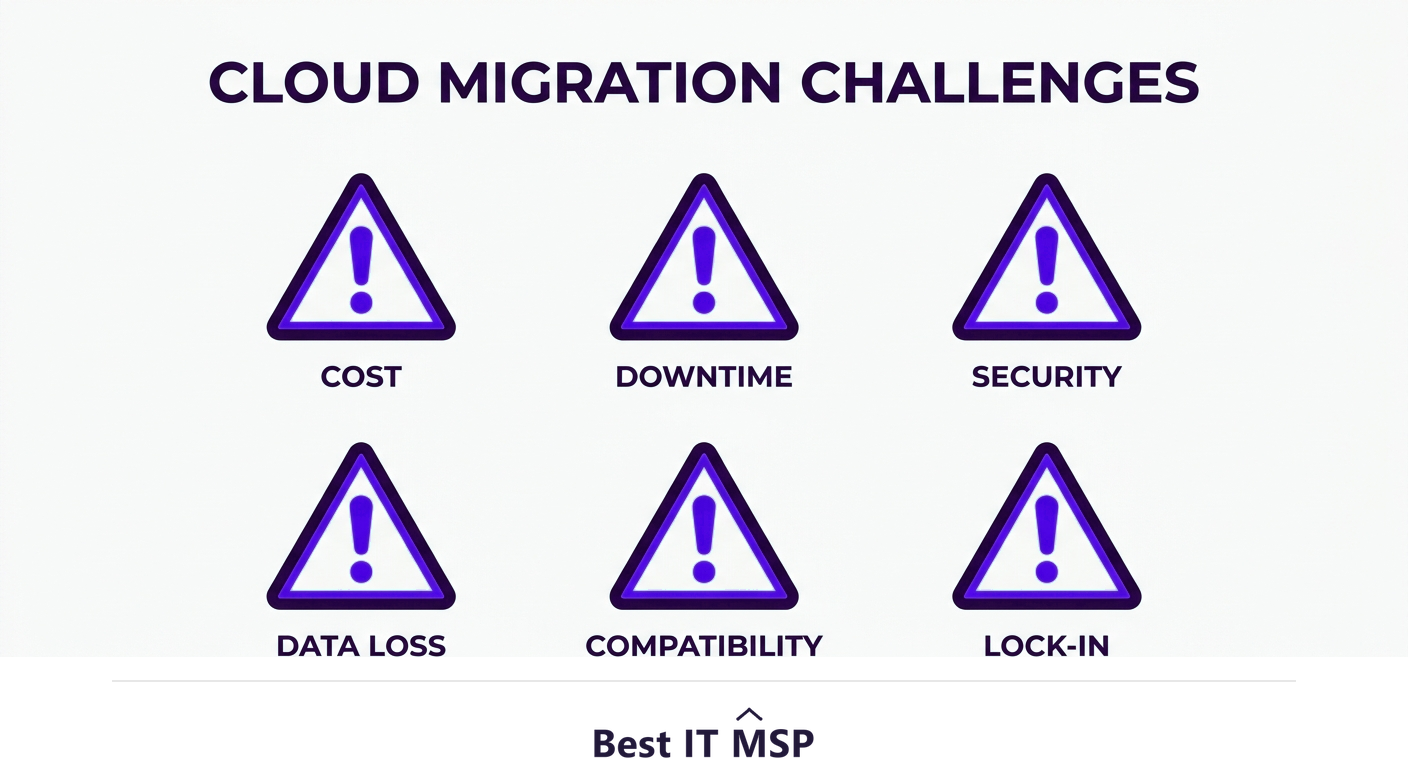
- Most cloud migration challenges come from weak planning, not from the cloud itself.
- Surprise costs and downtime are the most common pain points, and both are preventable.
- Security and compliance must be designed in from the start, not bolted on afterward.
- Data loss, app incompatibility, and vendor lock-in are avoidable with assessment and the right strategy.
- A phased migration plus post-move optimization avoids the great majority of these problems.
Why cloud migrations often run into trouble
The cloud delivers real benefits, but the journey there trips up many businesses. The important thing to understand is that almost every cloud migration challenge comes from weak planning rather than from the cloud itself. Companies that rush, skip the assessment, or treat migration as a simple lift-and-shift hit the same predictable problems. The good news is that because the challenges are predictable, they are also avoidable. This guide covers the most common ones and how to sidestep each.
Migration is happening at scale, with worldwide public cloud spending forecast to top $723 billion in 2025, up from about $595.7 billion in 2024, so these lessons matter to almost every business. This guide pairs with our cloud migration steps guide and our cloud migration services overview.
Challenge 1: Unexpected and runaway costs
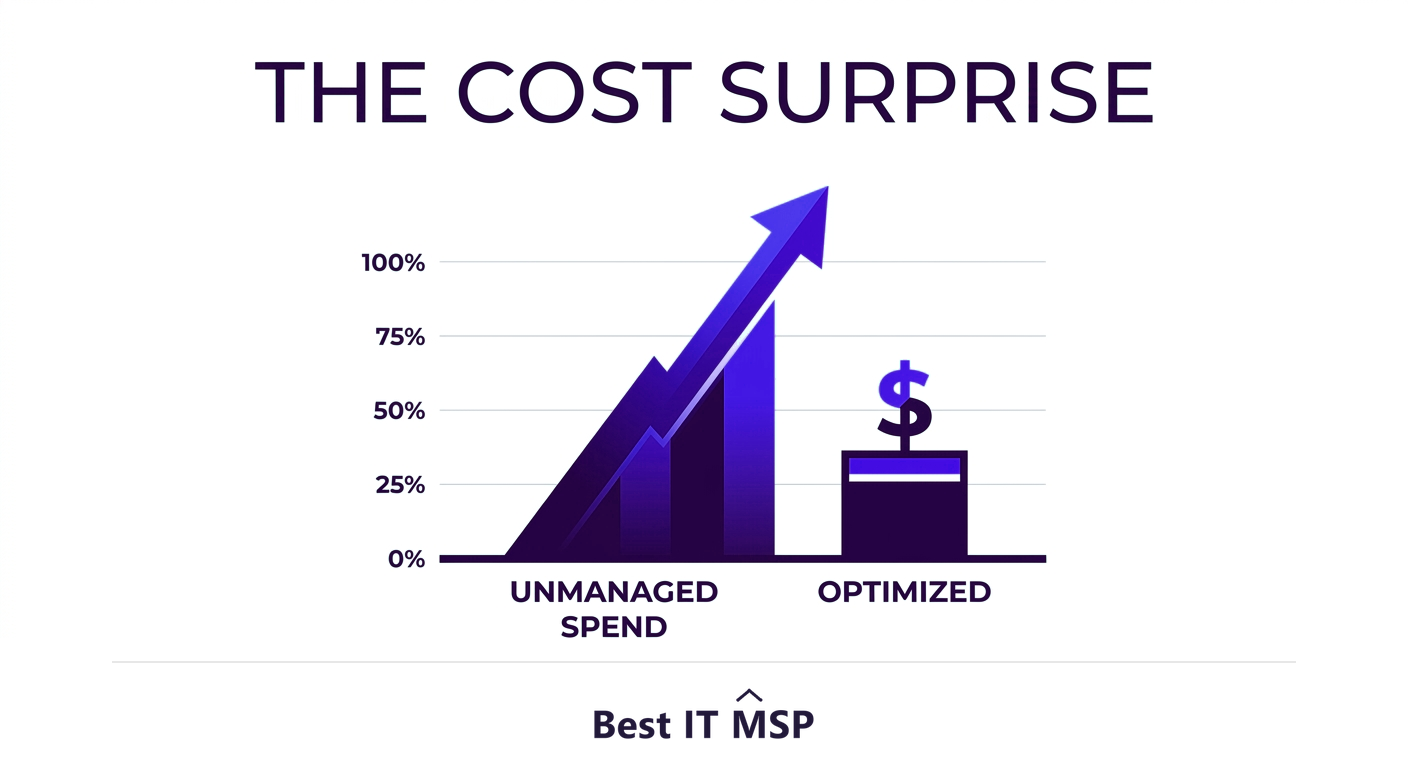
The most common surprise is the bill. Businesses often migrate expecting instant savings, then watch cloud costs climb because resources were over-provisioned, left running when idle, or simply lifted and shifted without right-sizing. The cloud charges for what you use, so waste is expensive. The fix is to model costs before you move, choose the right strategy per workload, and treat cost optimization as an ongoing discipline after migration, right-sizing resources and shutting off what you do not need. Done properly, the cloud saves money; done carelessly, it leaks it.
Challenge 2: Downtime and business disruption
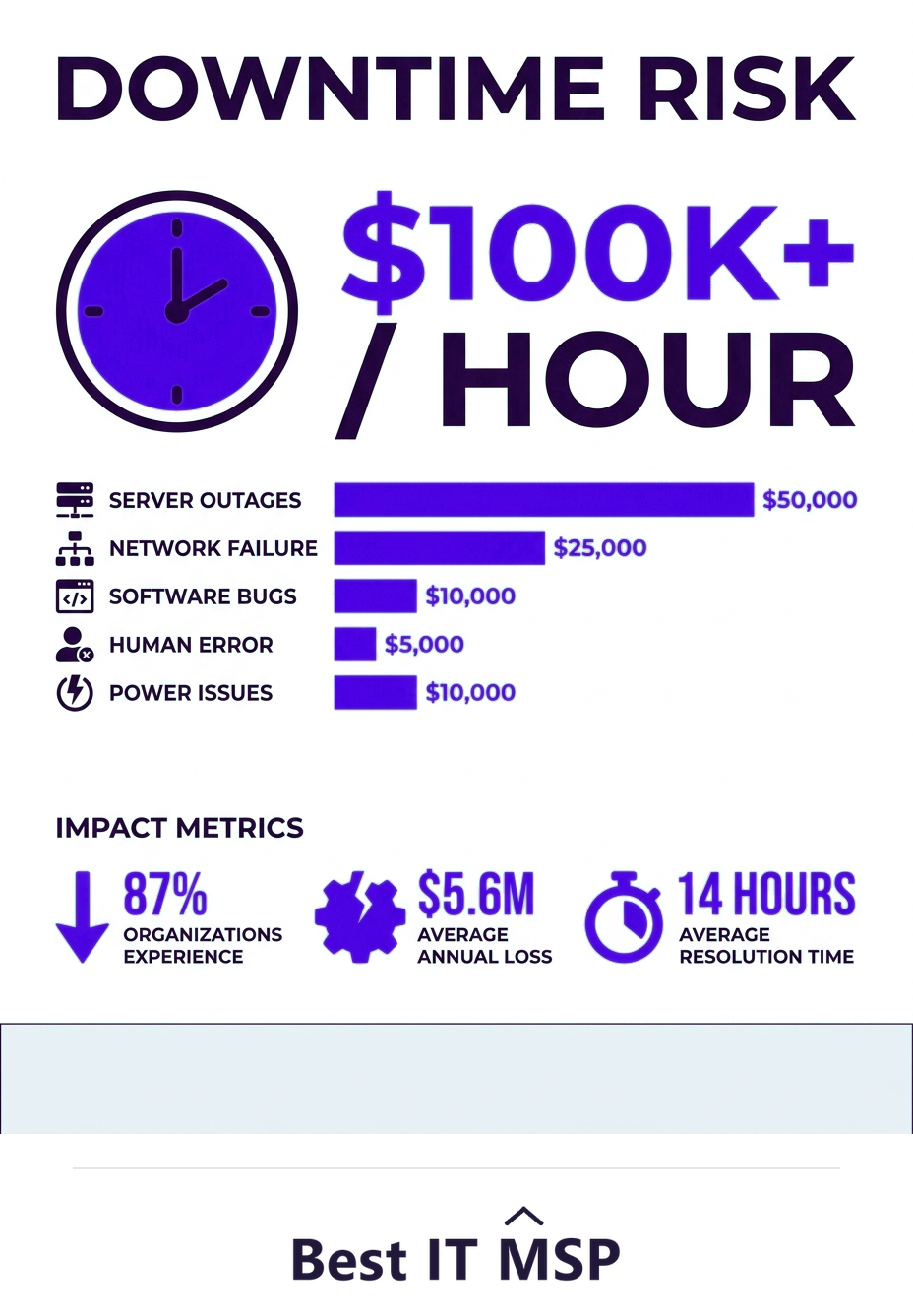
Moving live systems risks interrupting the business, and downtime is brutally expensive, with an hour costing most organizations more than $100,000. A big-bang cutover, where everything moves at once, is the riskiest possible approach. The fix is to migrate in waves, starting with low-risk workloads, so any disruption is contained and the business keeps running. A clear rollback plan for each wave means that if something goes wrong, you can revert quickly rather than scramble.
Challenge 3: Security and compliance gaps
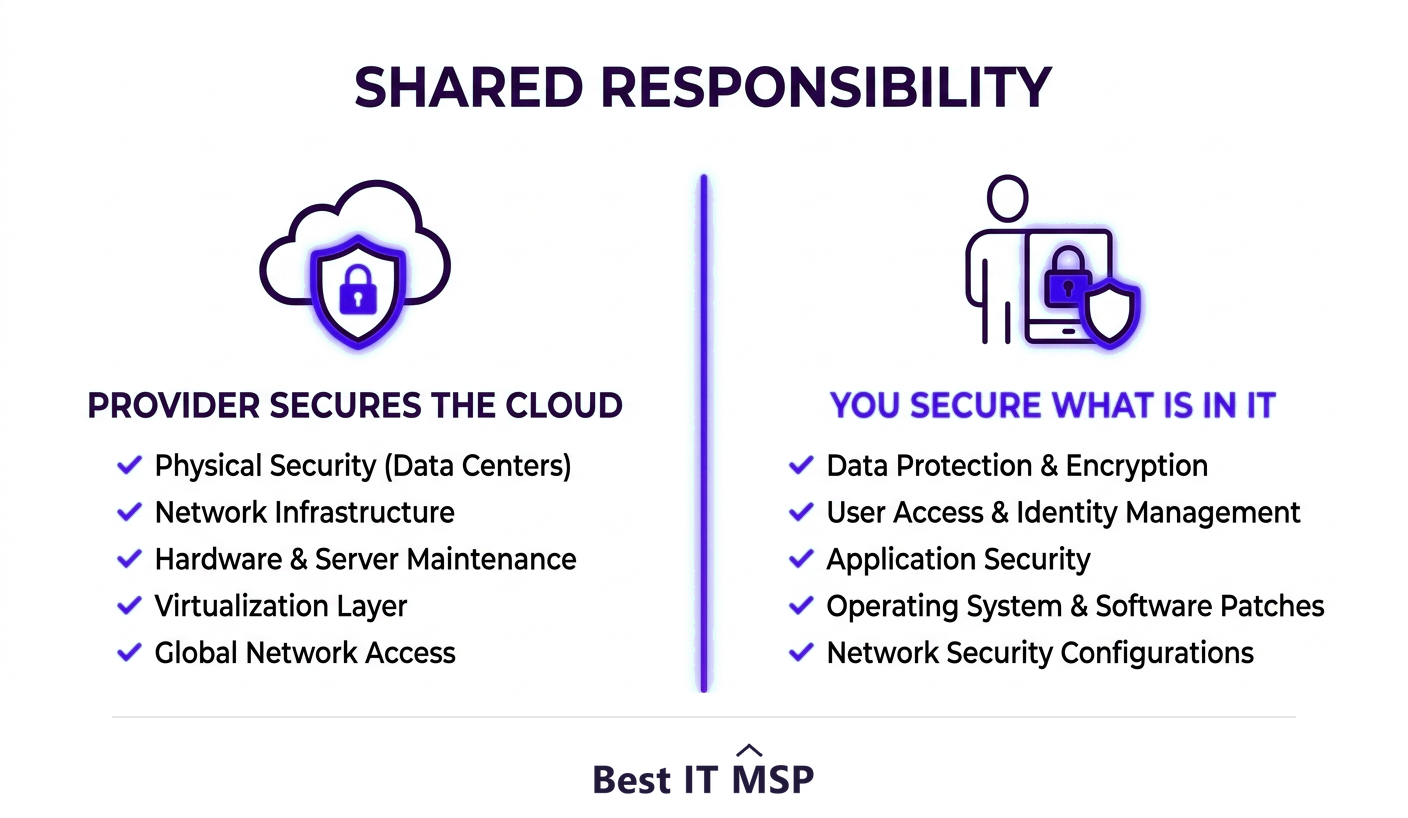
Many businesses assume the cloud provider handles all security. It does not. The cloud runs on a shared responsibility model: the provider secures the underlying infrastructure, but you remain responsible for securing your data, access, and configurations. Misunderstanding this is a leading cause of cloud breaches, and the stakes are high, with the average data breach costing $4.88 million and taking about 258 days to identify and contain. The fix is to design security and compliance into the migration from day one: encryption, access controls, correct configuration, and a clear understanding of who is responsible for what.
Challenge 4: Data loss and integrity issues
Transferring large volumes of data is risky: data can be corrupted, lost, or incompletely moved, and a botched transfer can be catastrophic. The fix is disciplined data handling: back up everything before you start, validate data integrity after each transfer to confirm it moved completely and correctly, and never decommission the source until the destination is fully verified. Testing is not optional here; it is the safety net that makes migration reversible if something goes wrong. A few extra hours spent verifying a transfer is trivial against the cost of discovering missing records weeks later.
Challenge 5: Application compatibility and dependencies
Not every application is cloud-ready or even cloud-compatible. Older or heavily customized software may not run well in the cloud as-is, and applications often have hidden dependencies on other systems that break when one piece moves and the other does not. An application that is not compatible with its target cloud platform can stall an entire wave of the migration. This is exactly what a thorough assessment is meant to catch. The fix is to map dependencies up front and choose the right migration strategy per application, refactoring, replacing, or retaining where a simple lift-and-shift would fail. Discovering a broken dependency in planning is cheap; discovering it mid-cutover is not.
Challenge 6: Vendor lock-in and the skills gap
Two structural challenges round out the list. Vendor lock-in happens when you build so deeply around one provider's proprietary services that moving later becomes hard and expensive; the fix is to weigh portability when designing and to go in with open eyes. The skills gap is just as real: cloud migration demands specialized expertise that is scarce amid a global shortfall of about 4.8 million cybersecurity and IT professionals. Trying to migrate without that expertise is how many of the challenges above arise in the first place.
How to avoid these challenges
Step back and a pattern is obvious: nearly every cloud migration challenge is prevented by the same disciplines. Assess your environment thoroughly so you know what you have and what depends on what. Build a business case and model costs before moving. Choose the right strategy per workload rather than lifting everything as-is. Design security and compliance in from the start. Migrate in waves with rollback plans, validate each one, and optimize relentlessly afterward. None of this is exotic; it is simply planning and discipline applied consistently.
It also helps to reframe the goal. The point of migrating is not to be in the cloud, it is to end up with a more secure, flexible, and scalable foundation than you had before. When you keep that outcome in view, the discipline above stops feeling like overhead and starts looking like the obvious way to protect a major investment. Businesses that treat migration as a careful project, with clear owners, checkpoints, and success measures, consistently report smoother moves and lower costs than those that improvise. The challenges are real, but they are not mysterious, and a business that plans for them rarely meets them by surprise.
Because that expertise is hard to build in-house, many businesses bring in a partner, which is part of why the managed services market is projected to grow from about $330 billion in 2024 to about $879 billion over the next decade. A provider has run these migrations before and knows where the traps are. To find one, browse vetted, merit-ranked firms by city in the Best IT MSP directory, where ranking is earned on rating and verified data.
FAQ
What are the biggest cloud migration challenges?
The most common are unexpected and runaway costs, downtime and business disruption, security and compliance gaps, data loss during transfer, application compatibility and hidden dependencies, vendor lock-in, and a shortage of cloud skills. Nearly all stem from weak planning rather than from the cloud itself, which means they are avoidable.
Why do cloud costs go over budget after migration?
Usually because resources were over-provisioned, left running when idle, or simply lifted and shifted without right-sizing, and the cloud charges for what you use. The fix is to model costs before moving, choose the right strategy per workload, and treat cost optimization as an ongoing discipline, right-sizing resources and shutting off what you do not need.
How do you avoid downtime during a cloud migration?
Avoid a big-bang cutover where everything moves at once. Instead migrate in waves, starting with low-risk workloads, so any disruption is contained and the business keeps running. Maintain a clear rollback plan for each wave so you can revert quickly if a problem appears. This matters because an hour of downtime costs most organizations more than $100,000.
Who is responsible for security in the cloud?
Both you and the provider, under the shared responsibility model. The cloud provider secures the underlying infrastructure, but you remain responsible for securing your data, access, and configurations. Assuming the provider handles everything is a leading cause of breaches, so security and compliance must be designed into the migration from day one.
How do you prevent data loss during migration?
Back up everything before you start, validate data integrity after each transfer to confirm it moved completely and correctly, and never decommission the source environment until the destination is fully verified. Testing each wave provides a safety net that keeps the migration reversible if something goes wrong with a data transfer.
How can a business avoid cloud migration problems?
Apply the same disciplines that prevent nearly all of them: run a thorough assessment, build a business case and model costs, choose the right strategy per workload, design in security and compliance, migrate in waves with rollback plans, validate each wave, and optimize afterward. Because this expertise is scarce, many businesses use an experienced provider.
Best IT MSP is the independent directory of vetted managed IT providers across North America. Compare merit-ranked firms in your city that plan and execute cloud migrations without the surprises. No pay-to-play.