Would You Actually Know? A 7-Check Audit of Your MSP's Detection and Logging
Seven checks establish whether your IT provider would notice an intrusion at all. Nearly half of organisations are told by an outsider rather than finding it themselves, and ninety-day log retention cannot see a breach that dwelled for months.
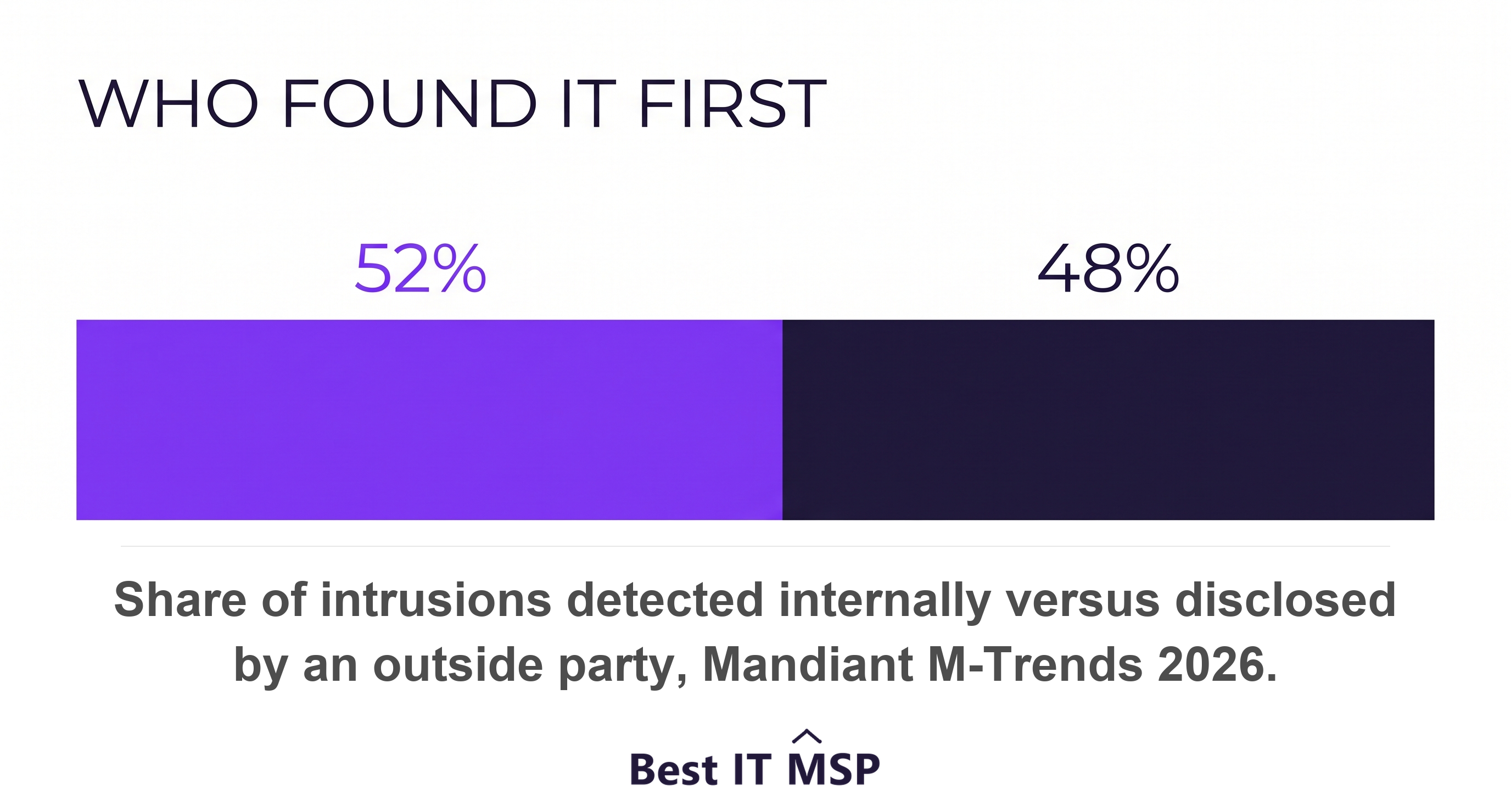
- Organisations found the intrusion themselves only 52 percent of the time in 2025.
- Ask two retention numbers: months searchable, and months retrievable.
- Ninety-day retention is blind to intrusions that dwell for hundreds of days.
- Ask whether anyone is alerted when logging itself stops.
- Audit logging stays your responsibility in both cloud and SaaS models.
What does a detection and logging audit check?
It checks one thing, asked seven ways: if somebody were inside your systems right now, would anyone find out? Not whether you own security tools. Whether the tools are collecting the right records, keeping them long enough, and turning them into an alert a human actually reads.
This is the least visible part of a managed IT contract and the easiest to sell without delivering, because nothing looks wrong until an incident forces someone to go looking for evidence that was never kept.
The checklist below is seven questions drawn from what governments require of themselves. Each names what to ask and what a real answer contains.
- Sources. Which systems are actually sending logs, and which are silently not.
- Retention. How long records are kept, and how much of that is searchable today.
- Centralisation. Whether logs survive the compromise of the machine that made them.
- Alert coverage. What share of your baseline produces an alert somebody reads.
- Failure detection. Whether anyone is told when logging itself stops.
- Behaviours. Which specific actions trigger an alert.
- Cloud ownership. Who is responsible for logging in your SaaS and cloud tenants.
Why would nobody notice?
Because detection is slow, and often is not detection at all. Mandiant, reporting from more than 500,000 hours of incident investigation in 2025, found organisations first detected evidence of malicious activity internally 52 percent of the time. Read that the other way. Nearly half the time, somebody else told them.
Speed is not on your side either. Global median dwell time rose to 14 days from 11, and for cyber espionage and North Korean IT worker cases the median was 122 days. The window to react has collapsed: the median time between initial access and hand-off to a second threat group fell from more than 8 hours in 2022 to 22 seconds in 2025.
Allied cyber authorities put the outer bound higher still, warning that it can take up to 18 months to discover an incident, with some malware dwelling for 70 to 200 days before causing overt harm. Treat that as planning guidance rather than an average, because it comes from practitioner interviews rather than a measured dataset. The planning consequence is the same: evidence has to outlive the intrusion.
These are vendor and government figures about organisations large enough to hire incident responders. Your business is smaller, and almost certainly has less visibility, not more.
Check 1. Which log sources are actually being collected?
Ask for the list of systems sending logs, then compare it against your asset inventory and look for the gaps. The allied advisory ranks what matters most: critical systems and data holdings, internet-facing services including remote access, identity and domain management servers, other critical servers, then edge devices such as boundary routers and firewalls.
Edge devices are the gap worth pressing on. Mandiant notes attackers deliberately target edge and core network devices such as VPNs and routers, which typically lack standard endpoint detection and response telemetry. Your firewall may be the one device on the list nobody is collecting from.
Then ask whether a policy exists at all. Logging policy should specify the events to be logged, the facilities used, how logs will be monitored, retention durations, and when to reassess which logs are worth collecting. That single sentence is five follow-up questions.
Check 2. How long are logs kept, and how much is searchable?
Ask two numbers, not one. Retention and searchability are different things, and a provider quoting only the first has not answered.
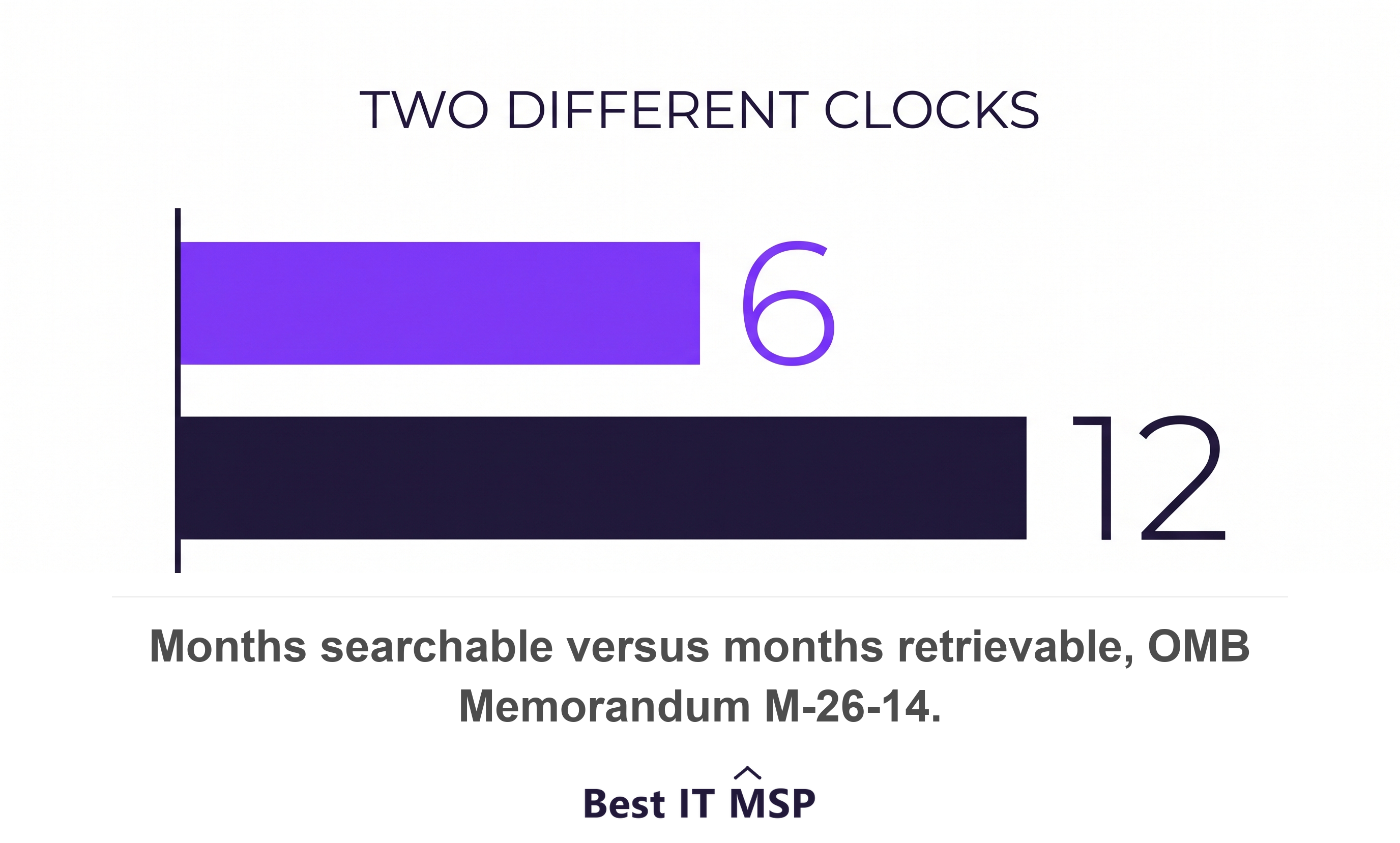
The US federal standard splits them explicitly. Retained logs must be actively searchable for a minimum of 6 months after creation, and retrievable for a year. Searchable means usable for defence immediately. Retrievable means recoverable after intermediate steps, such as thawing data out of cold storage. Both are legitimate; conflating them is not.
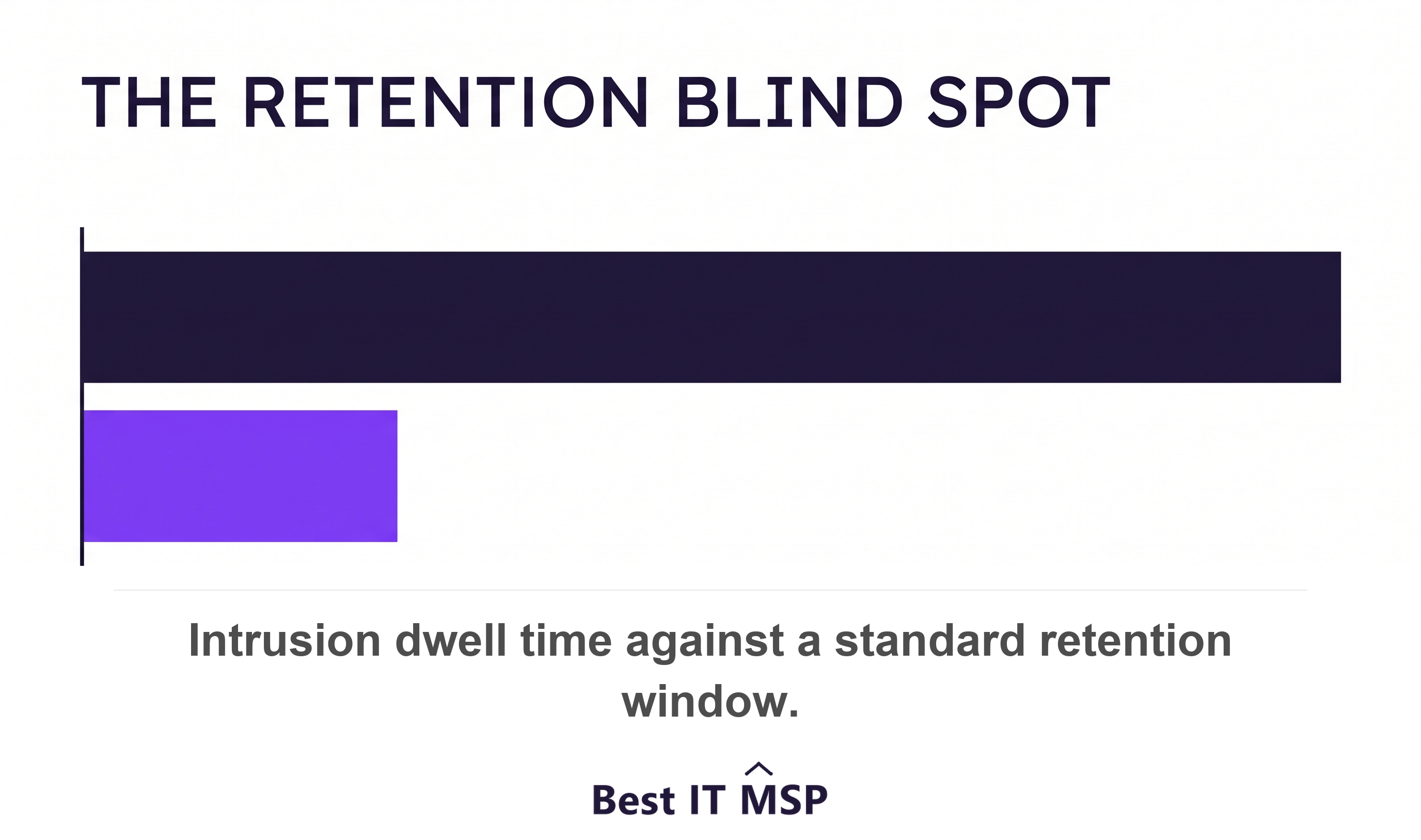
The common default is far shorter and Mandiant is blunt about the consequence: where threats achieve dwell times of nearly 400 days, standard 90-day log retention policies leave organisations completely blind to the initial access vector. You can hold the evidence of the break-in for three months and discover the break-in in month nine.
Note what the allied agencies do not say. They name no number, only that default retention periods are often insufficient and that retention should be informed by an assessment of the risks to a given system. A provider that has never asked you what your risk assessment says has not done that work.
Check 3. Are the logs centralised and tamper-resistant?
Ask where logs live, and whether they survive the compromise of the machine that produced them. A log stored only on the device an attacker controls is not evidence.
This is the explicit reason for aggregation. Log centralisation matters because some malicious actors are known to modify or delete local system event logs to avoid detection, and CISA's performance goals require logs to be stored in a central system accessible only by authorised and authenticated users, for a duration informed by risk or regulatory guidance.
The cost of getting this wrong is felt only once. In an incident, an absence of historical event logs will frequently have a negative impact on response activities, which in practice means paying an incident responder to reconstruct something your logs should already have shown.
Check 4. What share of your baseline produces an alert?
This is the question that separates monitoring from theatre, and there is a published scale for it. The federal logging maturity model measures alert coverage as a percentage of your baseline logging requirements.
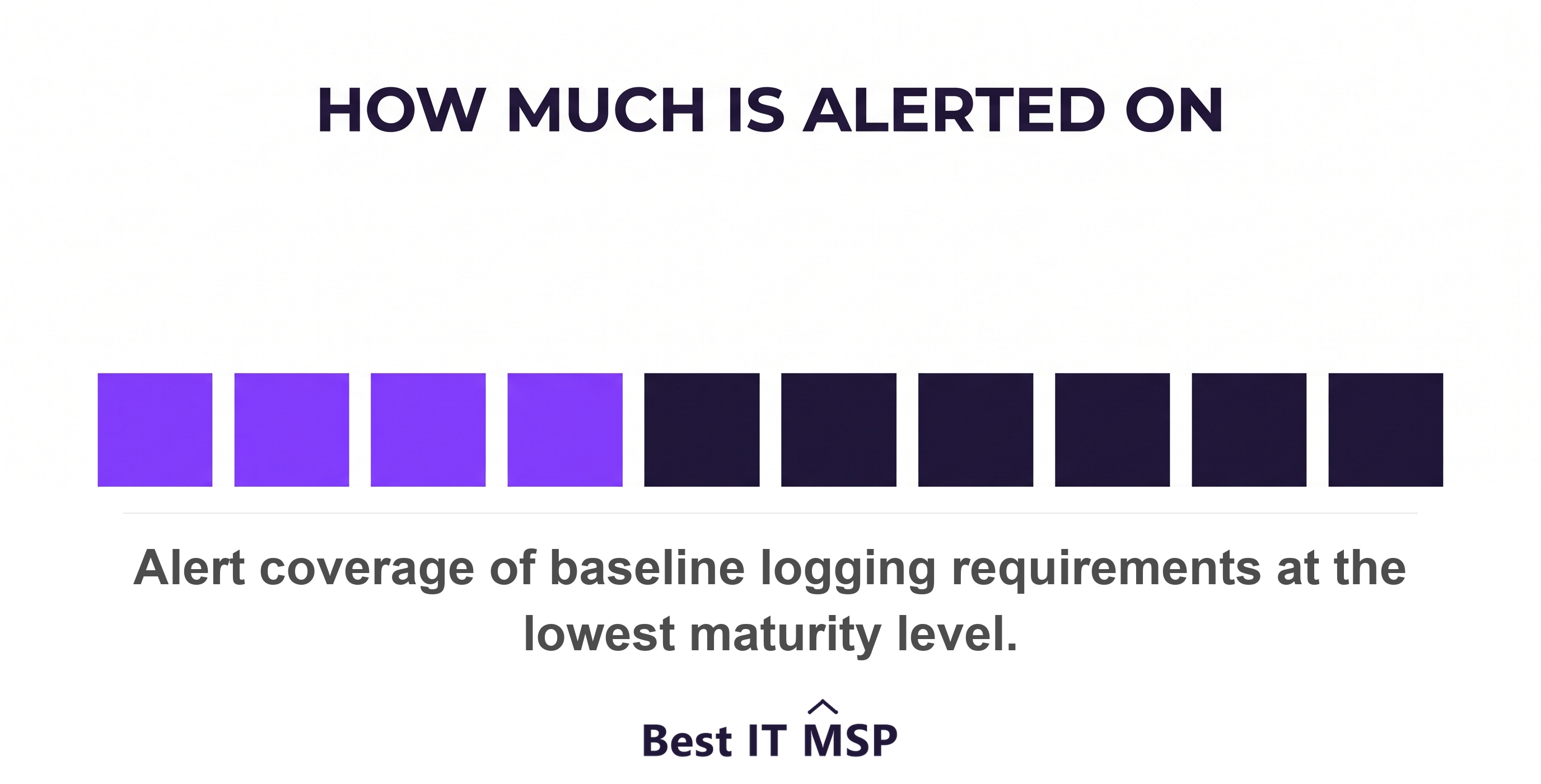
At the bottom rung, actionable alerts cover less than 50 percent of minimum baseline logging requirements and alerts are referenced in investigations only on an ad hoc basis. That is the technical description of nobody would notice. The top rung is 95 percent with detections tuned continuously.
One scoring rule is worth borrowing. Overall maturity is calculated on the lowest watermark of each component, so excellent retention paired with poor alerting scores as poor alerting. Your weakest element is your score.
CISA's newest guidance makes the same point about what alerts are for. It is not enough for security tools to generate alerts; you must be able to pivot from an alert into the identity, endpoint, network and cloud records that let you reconstruct what happened.
Check 5. Would anyone be told if logging stopped?
Ask this one exactly as written, because it is the single best question in this audit and almost nobody asks it. Logging fails quietly. A disk fills, an agent stops, a forwarder breaks after an update, and the dashboard keeps showing green because there is nothing to show.
CISA treats this as a baseline expectation: security teams are notified when a critical log function is disabled. Whether that alert exists, and who receives it, is a yes or no answer your provider can give you today.
The same standard asks whether the capability can be shown to work at all, not merely to exist. If a logging plan cannot demonstrate that required datasets are present, timely, complete and usable, the logging capability is not yet designed at a mature level.
Check 6. Which behaviours actually trigger an alert?
Ask for the list of what raises an alarm, then check it against the behaviours that matter. The allied advisory names them, and they are ordinary enough to discuss without a security background.
- Impossible travel. Sign-ins from locations too far apart for the journey between them.
- Odd hours. A user logging in during non-working hours, holidays or while on leave.
- New privilege. Accounts created, or disabled accounts re-enabled, especially administrative ones.
- Bulk export. Downloading or exporting a large volume of data.
- Lateral chatter. A device talking to internal systems it normally never contacts.
- Cleared logs. Unexpected clearing of logs, or configuration changes to security software.
Ask how those thresholds were set, too. Detection depends on knowing what normal looks like for your business, which means a baseline covering installed software, user account behaviour and network traffic, with particular attention to privileged accounts and critical assets.
Check 7. Who owns logging in your cloud and SaaS?
Establish this in writing, because it is the gap most likely to be assumed away by both sides. The allied advisory is direct that the logging policy should take into consideration any shared responsibilities between service providers and the organisation.
The split is not intuitive. Under the federal treatment of cloud responsibility, audit logging sits with the customer in both infrastructure and software service models, even where the provider owns network protection and application security. Buying software as a service does not outsource the log.
There is now a dedicated standard for this relationship. CISA's performance goals include a goal for managing risks from managed service providers, covering the security products they provide and the gaps that fall outside the contract. Quote it if anyone suggests these questions are unusual.
How do you run this audit without a security team?
Send seven questions and read the answers for specifics rather than reassurance. Every check here is answerable in a sentence by a provider that is doing the work.
Then run one live test worth more than all seven answers. Ask your provider to pull one named user's sign-in history from eight months ago while you watch. That single request tests collection, retention, searchability and access in one go, and it either works in minutes or it does not.
Judge the response on numbers. Good sounds like ninety days searchable, twelve months retrievable, alerts on these fourteen behaviours, and yes, we are paged when a log source stops. Weak sounds like we monitor everything, which is what a provider says when nobody has measured.
Two other audits sit alongside this one. Knowing what your provider can reach is a separate question from knowing what it can see, and so is knowing who is supposed to read the alert at 2am.
FAQ
How long should an MSP keep your logs?
Long enough to outlive an intrusion, which is longer than most defaults. The US federal standard requires logs to be actively searchable for at least six months and retrievable for a year. Allied cyber agencies name no fixed number and instead say default retention periods are often insufficient and that retention should be informed by a risk assessment. The practical benchmark is twelve months, with at least the first six searchable.
What is the difference between searchable and retrievable logs?
Searchable means the data can be used for defence immediately, with detections and analytics applied without further preparation. Retrievable means it can be used after intermediate steps, such as moving it out of an archive or thawing it from cold storage. A provider quoting twelve months of retention has not told you how much of that is searchable today, which is the number that matters during an incident.
How would you know if your logging stopped working?
Only if someone configured an alert for it. Logging fails silently: a disk fills, an agent stops, a forwarder breaks after an update, and dashboards keep showing green because there is nothing arriving to contradict them. CISA's performance goals treat notification when a critical log function is disabled as a baseline expectation, so ask your provider directly whether that alert exists and who receives it.
Does buying cloud or SaaS mean the provider handles logging?
No. Under the federal treatment of shared responsibility, audit logging remains the customer's responsibility in both infrastructure and software service models, even where the provider owns network protection and application security. Allied guidance says the logging policy must account for shared responsibilities explicitly, so get the split in writing rather than assuming the platform covers it.
What is a realistic test of an MSP's logging?
Ask them to pull one named user's sign-in history from eight months ago while you watch. That single request tests whether the source is collected, whether retention reaches back that far, whether the data is searchable rather than merely archived, and whether anyone on the team knows how to query it. It either works in minutes or it does not.
Best IT MSP is an independent directory of managed IT providers across the US and Canada. We rank on verified rating and firmographic data, we label paid placement, and we do not sell IT services.