What Is Remote IT Support?
Remote IT support is technical help delivered over the internet, with technicians securely connecting to your devices and systems to diagnose and fix issues without being onsite. It resolves the large majority of IT problems faster and at lower cost than dispatching someone, and enables 24/7 coverage.
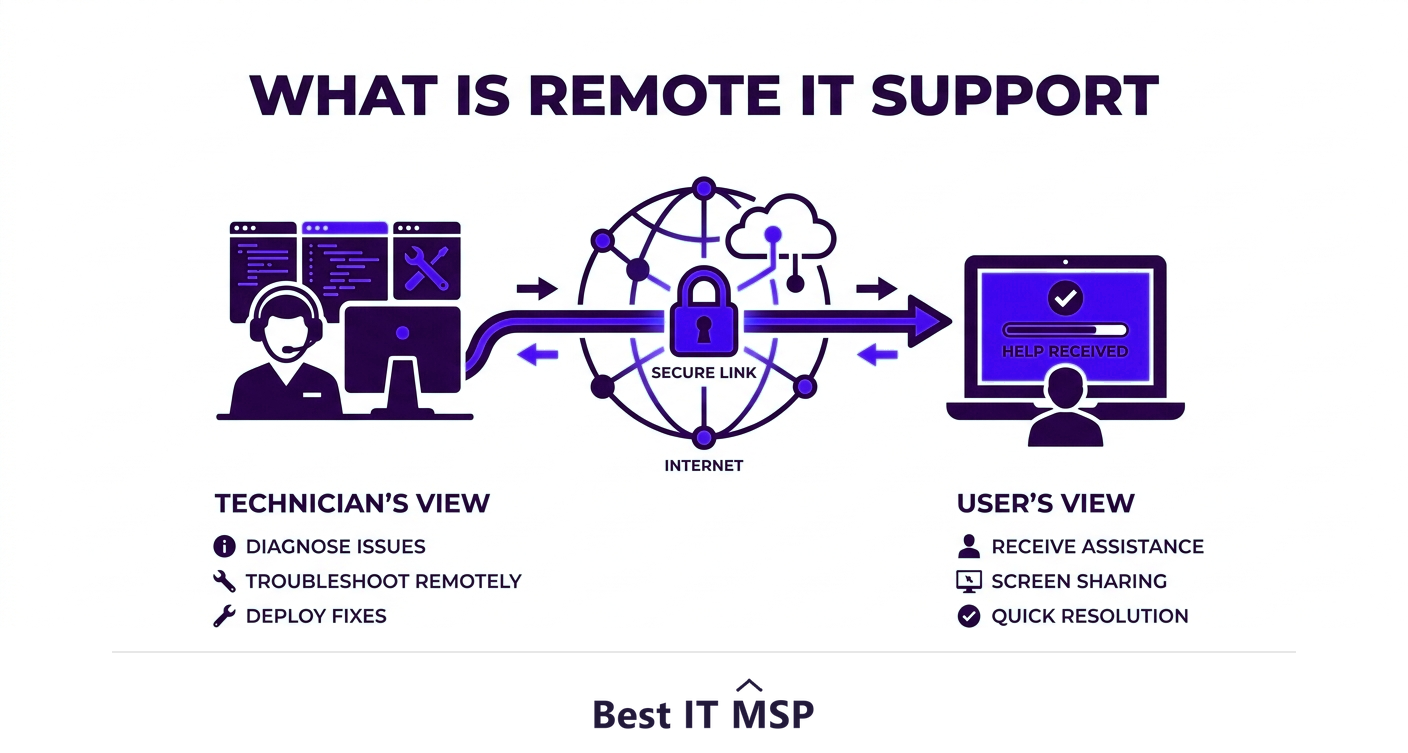
- Remote IT support delivers help over the internet, with technicians securely connecting to your systems.
- It resolves most software, configuration, and account issues quickly without anyone traveling to you.
- Benefits include faster resolution, lower cost, and the ability to provide round-the-clock coverage.
- Hardware failures and physical work still require onsite support, so the best model combines both.
- Reputable remote support is secure, using encrypted, permission-based, audited remote-access tools.
What is remote IT support?
Remote IT support is technical help delivered over the internet rather than in person. Instead of waiting for a technician to travel to your office, a support specialist connects securely to your computer, server, or network from wherever they are, sees what is happening, and fixes the problem in real time. You might know it from the moment a help desk agent asks to take control of your screen to sort out an issue while you watch. It has become the default way IT support is delivered, because the vast majority of technology problems, software glitches, configuration errors, account issues, updates, are entirely solvable without anyone being physically present.
This shift matters because speed is everything when something is broken: an hour of downtime costs most organizations more than $100,000, and remote support removes the travel delay that used to stretch a quick fix into a half-day wait. This guide explains how remote support works, what it can and cannot do, its benefits, and how it stays secure. It pairs with our remote IT support and IT support services overviews.
How remote IT support works
Remote support relies on secure remote-access software installed on, or temporarily connected to, your devices. When you have an issue, you contact the help desk by phone, chat, email, or a portal, and a technician connects to your device with your permission. They can then see your screen, take control to navigate and fix the problem, run diagnostics, apply updates, change settings, and even transfer files, exactly as if they were sitting at your keyboard. For managed clients, this is paired with monitoring tools that let the provider see and often fix issues proactively, sometimes before the user even notices. When the session ends, access is closed. The whole exchange is fast, and you can usually watch and learn as it happens.
What remote support can and cannot fix
Understanding the boundary helps set expectations. Remote support handles the large majority of everyday IT problems, but not the physical ones.
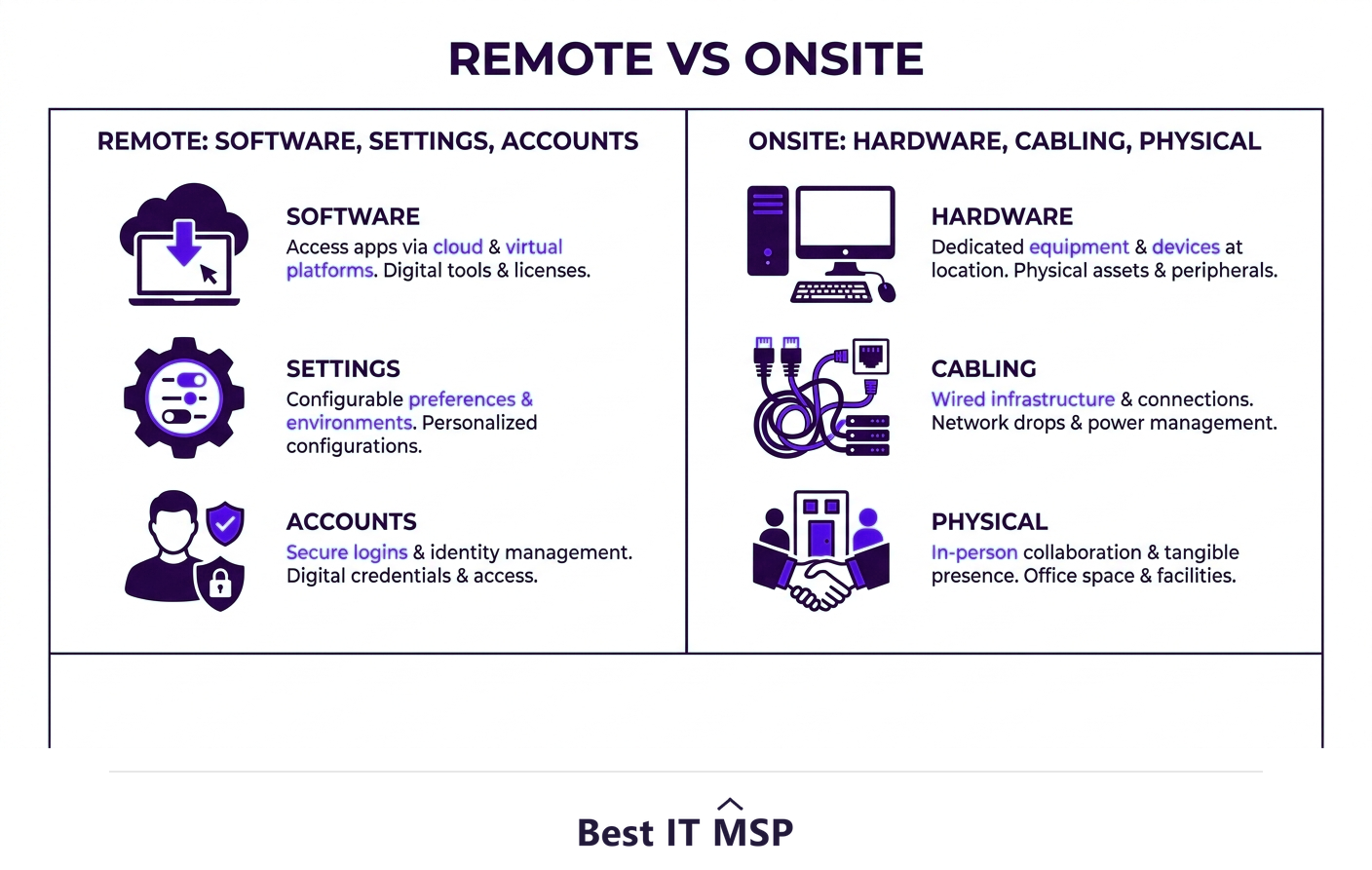
- <strong>Remote support handles:</strong> software installation and errors, operating system and configuration issues, account and password problems, email setup, security software, updates and patching, performance tuning, and most network and cloud configuration.
- <strong>Onsite support is needed for:</strong> hardware failures and replacements, setting up or moving physical equipment, cabling and network wiring, and anything that requires hands on a device, such as a machine that will not power on.
In practice, studies of IT support consistently find that the great majority of tickets are resolved remotely, which is why remote-first support is so efficient. The best providers offer both, defaulting to remote for speed and dispatching a technician when the job genuinely requires a physical presence.
The benefits of remote IT support
Remote support has become the standard because the advantages are substantial:
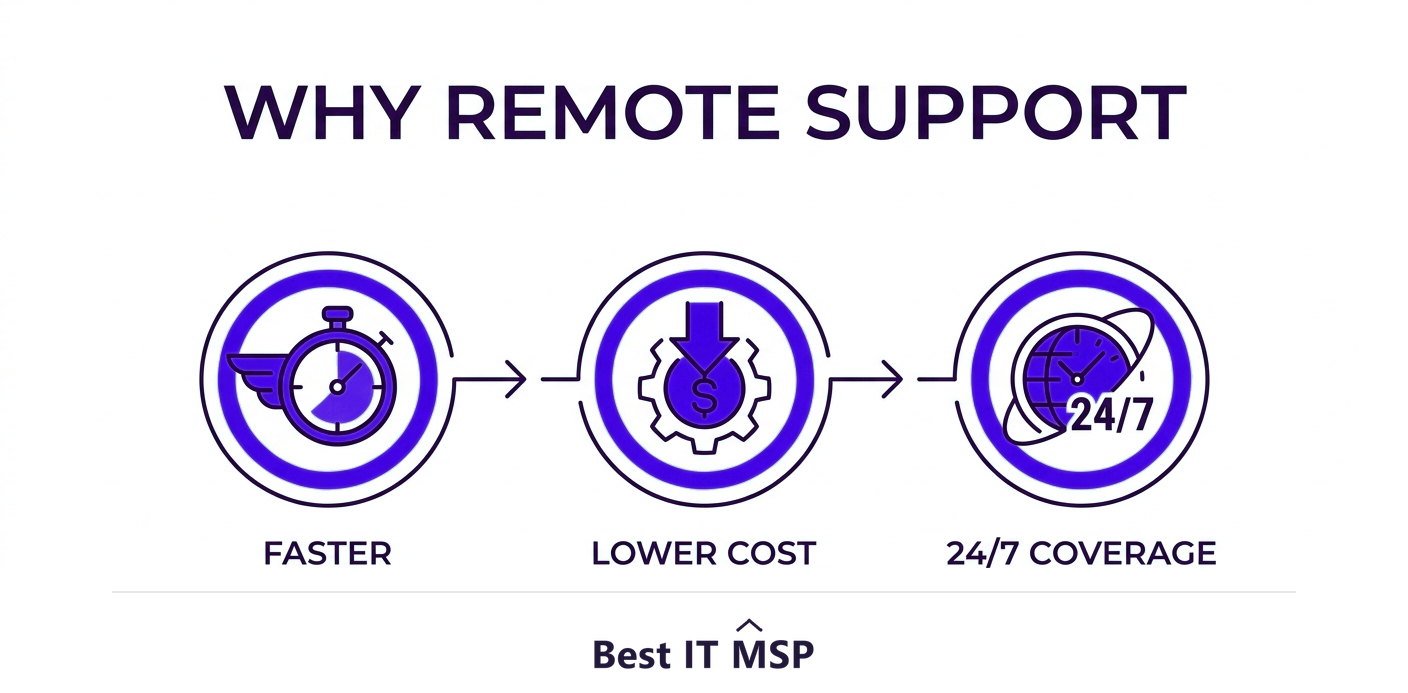
- <strong>Speed.</strong> Help starts in minutes, not hours, with no travel time, so problems are resolved while they are still small.
- <strong>Lower cost.</strong> No travel or callout fees, and technicians can help more users in a day, which keeps support affordable.
- <strong>Round-the-clock coverage.</strong> Because location does not matter, remote support can be delivered 24/7, including outside business hours.
- <strong>Support from anywhere.</strong> Remote and hybrid workers get the same support at home as in the office, which is essential for a distributed workforce.
- <strong>Proactive fixes.</strong> Paired with monitoring, providers catch and resolve many issues before they disrupt anyone, reducing the outages that make downtime so expensive.
Is remote IT support secure?
A natural concern is security: if a technician can connect to my computer, could someone malicious do the same? Reputable remote support is built to be secure. Sessions use encrypted connections, require your explicit permission to start, are limited to the duration of the support, and are logged and audited so there is a record of what was done. Good providers also use multi-factor authentication and role-based access so only authorized technicians can connect. The risk to watch for is not legitimate remote support but tech-support scams, where attackers impersonate support to trick you into granting access. The rule is simple: only ever allow a remote connection from a provider you contacted and trust, never from an unsolicited call or pop-up. Given the average data breach costs $4.88 million, takes about 258 days to identify and contain, and reported cybercrime losses topped $12.5 billion a year, that caution matters.

Remote support and the modern workplace
Remote IT support has become essential as work itself has gone remote and hybrid, and as more systems have moved to the cloud, in a market where public cloud spending is forecast to top $723 billion in 2025, up from about $595.7 billion in 2024. When your applications and data live in the cloud and your people work from anywhere, support that depends on physical proximity simply does not fit. Remote support matches how modern businesses actually operate, and it scales cleanly: a provider can support a growing, distributed team without opening offices near each one. This is also why managed IT, which is heavily remote-delivered, has grown so quickly, with the managed services market projected to reach about $879 billion over the next decade.
Getting remote IT support that works
The quality of remote support depends on the provider behind it: their response times, the skill of their technicians, their security practices, and whether they also offer onsite help when needed. Building a responsive, secure, well-staffed remote support operation, ideally available around the clock, is hard, especially amid a global shortfall of about 4.8 million cybersecurity and IT professionals. This is why most small and midsize businesses get remote support through a managed IT provider that already runs a mature help desk with secure remote-access tools and monitoring built in.
If you want fast, secure remote IT support, ideally backed by onsite help when it is genuinely needed, a managed provider is usually the answer. To find one, browse vetted, merit-ranked firms by city in the Best IT MSP directory, where ranking is earned on rating and verified data.
FAQ
What is remote IT support?
Remote IT support is technical help delivered over the internet rather than in person. A support specialist connects securely to your computer, server, or network from wherever they are, sees the problem, and fixes it in real time, without traveling to you. It is the default way IT support is delivered because most technology problems can be solved without anyone being physically present.
How does remote IT support work?
It uses secure remote-access software. When you have an issue, you contact the help desk and a technician connects to your device with your permission, then sees your screen, takes control to fix the problem, runs diagnostics, applies updates, and changes settings as if at your keyboard. For managed clients, monitoring tools let providers fix many issues proactively before users notice.
What can remote IT support fix?
Remote support handles software installation and errors, operating system and configuration issues, account and password problems, email setup, security software, updates and patching, performance tuning, and most network and cloud configuration. It cannot fix physical problems such as hardware failures, equipment setup, or cabling, which require onsite support.
Is remote IT support secure?
Reputable remote support is secure: sessions use encrypted connections, require your explicit permission, are limited in duration, and are logged and audited, with multi-factor authentication and role-based access controlling who can connect. The real risk is tech-support scams, so only ever allow a remote connection from a provider you contacted and trust, never an unsolicited call or pop-up.
What are the benefits of remote IT support?
The benefits are speed (help in minutes with no travel), lower cost (no callout fees and technicians help more users per day), round-the-clock coverage since location does not matter, support for remote and hybrid workers anywhere, and proactive fixes when paired with monitoring, which prevents many outages before they disrupt anyone.
Is remote support better than onsite support?
For most issues, yes, because it is faster and cheaper and resolves the majority of tickets. But hardware failures, equipment setup, and cabling still require onsite support. The best model combines both: remote-first for speed, with a technician dispatched when the job genuinely needs a physical presence. Look for a provider that offers both.
Best IT MSP is the independent directory of vetted managed IT providers across North America. Compare merit-ranked firms in your city that deliver secure remote support, often 24/7, with onsite help when needed. No pay-to-play.