SharePoint Document Management Explained
SharePoint document management uses Microsoft's SharePoint platform, part of Microsoft 365, to store, organize, secure, and collaborate on a business's documents in centralized document libraries. Instead of files scattered across desktops, email, and shared drives, documents live in one searchable place with metadata, version control, co-authoring, and granular permissions.
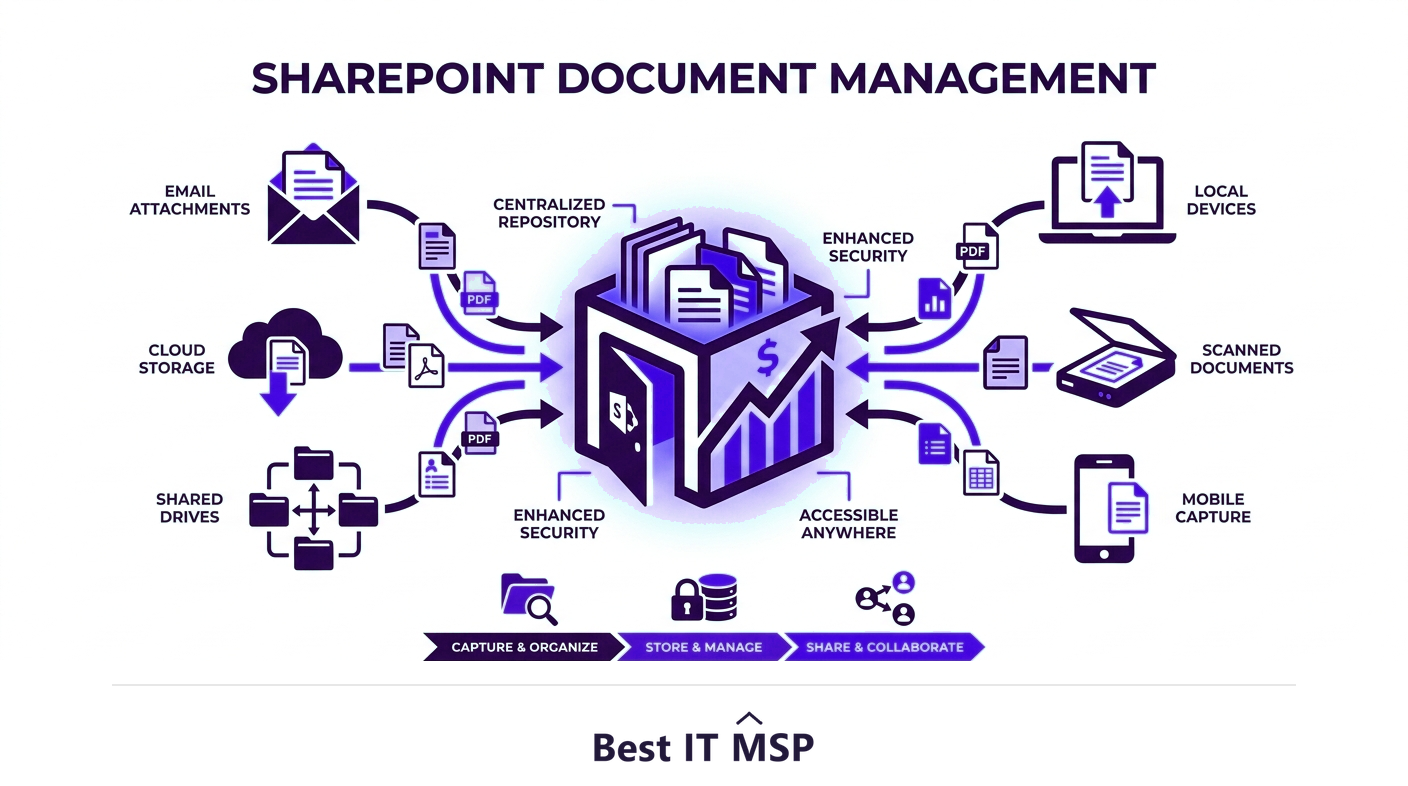
- SharePoint document management centralizes a business's files in searchable document libraries instead of scattered drives.
- Metadata and views make documents far easier to find than folders alone.
- Version control and co-authoring end the chaos of emailing file copies back and forth.
- Granular permissions and audit trails keep sensitive documents secure and compliant.
- As part of Microsoft 365, SharePoint integrates with Teams, OneDrive, and Office for seamless collaboration.
What is SharePoint document management?
SharePoint document management is the practice of using Microsoft SharePoint, part of the Microsoft 365 suite, to store, organize, secure, and collaborate on a business's documents in one central, cloud-based system. Instead of files scattered across individual desktops, email attachments, and tangled network drives, documents live in shared document libraries that everyone authorized can reach, search, and work on together. SharePoint has become one of the most widely used document management platforms in business precisely because it solves the everyday chaos of finding the right file, knowing it is the latest version, and controlling who can see it. For organizations already paying for Microsoft 365, it is a powerful capability they often already own.
This guide explains how SharePoint document management works, its core features, how to keep documents secure and compliant, and the best practices that separate a tidy system from a digital junk drawer. It pairs with our Microsoft 365 consulting overview and the cloud services hub.
The problem SharePoint solves
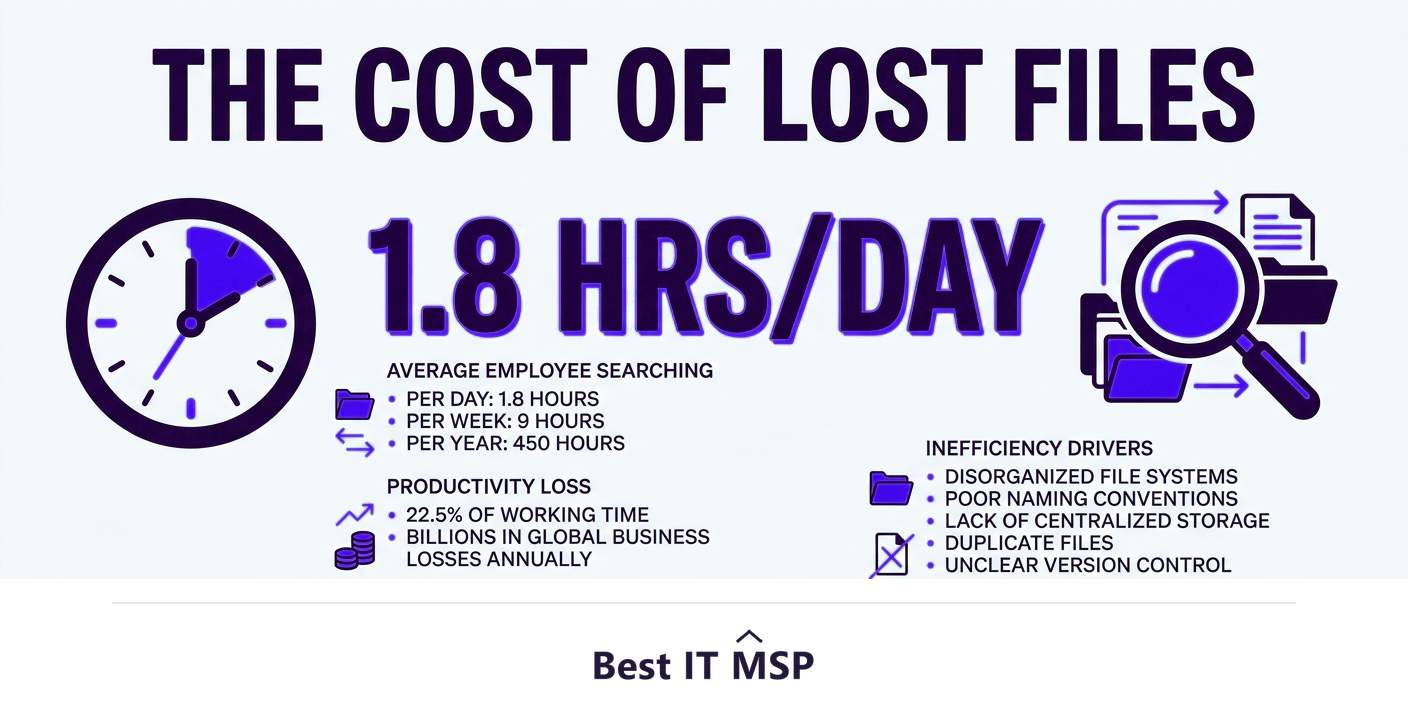
Most businesses lose more time to disorganized documents than they realize. Research from McKinsey found that employees spend an average of 1.8 hours every day, 9.3 hours a week, searching for and gathering information. That is nearly a full day each week spent hunting for files rather than using them. Add the 28% of the workweek workers spend reading and answering email, much of it shuttling document versions back and forth, and the cost of poor document management becomes obvious. A centralized SharePoint system attacks both problems: documents are findable in one searchable place, and collaboration happens on the document itself rather than through a chain of emailed copies. As more of this work moves to the cloud, with public cloud spending forecast to reach $723.4 billion in 2025 and 89% of organizations running a multi-cloud strategy, a cloud-based document system is the natural foundation.
How SharePoint document management works
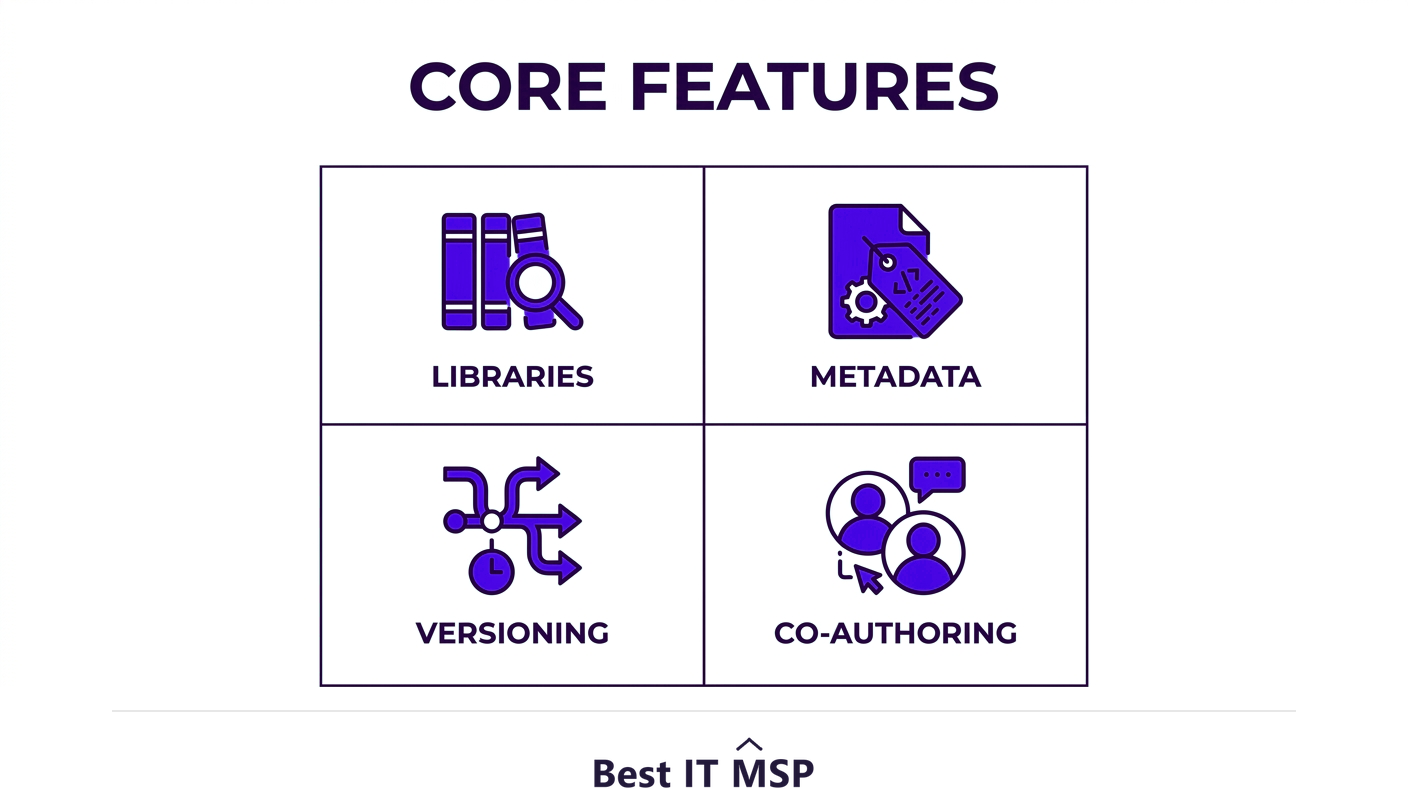
At its core, SharePoint organizes documents into document libraries, special containers that do far more than a folder. Within a library, each document can carry metadata, descriptive tags like client, project, status, or document type, that make files findable by what they are rather than by where someone happened to file them. You can then create filtered views that show, for example, all contracts awaiting signature, without moving a single file. This metadata-driven approach is what lets SharePoint scale to thousands of documents while staying searchable, where a deep folder tree would collapse into confusion.
On top of that structure, SharePoint adds the collaboration features that end version chaos. Version control keeps a full history of every change, so you can see who edited what and roll back if needed. Co-authoring lets multiple people edit the same document at once in Word, Excel, or PowerPoint, with changes synced in real time. Check-in and check-out can lock a file while someone makes major edits. Together these let a team store, organize, share, and collaborate on documents without ever emailing an attachment.
Key features that make it powerful
Beyond the basics, SharePoint document management offers capabilities that mature businesses rely on:
- <strong>Powerful search.</strong> Search across libraries and sites by content and metadata, so documents stay findable as volume grows.
- <strong>Metadata and content types.</strong> Standardize how documents are tagged and structured across the organization.
- <strong>Version history.</strong> A complete, restorable record of every change to every document.
- <strong>Workflow automation.</strong> Route documents for review and approval automatically with Power Automate, removing manual chasing.
- <strong>Retention and records management.</strong> Apply policies that keep or dispose of documents on a defined schedule for compliance.
- <strong>Deep Microsoft 365 integration.</strong> Work with the same documents directly inside Teams, OneDrive, and Office, so SharePoint is the library behind your daily tools.
Security, permissions, and compliance
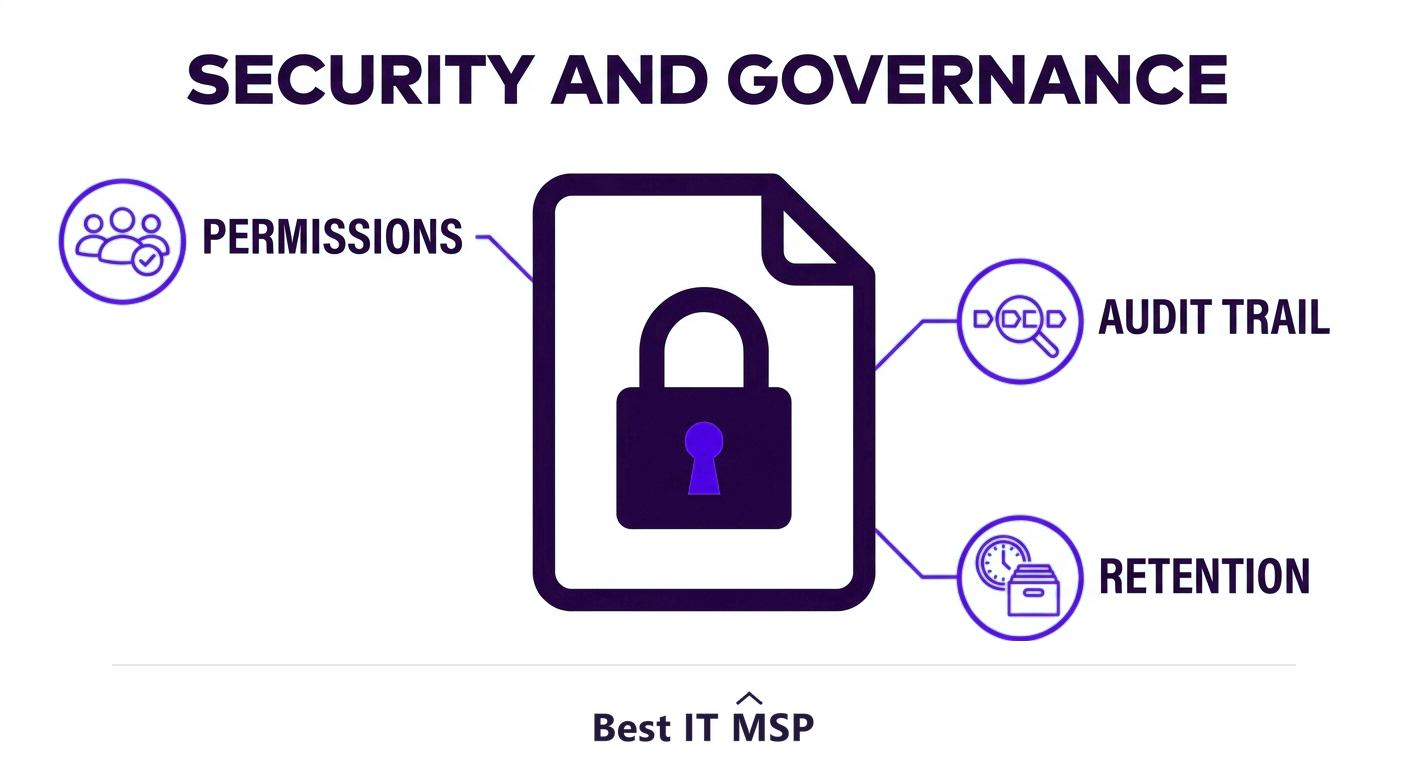
Centralizing documents only helps if they stay secure, and this is where governance matters. SharePoint provides granular permissions, you can control access at the site, library, folder, and even individual document level, so people see only what they should. Audit trails record who accessed or changed each document, and retention policies enforce how long records are kept. This makes SharePoint a strong fit for compliance frameworks that demand controlled, documented handling of sensitive data.
The caution is that permissions must be configured and maintained deliberately. Over-sharing is the most common SharePoint mistake, and because the platform lives in the cloud, a misconfiguration can expose documents widely, the same pattern behind the Gartner finding that through 2025, 99% of cloud security failures will be the customer's fault. The stakes are real, with the average data breach costing $4.88 million and taking an average of 258 days to identify and contain. Treat permissions as an ongoing discipline, not a one-time setup, and SharePoint becomes a genuinely secure home for your documents.
Best practices for SharePoint document management
Getting real value from SharePoint takes a little structure up front:
- <strong>Plan your structure.</strong> Design sites and document libraries around how teams actually work, rather than recreating your old folder mess in the cloud.
- <strong>Use metadata over deep folders.</strong> Tag documents with consistent metadata so they are findable by attribute, not buried in nested folders.
- <strong>Set permissions with least privilege.</strong> Grant the minimum access needed, review it regularly, and avoid one-off sharing that no one tracks.
- <strong>Turn on versioning everywhere.</strong> Keep version history on so nothing is ever truly lost.
- <strong>Define retention policies.</strong> Decide what to keep and for how long, and let the system enforce it for compliance.
- <strong>Train your people.</strong> The best system fails if staff keep emailing attachments, so make adoption part of the rollout.
Getting SharePoint document management right
SharePoint document management turns the daily friction of scattered files into a centralized, searchable, secure system where documents are easy to find, safe to share, and always current. The platform is powerful, but the value comes from setting it up thoughtfully, with a sensible structure, consistent metadata, disciplined permissions, and real user adoption. Many businesses get there faster with help configuring and governing the environment, which is one reason the managed services market is growing from about $330 billion in 2024 toward $879 billion over the next decade. Learn more in our Microsoft 365 consulting guide.
If you want help designing or managing a SharePoint document management system, comparing vetted providers on merit is the place to start. Browse merit-ranked managed IT firms by city in the Best IT MSP directory, where ranking is earned on rating and verified data, not on who pays the most.
FAQ
What is SharePoint document management?
SharePoint document management is the use of Microsoft SharePoint, part of Microsoft 365, to store, organize, secure, and collaborate on documents in centralized, cloud-based document libraries. It replaces scattered desktops, email attachments, and network drives with one searchable place that adds metadata, version control, co-authoring, and granular permissions.
How does SharePoint organize documents?
SharePoint stores documents in document libraries and organizes them with metadata, descriptive tags like client, project, or status, rather than relying on deep folder trees. You can create filtered views that surface documents by attribute, such as all contracts awaiting approval, which keeps the system searchable even with thousands of files.
What is the difference between SharePoint, OneDrive, and Teams?
OneDrive is for an individual's personal work files, SharePoint is the shared, team-and-organization document library with structure and governance, and Teams is the chat and meeting layer that uses SharePoint behind the scenes to store the files shared in a team. They are all part of Microsoft 365 and work together, with SharePoint as the underlying document management foundation.
Is SharePoint document management secure?
Yes, when configured well. SharePoint offers granular permissions down to the individual document, audit trails of who accessed or changed files, and retention policies for compliance. The main risk is over-sharing through misconfigured permissions, so access should be set with least privilege and reviewed regularly, treated as an ongoing discipline rather than a one-time setup.
What are the benefits of SharePoint document management?
It centralizes documents so they are easy to find, ends version chaos through version control and real-time co-authoring, keeps an audit trail for accountability, secures sensitive files with granular permissions, supports compliance through retention policies, and integrates tightly with Teams, OneDrive, and Office, all within the Microsoft 365 you may already pay for.
What are best practices for SharePoint document management?
Plan your site and library structure around how teams work, use consistent metadata instead of deep folders, set permissions with least privilege and review them regularly, enable versioning everywhere, define retention policies for compliance, and train staff so they adopt the system rather than reverting to emailing attachments.
Best IT MSP is the independent directory of vetted managed IT providers across North America. Compare merit-ranked firms in your city that design, secure, and manage SharePoint and Microsoft 365 environments. No pay-to-play.