Microsoft 365 Plans Compared: Basic vs Standard vs Premium
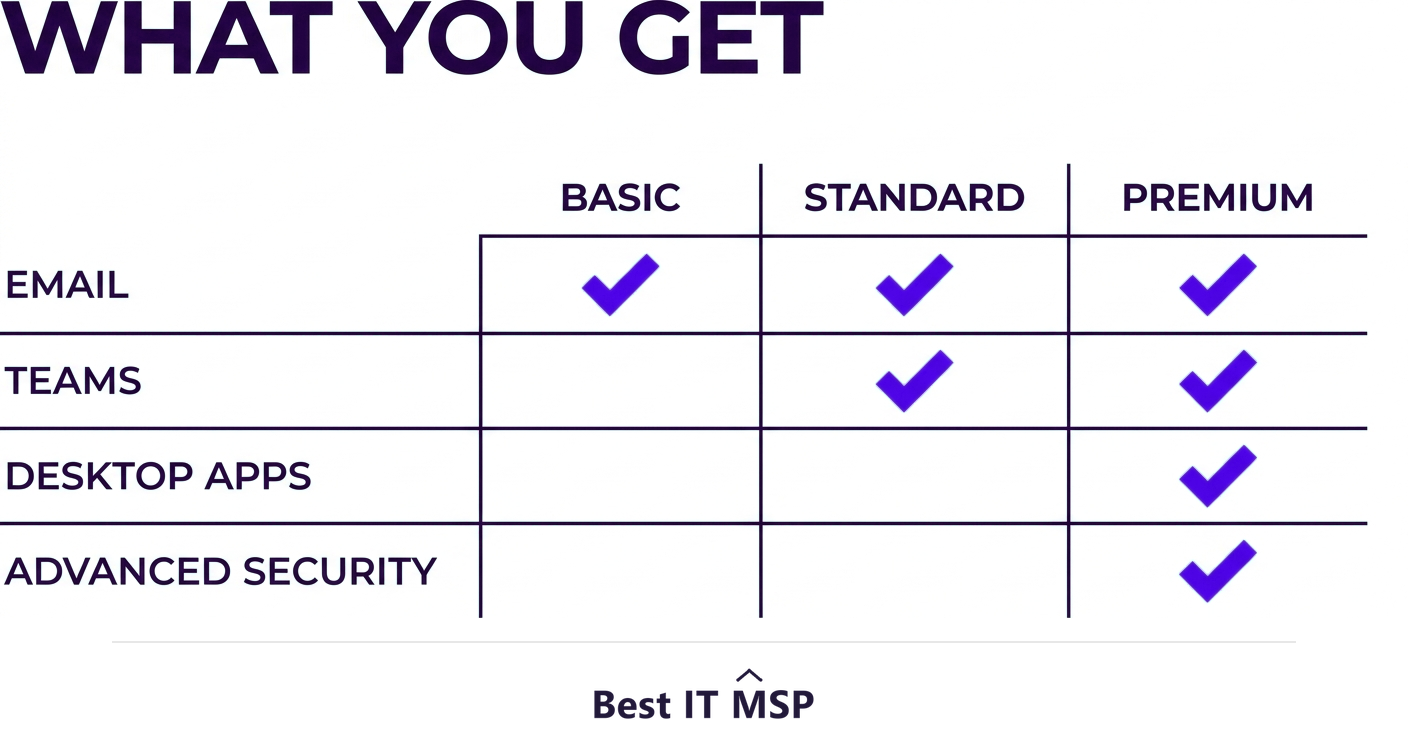
Microsoft 365 Business Basic gives you the web and mobile apps plus Teams, Exchange email, OneDrive, and SharePoint for the lowest price. Business Standard adds the full desktop Office apps. Business Premium adds Standard plus advanced security and device management.
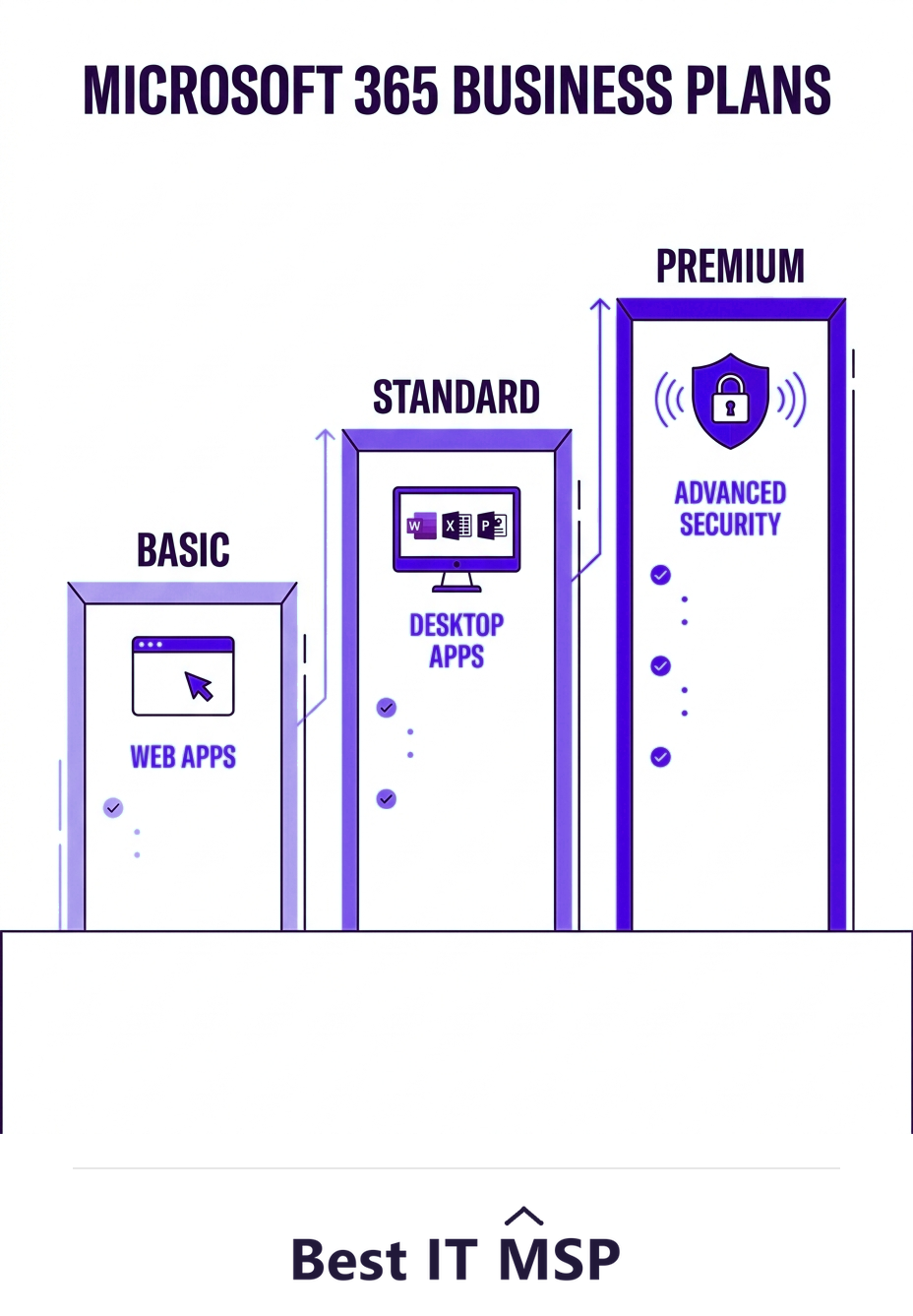
- Business Basic includes Teams, Exchange, OneDrive, and SharePoint with web and mobile apps only.
- Business Standard adds the full installable desktop Office apps (Word, Excel, Outlook, and more).
- Business Premium includes everything in Standard plus advanced security and device management.
- Premium's security features often justify its higher price once you account for breach risk.
- Most knowledge-worker businesses land on Standard or Premium; Basic suits light, web-only users.
The three Microsoft 365 Business plans
Microsoft 365 for business comes in three main plans, and choosing between them confuses a lot of buyers because the names do not make the differences obvious. The three are Business Basic, Business Standard, and Business Premium. They build on each other: each tier includes everything in the one below it and adds more. All three include the core collaboration suite, Microsoft Teams, Exchange email, OneDrive storage, and SharePoint, so the real question is whether you also need the installable desktop apps and advanced security. This guide compares them in plain terms and pairs with our Microsoft 365 consulting overview.
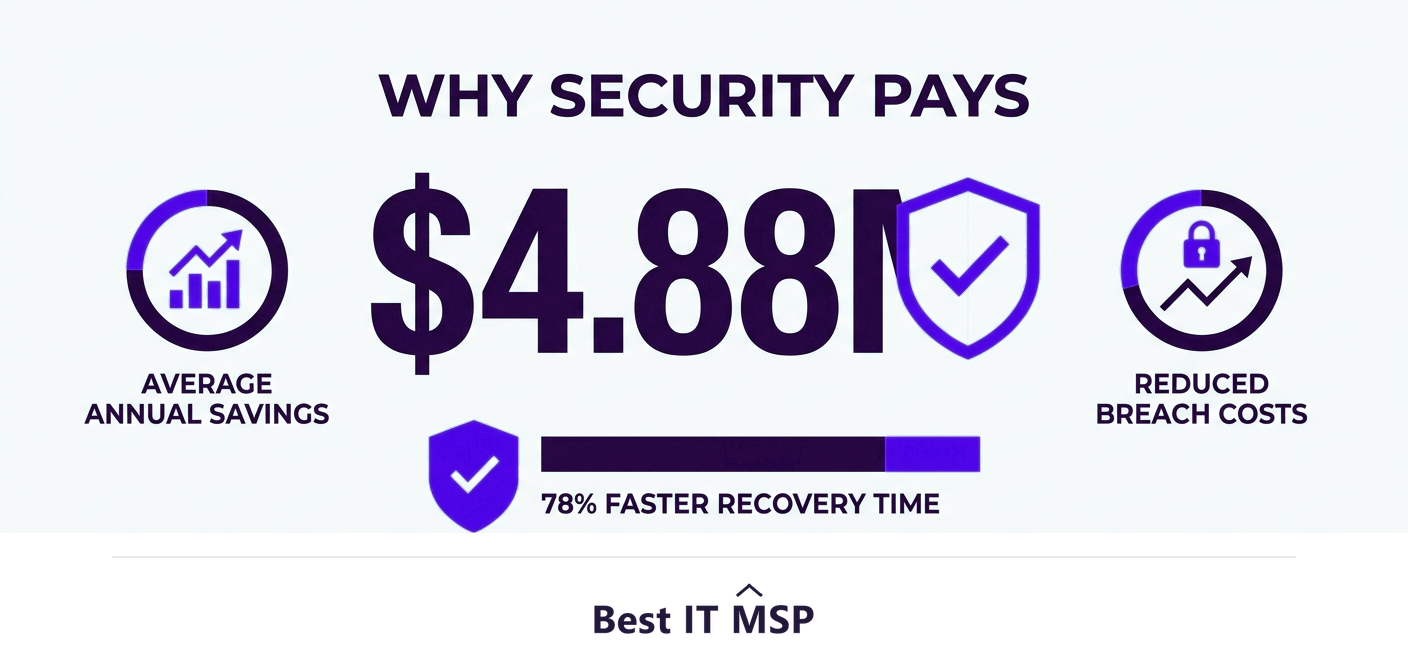
The stakes go beyond cost. Microsoft 365 holds your email, files, and identities, which makes it both essential and a prime target, and with the average data breach costing $4.88 million, the security differences between plans matter as much as the apps. As more work moves to the cloud, in a market where public cloud spending is forecast to top $723 billion in 2025, choosing the right plan is a real business decision, not just a line on an invoice.
Microsoft 365 Business Basic
Business Basic is the entry plan, priced at about $6 per user per month billed annually. It includes the things most teams use every day: Microsoft Teams for chat and meetings, Exchange business email with a custom domain, 1 TB of OneDrive storage per user, and SharePoint, plus the web and mobile versions of the Office apps. The key limitation is that it does not include the full desktop apps; you work in Word, Excel, and Outlook through web-based versions in a browser or mobile device rather than installed software. For many tasks the web-based apps are perfectly capable, but heavy spreadsheet, document, or offline work is where their limits show. Basic suits light users, frontline staff, or businesses whose people mostly live in email, Teams, and the browser, and it is the most affordable way to give an entire team professional email and collaboration.
Microsoft 365 Business Standard
Business Standard includes everything in Basic and adds the full, installable desktop Office apps, Word, Excel, PowerPoint, Outlook, and the rest, on PCs, Macs, tablets, and phones. It also adds webinar hosting and some additional collaboration tools. For the typical knowledge worker who relies on the desktop versions of Office for serious document, spreadsheet, and email work, Standard is the natural choice and the most popular plan for that reason. The step up from Basic is mostly about getting the real desktop apps rather than the web versions.
Microsoft 365 Business Premium
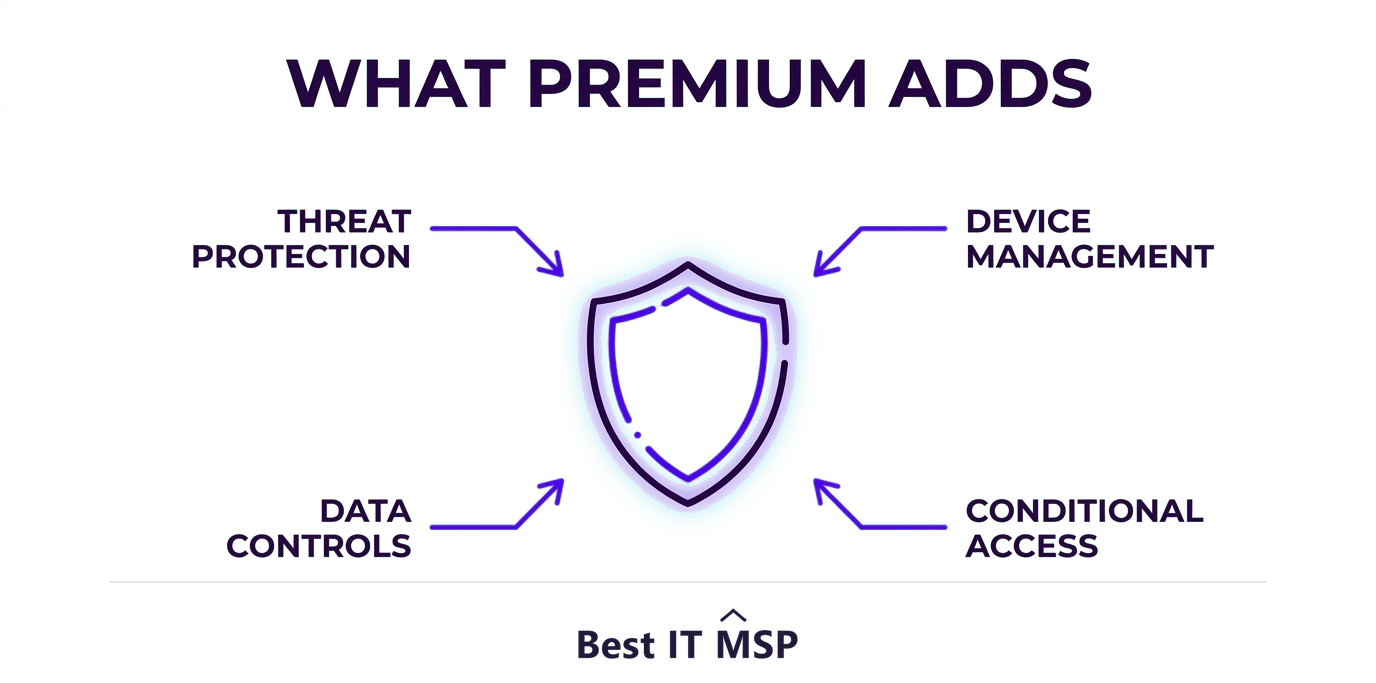
Business Premium includes everything in Standard and adds a substantial layer of advanced security and device management. This is where Microsoft 365 becomes a genuine security platform rather than just productivity software. Premium adds advanced threat protection that defends against sophisticated phishing and malware, device management to secure and control the laptops and phones accessing your data, identity protection with conditional access, and information-protection tools to control and encrypt sensitive data. For any business that handles sensitive information or faces compliance requirements, these capabilities are the reason to choose Premium.
Basic vs Standard vs Premium: the quick comparison
Here is the difference distilled:
- <strong>Business Basic.</strong> Teams, email, OneDrive, SharePoint, and web and mobile Office apps. No desktop apps. Lowest cost. Best for light, web-first users.
- <strong>Business Standard.</strong> Everything in Basic plus the full installable desktop Office apps and webinars. Best for most knowledge workers.
- <strong>Business Premium.</strong> Everything in Standard plus advanced security, threat protection, and device management. Best for businesses where security and compliance matter.
Two notes on the lineup. There is a 300-seat limit on these Business plans, so larger organizations move up to the Enterprise (E3 or E5) plans, which offer the same ideas at greater scale with more advanced controls. And there is an apps-only plan for the rare cases where people need just the desktop Office apps without the email and collaboration services.
Why Premium is often worth it
The most common mistake is choosing Standard purely on price and treating security as optional. Business Premium costs more per user, but the advanced security it bundles, threat protection, device management, conditional access, and data controls, would cost far more to buy and run as separate products. Against the backdrop of the average breach costing $4.88 million and reported cybercrime losses topping $12.5 billion a year, the gap between Standard and Premium is small compared with the cost of an incident. For most small and midsize businesses that handle any sensitive data, Premium is the better value once security is counted, not just productivity. Think of the difference between Standard and Premium not as productivity versus productivity, but as productivity alone versus productivity plus a built-in security team, for a few dollars more per user each month.
How to choose the right plan
Match the plan to how your people actually work and what you must protect. Choose Basic if your team is light, web-first, or frontline and rarely needs installed Office apps. Choose Standard if your people rely on the desktop Office apps for daily work and your security needs are modest. Choose Premium if you handle sensitive data, face compliance requirements, manage a fleet of devices, or simply want strong, built-in security, which describes most businesses today. You can also mix plans across your team, giving Premium to staff who handle sensitive data and Basic to lighter users, to balance cost and protection.
Because licensing is scarce expertise to optimize and security configuration is easy to get wrong amid a global shortfall of about 4.8 million cybersecurity and IT professionals, many businesses have a Microsoft 365 partner pick the right mix and configure the security features they are paying for. To start from a vetted, merit-ranked list, browse providers by city in the Best IT MSP directory, where ranking is earned on rating and verified data. Note that exact prices change, so confirm current figures with Microsoft before you buy.
FAQ
What is the difference between Microsoft 365 Business Basic and Standard?
Both include Teams, Exchange email, OneDrive, and SharePoint. The key difference is that Business Basic gives you only the web and mobile versions of the Office apps, while Business Standard adds the full installable desktop apps such as Word, Excel, Outlook, and PowerPoint on PCs and Macs. Standard suits anyone who relies on the desktop Office apps.
What does Microsoft 365 Business Premium add over Standard?
Business Premium includes everything in Standard and adds a layer of advanced security and device management: advanced threat protection against phishing and malware, device management to secure laptops and phones, identity protection with conditional access, and information-protection tools to control and encrypt sensitive data. It turns Microsoft 365 into a genuine security platform.
How much does Microsoft 365 Business Basic cost?
Microsoft 365 Business Basic is priced at about $6 per user per month billed annually. Business Standard and Business Premium cost progressively more for the added desktop apps and security. Prices change over time, so confirm the current figures on Microsoft's pricing page before purchasing.
Which Microsoft 365 plan is best for a small business?
Most small businesses with knowledge workers choose Standard or Premium. Standard suits teams that need the desktop Office apps with modest security needs, while Premium suits any business handling sensitive data or facing compliance, because of its advanced security. Basic fits light, web-first, or frontline users who rarely need installed apps.
Is Microsoft 365 Business Premium worth the extra cost?
For most businesses that handle sensitive data, yes. The advanced security Premium bundles would cost far more to buy and run separately, and against an average breach cost of $4.88 million, the price gap over Standard is small compared with the cost of an incident. Premium is usually the better value once security, not just productivity, is counted.
Can I mix Microsoft 365 plans across my team?
Yes. You can assign different plans to different users, for example Premium for staff who handle sensitive data and Basic for lighter, web-first users, to balance cost against protection. A Microsoft 365 partner can help you pick the right mix and configure the security features so you actually use what you pay for.
Best IT MSP is the independent directory of vetted managed IT and Microsoft 365 providers across North America. Compare merit-ranked firms in your city that license, configure, and secure Microsoft 365. No pay-to-play.