IT Help Desk Best Practices
The best IT help desks resolve issues fast and prevent repeats. The core best practices are clear SLAs and ticketing, a focus on first-contact resolution, a strong knowledge base, self-service options, proactive problem-solving, well-trained and empathetic staff, and tracking the metrics that show whether it is working.
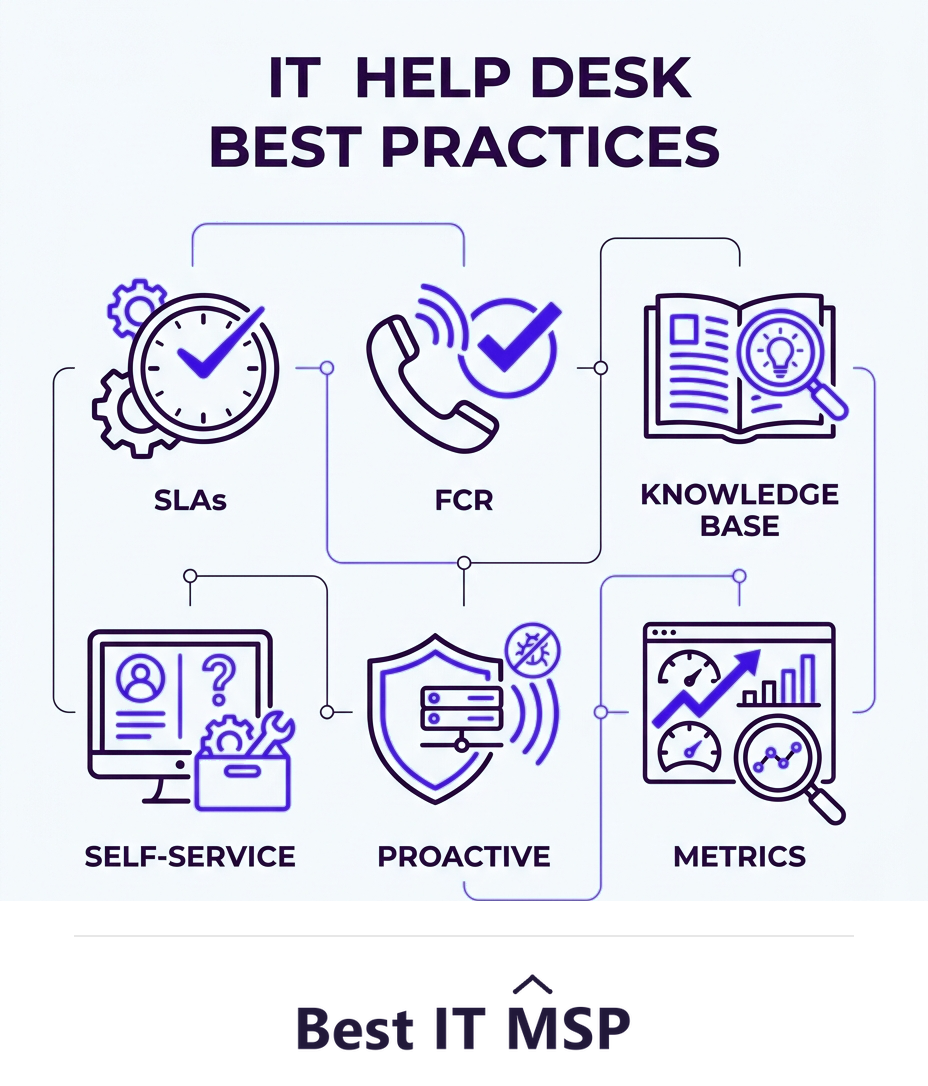
- Use a ticketing system with clear SLAs so nothing is lost and response times are measured.
- Aim for first-contact resolution, fixing issues on the first interaction whenever possible.
- Build a knowledge base and self-service so common issues are solved instantly and repeats fall.
- Be proactive: spot recurring problems and fix the root cause, not just the symptom.
- Track metrics like resolution time, FCR, and satisfaction to prove and improve performance.
Why help desk best practices matter
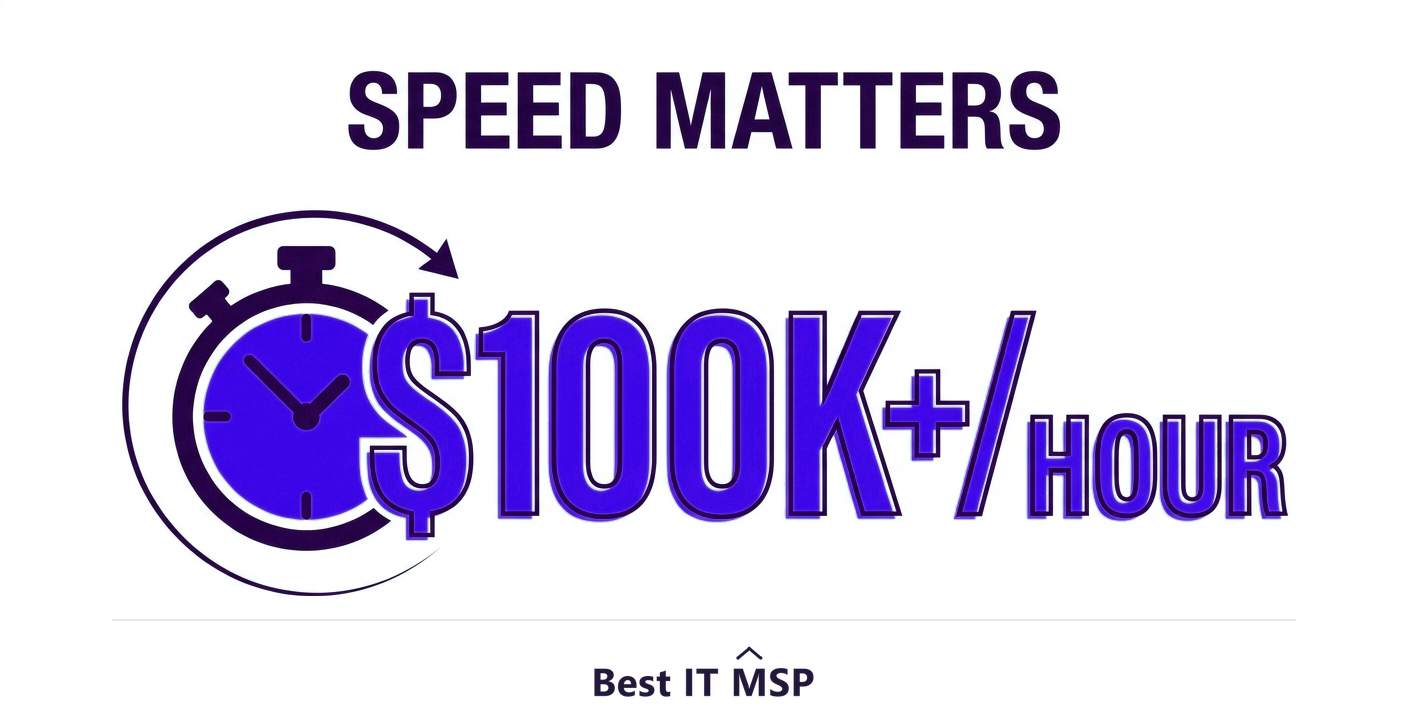
The IT help desk is where most people experience IT: it is who they contact when something is broken, slow, or confusing. A great help desk resolves those problems quickly and pleasantly, keeping the business productive; a poor one leaves people waiting, frustrated, and unable to work. Because nearly every employee depends on technology to do their job, the help desk has an outsized effect on overall productivity, and the cost of slow support adds up fast, especially when an outage strikes and an hour of downtime costs most organizations more than $100,000. Getting the help desk right is one of the highest-leverage things an IT operation can do.
Good help desk performance is not luck; it comes from a set of repeatable best practices around process, knowledge, and people. This guide covers the practices that separate a help desk people trust from one they dread. It pairs with our IT help desk services and IT support services overviews.
1. Use a ticketing system with clear SLAs
Everything starts with a proper ticketing system, so no request is lost in an inbox or a hallway conversation. Every issue becomes a tracked ticket with an owner and a status. On top of that, set clear service level agreements (SLAs): the response and resolution times users can expect, often tiered by priority so a down server is handled faster than a password reset. SLAs do two things, they set expectations for users and give the team measurable targets. Without them, support is a black hole; with them, it is accountable and predictable.
2. Aim for first-contact resolution
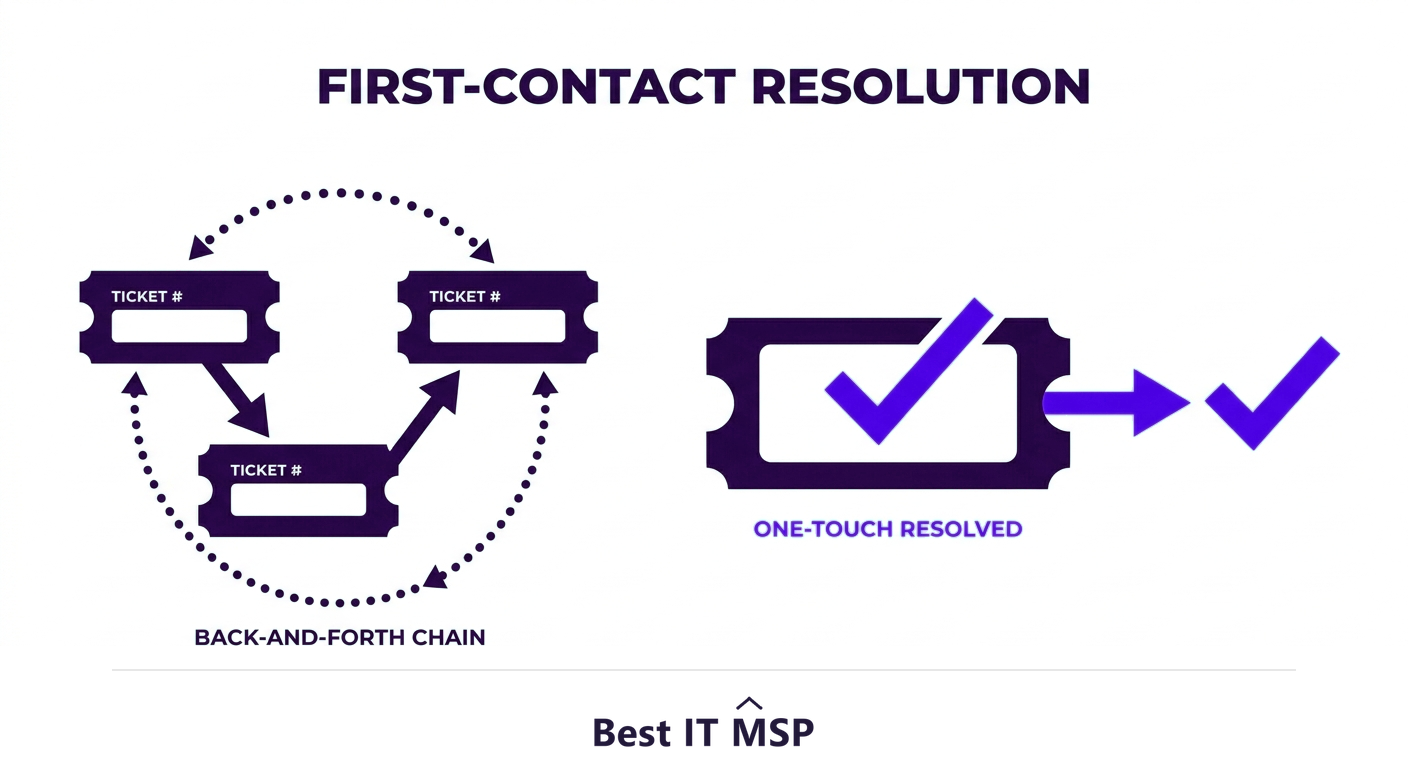
One of the most important help desk metrics is first-contact resolution (FCR): the share of issues solved in the first interaction, without escalation or callbacks. High FCR means happier users and a more efficient desk, because every reopened or bounced ticket multiplies the cost and the frustration. Improve FCR by equipping front-line staff with the knowledge, access, and tools to solve common problems on the spot, rather than reflexively escalating. Not everything can be fixed on first contact, but treating FCR as a goal changes how the desk operates for the better.
3. Build a knowledge base
A strong knowledge base, documented solutions to common problems, is a force multiplier. It lets staff resolve issues faster and more consistently, helps new technicians get up to speed, and ensures that a clever fix discovered once is captured and reused rather than rediscovered each time. The discipline of writing down solutions also turns individual knowledge into team knowledge, so the desk does not grind to a halt when one experienced person is out. Keep it current, because an outdated knowledge base quietly erodes trust and sends people back to square one.
4. Offer self-service
The fastest ticket is the one that never needs a human. Self-service, a portal where users can reset passwords, find how-to articles, and request common items themselves, resolves routine issues instantly and frees the team for the problems that genuinely need expertise. Many users prefer it for simple tasks, and it scales the desk without scaling headcount. A good self-service experience, backed by the knowledge base, can deflect a large share of routine tickets, which is one of the most effective ways to keep a growing business's support costs in check.
5. Be proactive, not just reactive
The best help desks do not just react to tickets; they look for patterns and prevent problems. If the same issue keeps appearing, that is a signal to fix the root cause, whether that means a configuration change, better onboarding, or user training, so the ticket stops recurring. Pairing the help desk with proactive monitoring lets the team catch and resolve many issues before users even notice, the difference between a desk that fights fires all day and one that quietly keeps things running. This proactive support mindset is also what reduces the outages that make downtime so expensive; proactive support prevents tickets rather than just closing them faster.
6. Invest in people and communication
Technology matters, but the help desk is fundamentally a people business. Train staff on both technical skills and customer service, because how an issue is handled matters as much as how fast it is fixed. Communicate clearly: acknowledge requests promptly, keep users updated on progress, explain fixes in plain language, and never leave someone wondering whether their ticket was even seen. Empathy goes a long way, a frustrated user calmed by a friendly, competent technician becomes an advocate, while the same user ignored becomes a critic. Security awareness belongs here too, since the help desk is a frequent target of social-engineering attacks, and the human element features in 68 percent of breaches. The stakes are real, with the average breach costing $4.88 million and taking about 258 days to identify and contain, so a help desk trained to verify identity before resetting credentials is a genuine security control.
7. Track the metrics that matter
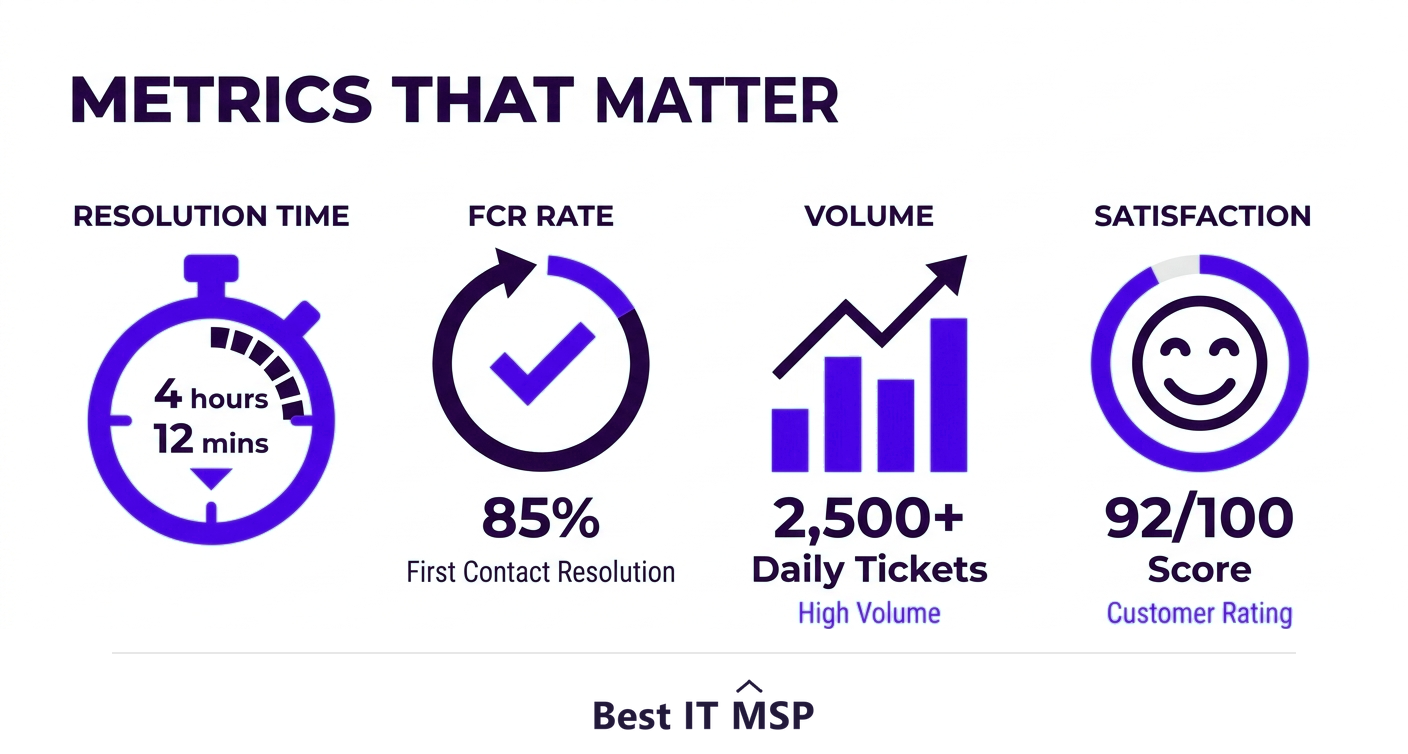
You cannot improve what you do not measure. Track the metrics that reveal how the desk is really performing: average response and resolution time, first-contact resolution rate, ticket volume and trends, SLA compliance, and user satisfaction (often via a quick post-ticket survey). These numbers turn vague impressions into evidence, show where to improve, and prove the desk's value to leadership. Watch trends over time rather than obsessing over any single number, and use ticket-volume patterns to spot the recurring problems worth eliminating at the source.
Building a help desk that delivers
Putting all of this in place, the tools, the knowledge base, the self-service, the proactive processes, the trained staff, and the metrics, takes effort and expertise, and staffing a responsive desk around the clock is hard amid a global shortfall of about 4.8 million cybersecurity and IT professionals. This is why many businesses outsource the help desk to a managed IT provider that already operates a mature, well-staffed desk with all these practices built in. It is part of why the managed services market is projected to grow from about $330 billion in 2024 to about $879 billion over the next decade. Outsourcing gives a small business enterprise-grade support, often 24/7, without building the operation itself. As more support shifts to cloud-based tools, in a market where public cloud spending is forecast to top $723 billion in 2025, up from about $595.7 billion in 2024, that advantage only grows.
Whether you run your help desk in-house or outsource it, these practices are what make it work. To find a provider with a strong help desk, browse vetted, merit-ranked firms by city in the Best IT MSP directory, where ranking is earned on rating and verified data.
FAQ
What are IT help desk best practices?
The core best practices are using a ticketing system with clear SLAs, aiming for first-contact resolution, building and maintaining a knowledge base, offering self-service for routine issues, being proactive by fixing root causes and monitoring, investing in well-trained and empathetic staff with clear communication, and tracking metrics like resolution time, FCR rate, and satisfaction.
What is first-contact resolution and why does it matter?
First-contact resolution (FCR) is the share of issues solved in the first interaction, without escalation or callbacks. It matters because high FCR means happier users and a more efficient desk, since every reopened or bounced ticket multiplies cost and frustration. Improve it by equipping front-line staff with the knowledge, access, and tools to solve common problems on the spot.
Why does a help desk need a knowledge base?
A knowledge base of documented solutions lets staff resolve issues faster and more consistently, helps new technicians get up to speed, and ensures a clever fix is captured and reused rather than rediscovered each time. It turns individual knowledge into team knowledge so the desk does not stall when one experienced person is out. Keep it current to maintain trust.
How do help desk metrics help?
Metrics like average response and resolution time, first-contact resolution rate, ticket volume and trends, SLA compliance, and user satisfaction turn vague impressions into evidence. They show where to improve, prove the desk's value to leadership, and reveal recurring problems worth eliminating at the source. Watch trends over time rather than any single number.
Should I outsource my IT help desk?
Many small and midsize businesses do, because building and staffing a responsive desk, especially around the clock, is hard and expensive amid a shortage of skilled IT staff. A managed IT provider operates a mature, well-staffed desk with best practices built in, giving you enterprise-grade support, often 24/7, without building the operation yourself.
How can a help desk be more proactive?
Look for patterns in tickets and fix the root cause when the same issue recurs, through configuration changes, better onboarding, or user training, so the ticket stops coming back. Pair the desk with proactive monitoring to catch and resolve many issues before users notice, shifting from constant firefighting to quietly keeping systems running.
Best IT MSP is the independent directory of vetted managed IT providers across North America. Compare merit-ranked firms in your city that run responsive, well-staffed help desks. No pay-to-play.